Home/Scripts & plugins/WordPress/WPForms Submission Limit
WordPress pluginWPFormsShortcodeProductivityFree

WPForms Submission Limit

Cap the number of submissions on any WPForms form. When it's full, the form is replaced by your message. Show a spots-left progress bar and an "Enrolling now / Fully booked" badge.
Version 1.0.0WP 6.0+PHP 7.4+Updated Nov 2026Downloads 0

What it does 01

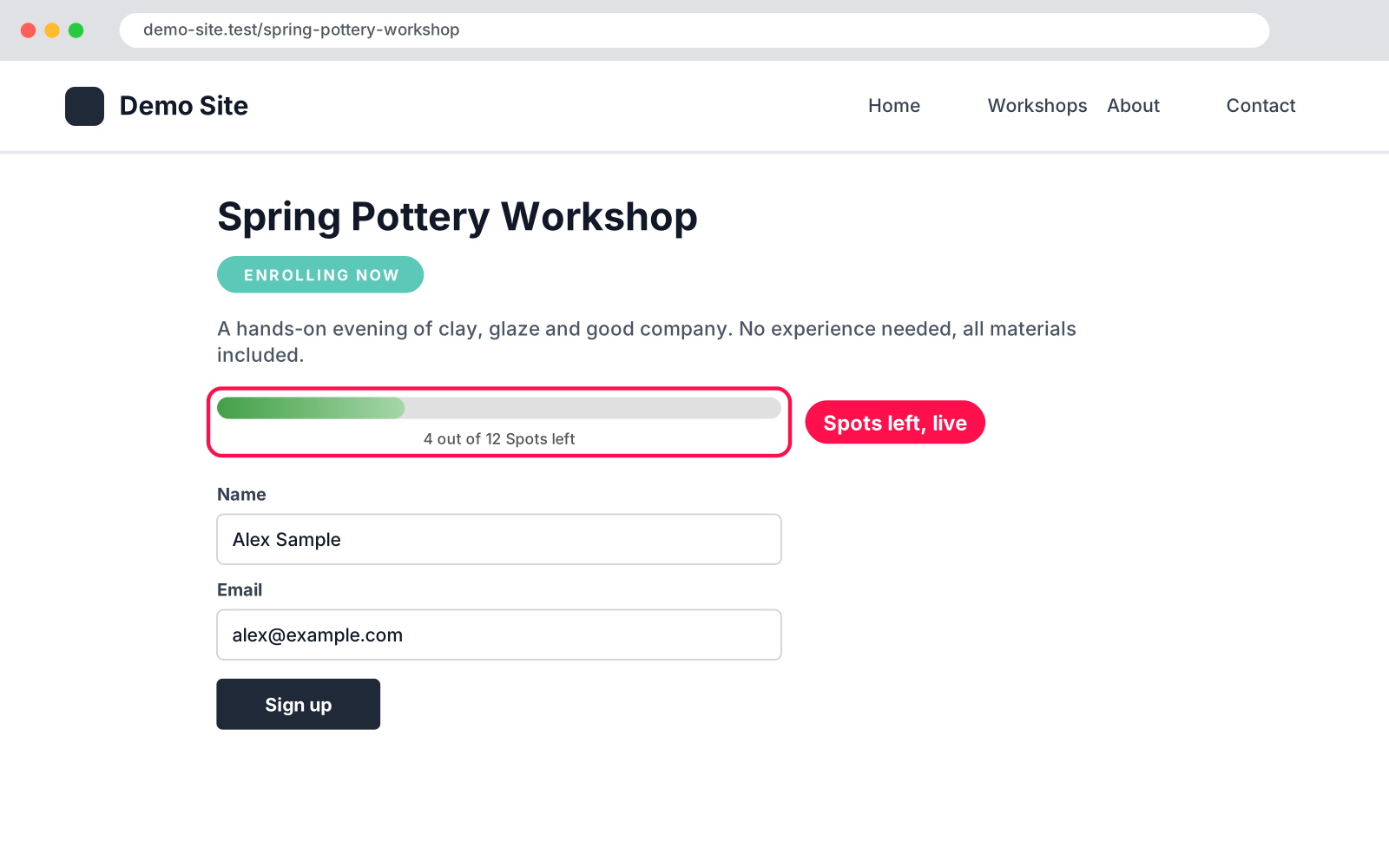
Perfect for workshops, classes, events and applications with a fixed number of places. Set how many spots a WPForms form has, and when the last one is taken the form closes itself and shows your message instead. Visitors can see how many spots are left, live.

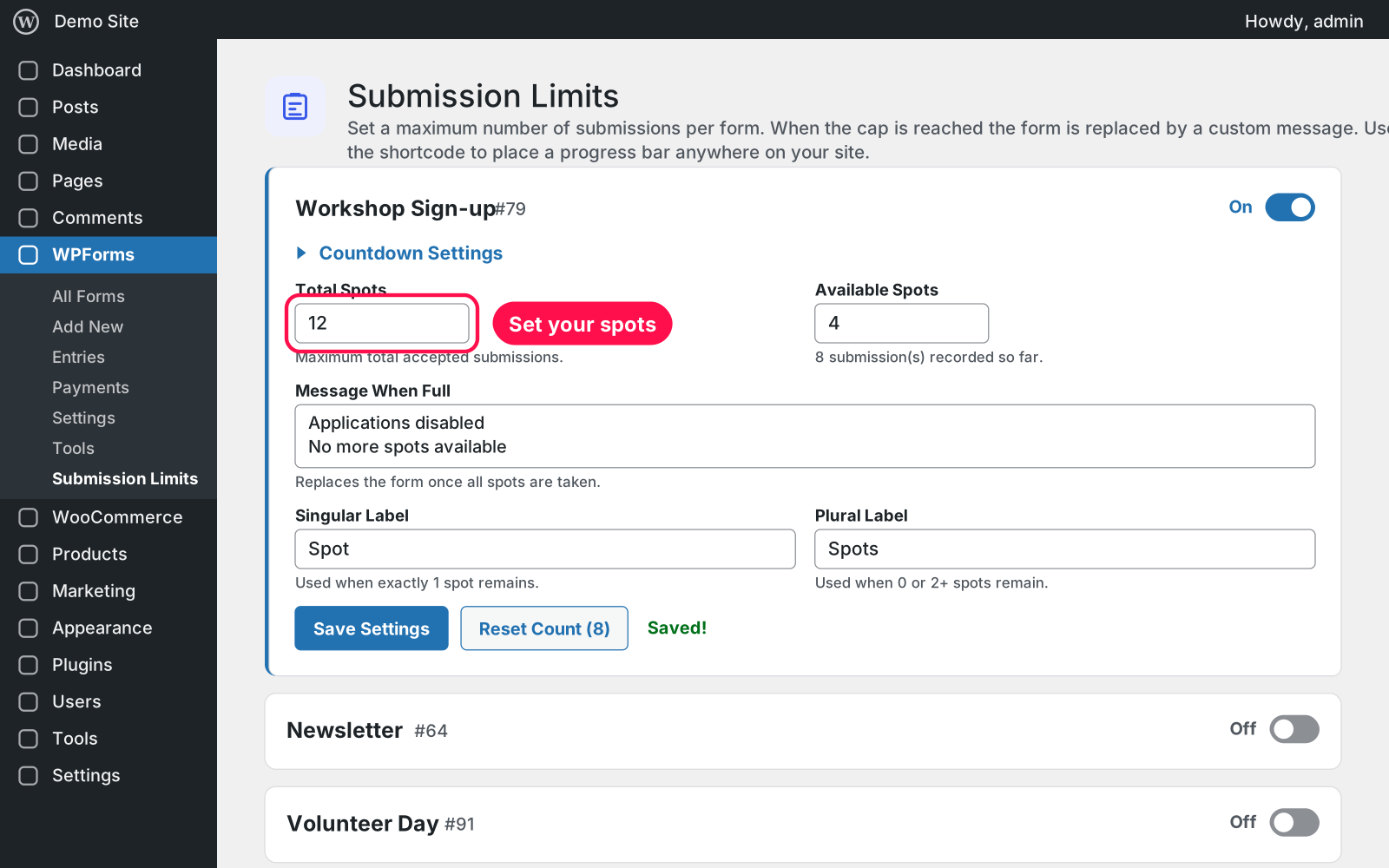
  • Spots per form: switch any WPForms form on and set its Total Spots.
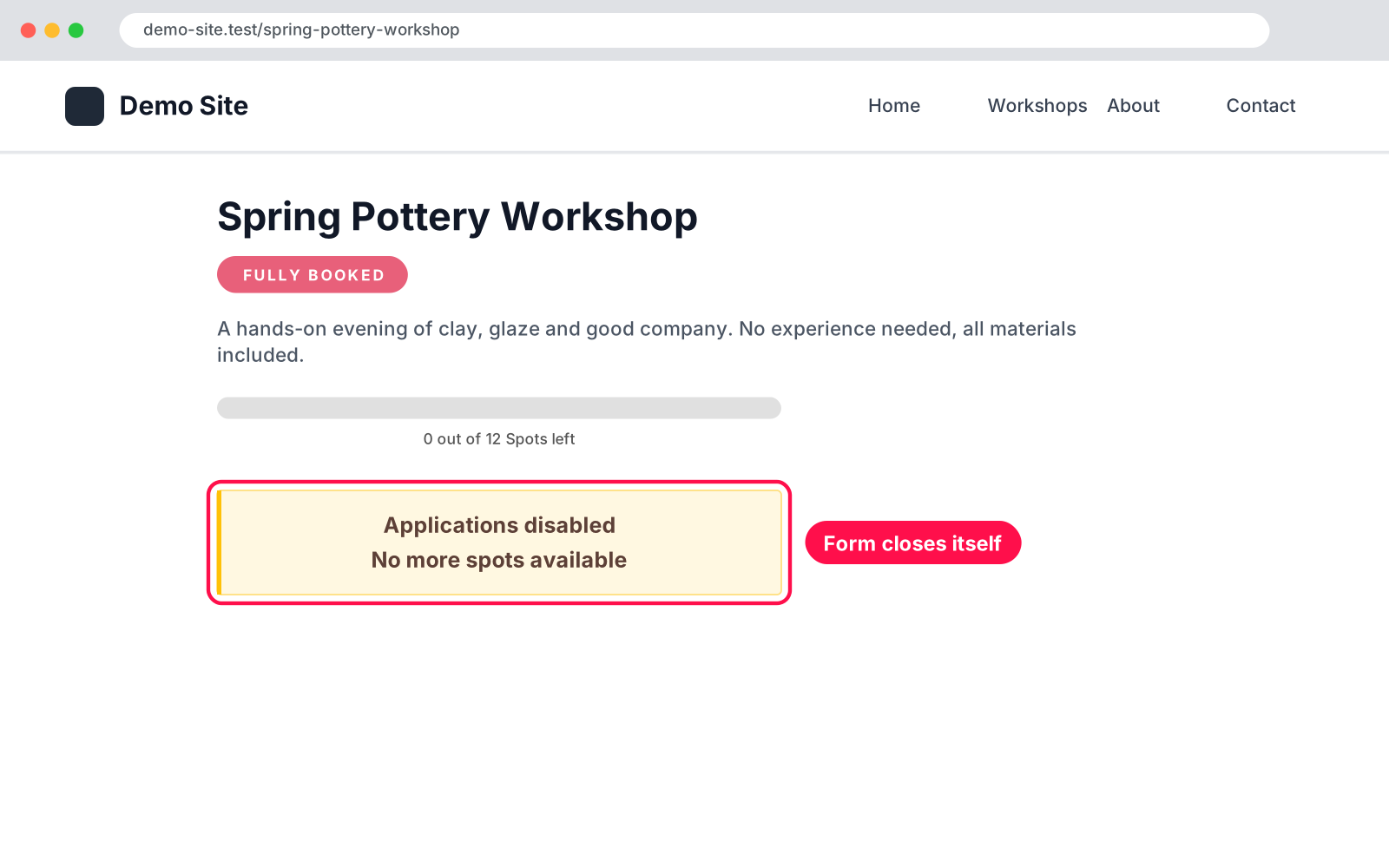
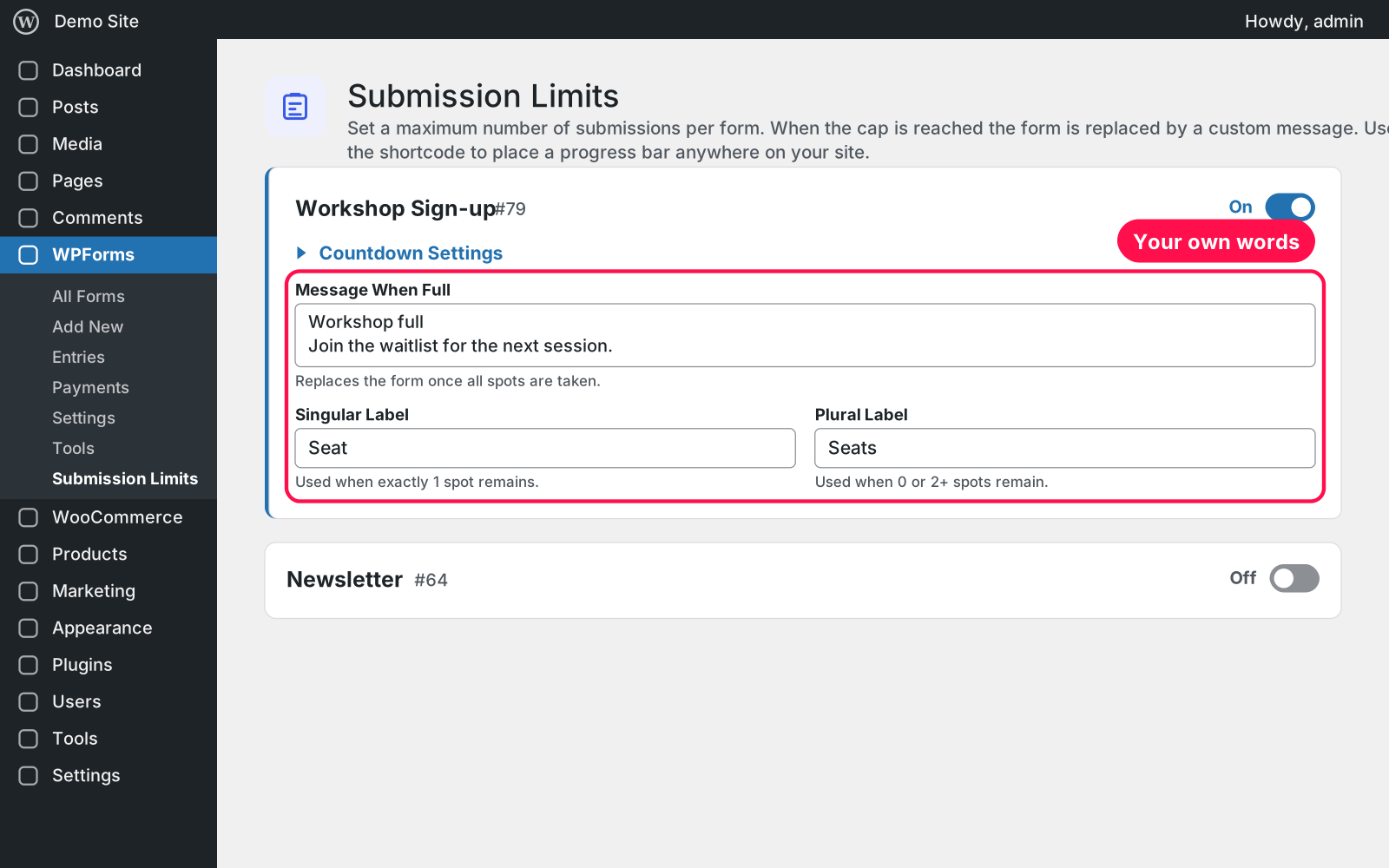
  • Closes itself: when it's full, the form is replaced by your own message, e.g. "Applications disabled / No more spots available".
  • No overbooking: a late submission (a tab left open, a cached page) is refused with the same message.
  • Works wherever the form is: the WPForms shortcode, the WPForms block or a page-builder widget.
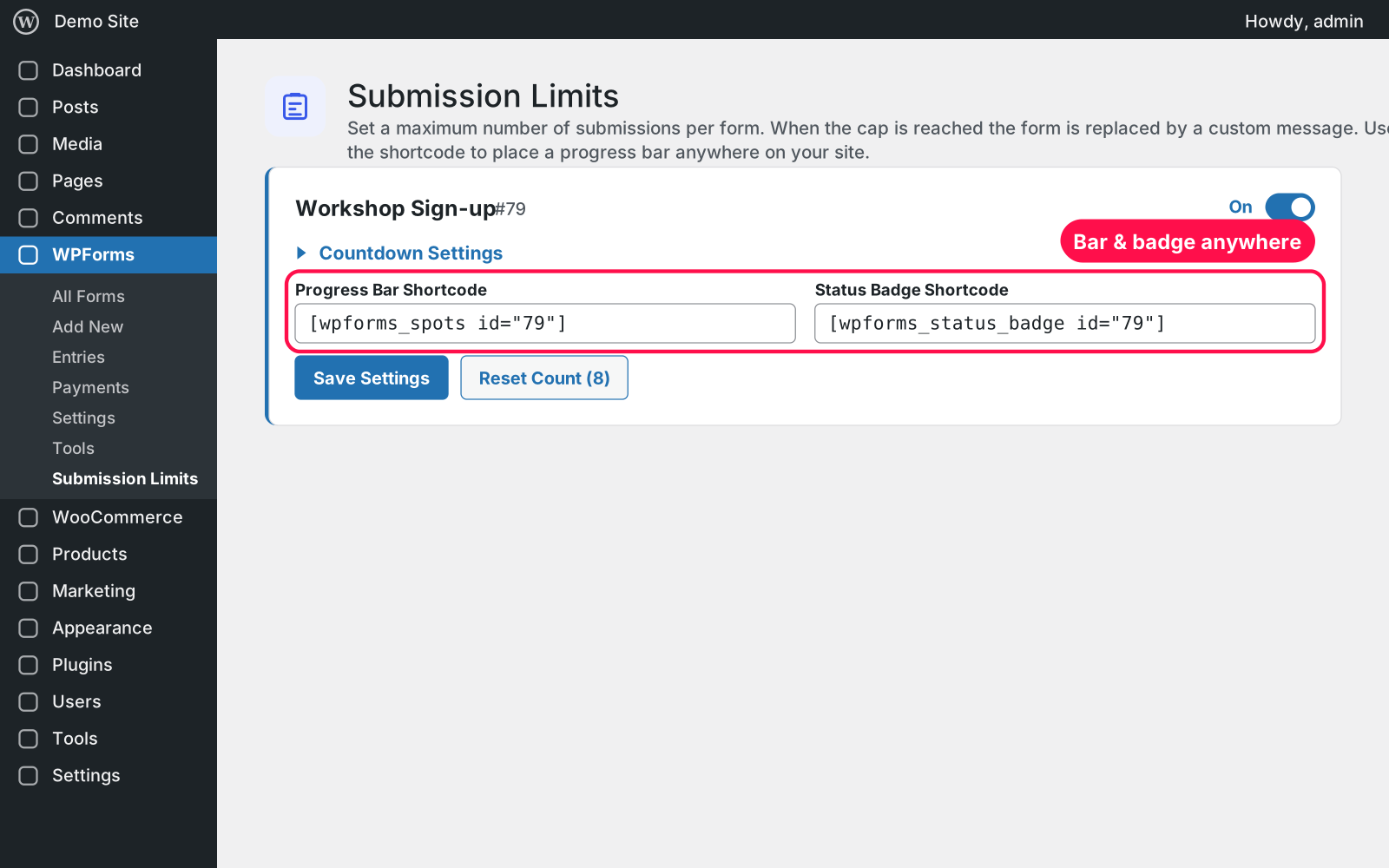
  • Progress bar: [wpforms_spots id="123"] shows "4 out of 12 Spots left" with a bar.
  • Status badge: [wpforms_status_badge id="123"] shows ENROLLING NOW or FULLY BOOKED.
  • Your words: choose the singular and plural label (Spot/Spots, Seat/Seats, Place/Places).
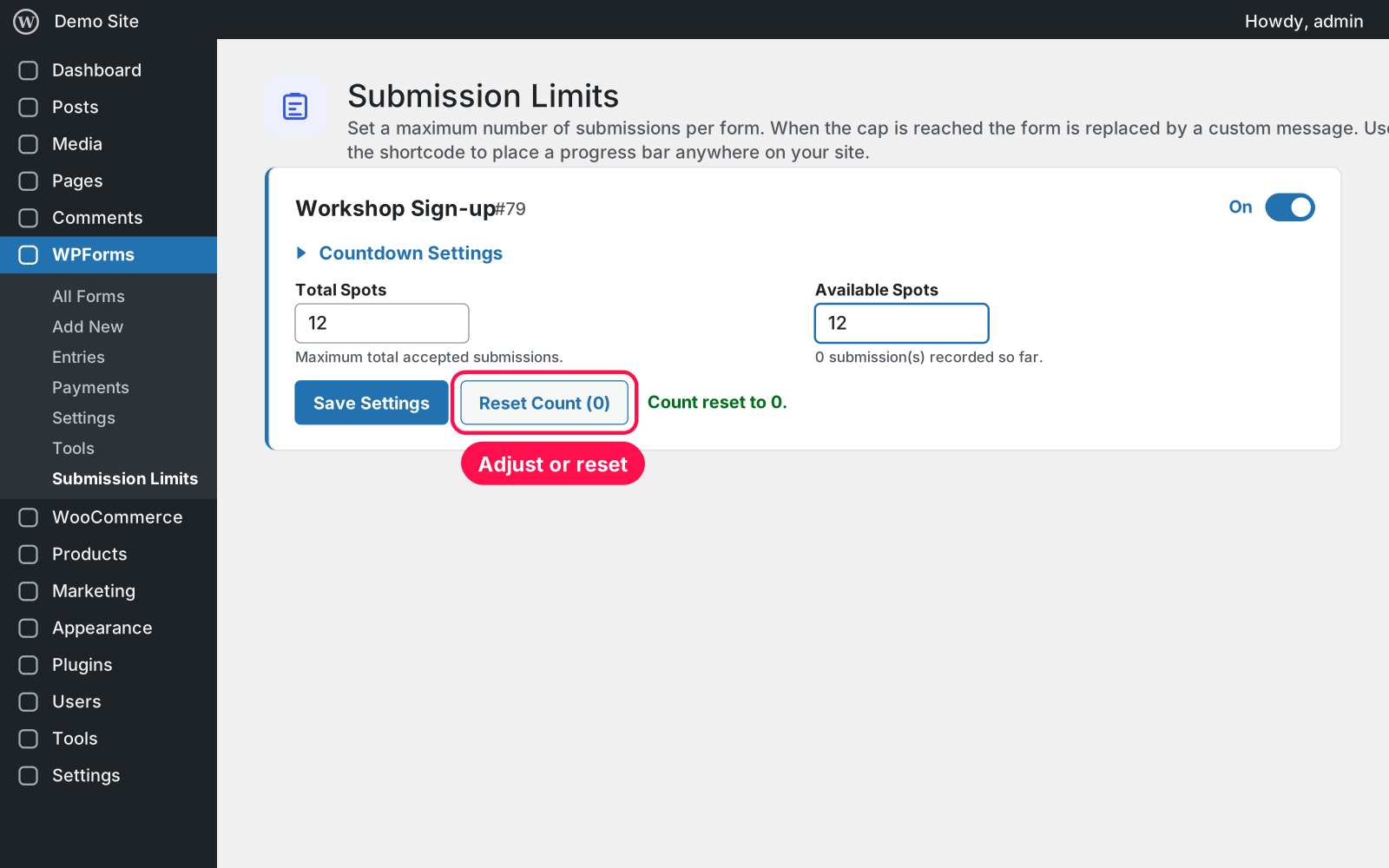
  • Adjust by hand: change Available Spots after a cancellation, or reset the count to start over.
  • One clear page: all your forms on WPForms › Submission Limits, each with its own on/off switch.
  • Safe for your forms: it never changes your WPForms forms or entries.
  • Lightweight: its small stylesheet only loads on pages that show a bar, badge or "full" message.

Setup 02 · about 2 minutes

  1. Install & Activate it. In WordPress go to Plugins → Add New → Upload Plugin, choose the .zip and click Install Now, then Activate. WPForms (Lite or Pro) must be active.
  2. Open the settings. Go to WPForms › Submission Limits and switch your form on.
  3. Set your spots. Enter Total Spots and the message to show when it's full, then click Save Settings.
  4. Show what's left (optional). Copy the progress bar or badge shortcode from the card and paste it on the page.

FAQ 03

Does it work with WPForms Lite?

Yes. It works with WPForms Lite and Pro, and with forms added by shortcode, the WPForms block or a page-builder widget.

Does it work with page caching?

A cached page can keep showing the form or the old number of spots until the cache is cleared — but a submission that arrives after the form is full is always refused with your message, so you're never overbooked.

What counts as a submission?

Every successful WPForms submission of that form while its limit is switched on. You can change Available Spots or reset the count at any time.

I used the old WP Forms Limited Submissions plugin — what now?

Deactivate it. Your limits, counts and shortcodes carry over automatically. WPForms Submission Limit pauses while the old one is active.

What happens to my data when I delete the plugin?

Nothing is deleted: your forms, entries, limits and counts are kept.

Changelog 04

1.0.0Nov 14, 2026 · Latest
  • - First release.
Need it to do something else?

I customize plugins and build new ones from scratch — same care, made for your site.

Ask me

Comments

Every comment is reviewed before it appears.

No comments yet — questions, ideas and bug reports are all welcome.

Leave a comment

Replying to
Comments are moderated and appear once approved. Your email is only used to notify you of replies.
Thanks! Your comment is awaiting moderation and will appear once it's approved.
Scripts & plugins

More plugins.

All scripts & plugins →
WordPressPremium

Arock Wordpress + WooCommerce Toolkit

20 small WordPress and WooCommerce tools in one lightweight plugin. Switch each tool on or off from one page; only the tools you turn on run.

Buy →
WordPress

WPForms Donation Counter

A fundraising goal progress bar for WPForms donation forms. Website donations count automatically, checks and cash are logged by hand, with donors and days left.

FreeDownload ↓
WordPress

WooCommerce Checkout Field Manager

Rename, hide, reorder, resize and add WooCommerce checkout fields with a live preview. Billing, shipping and order notes, on the classic and block checkout.

FreeDownload ↓