Home/Scripts & plugins/WordPress/WPForms Donation Counter
WordPress pluginWPFormsShortcodeMarketingFree

WPForms Donation Counter

A fundraising goal progress bar for WPForms donation forms. Website donations count automatically, checks and cash are logged by hand, with donors and days left.
Version 1.1.0WP 6.0+PHP 7.4+Updated Nov 2026Downloads 0

What it does 01

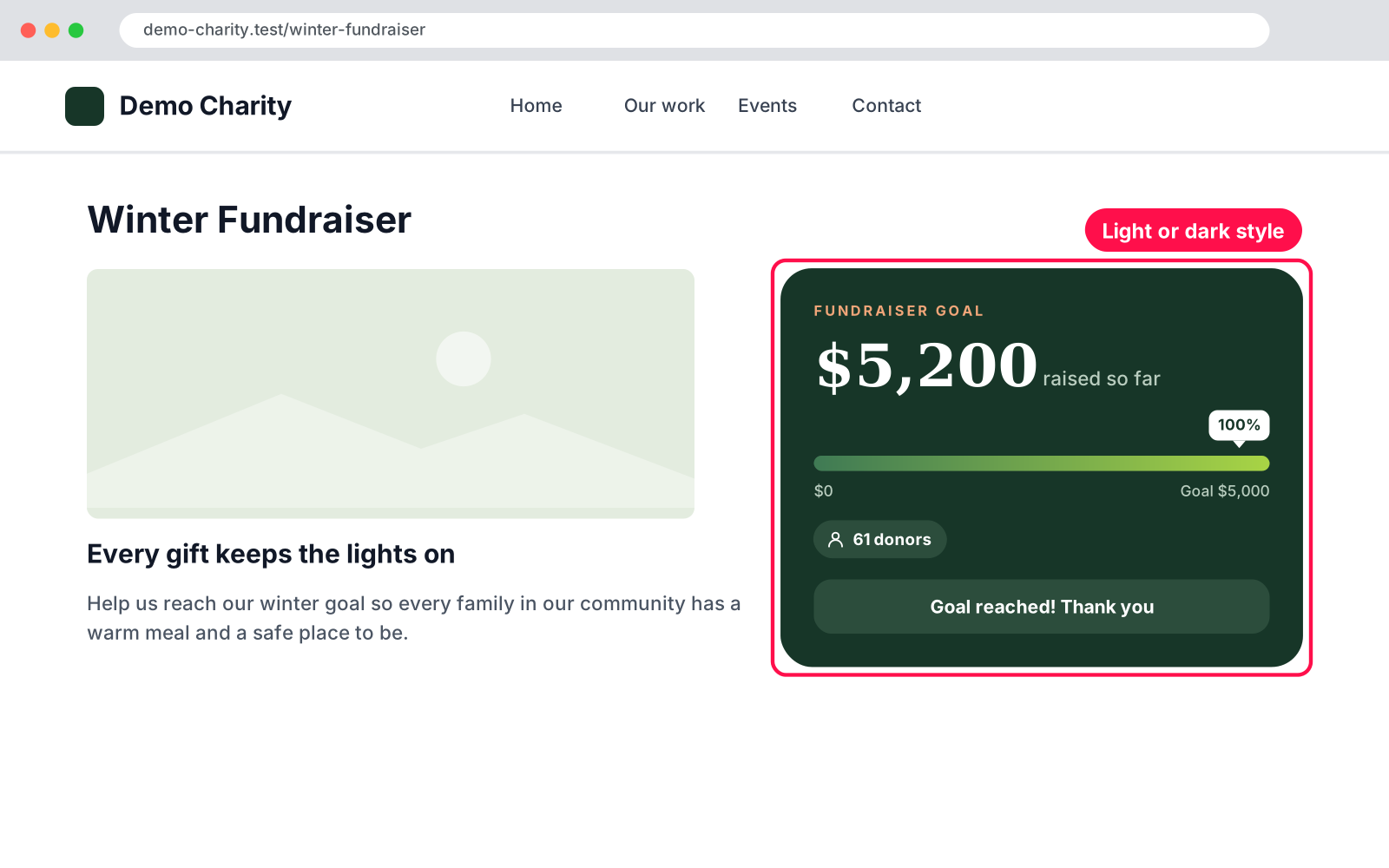
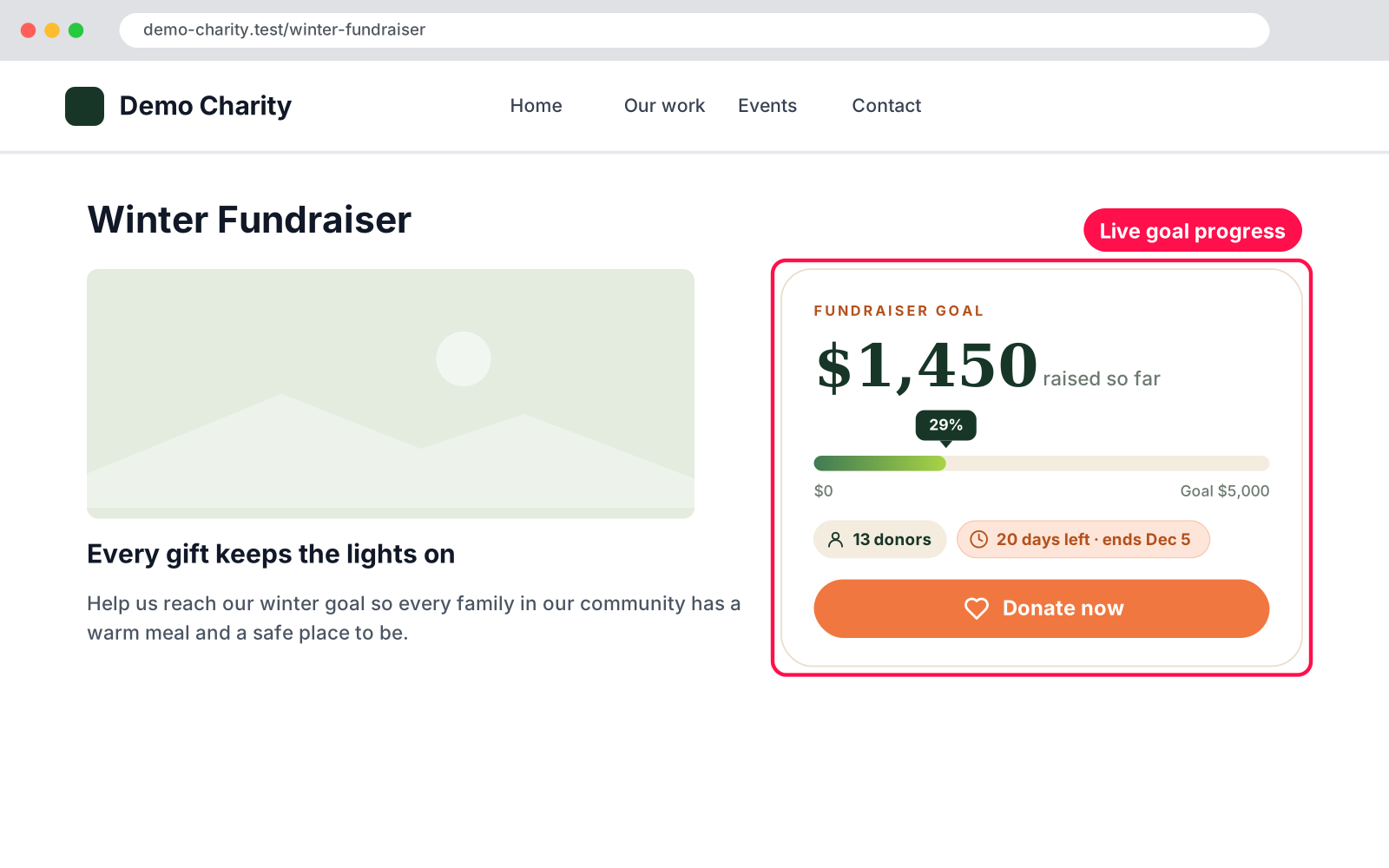
Show supporters how close you are to your goal. Put a live fundraising counter on any page: amount raised, a progress bar, the number of donors, days left and a Donate button. Donations made through your WPForms donation form are counted automatically, and gifts that come in by check or cash are added in one click.

  • Automatic: payments from your WPForms donation form (WPForms › Payments) are added to the total.
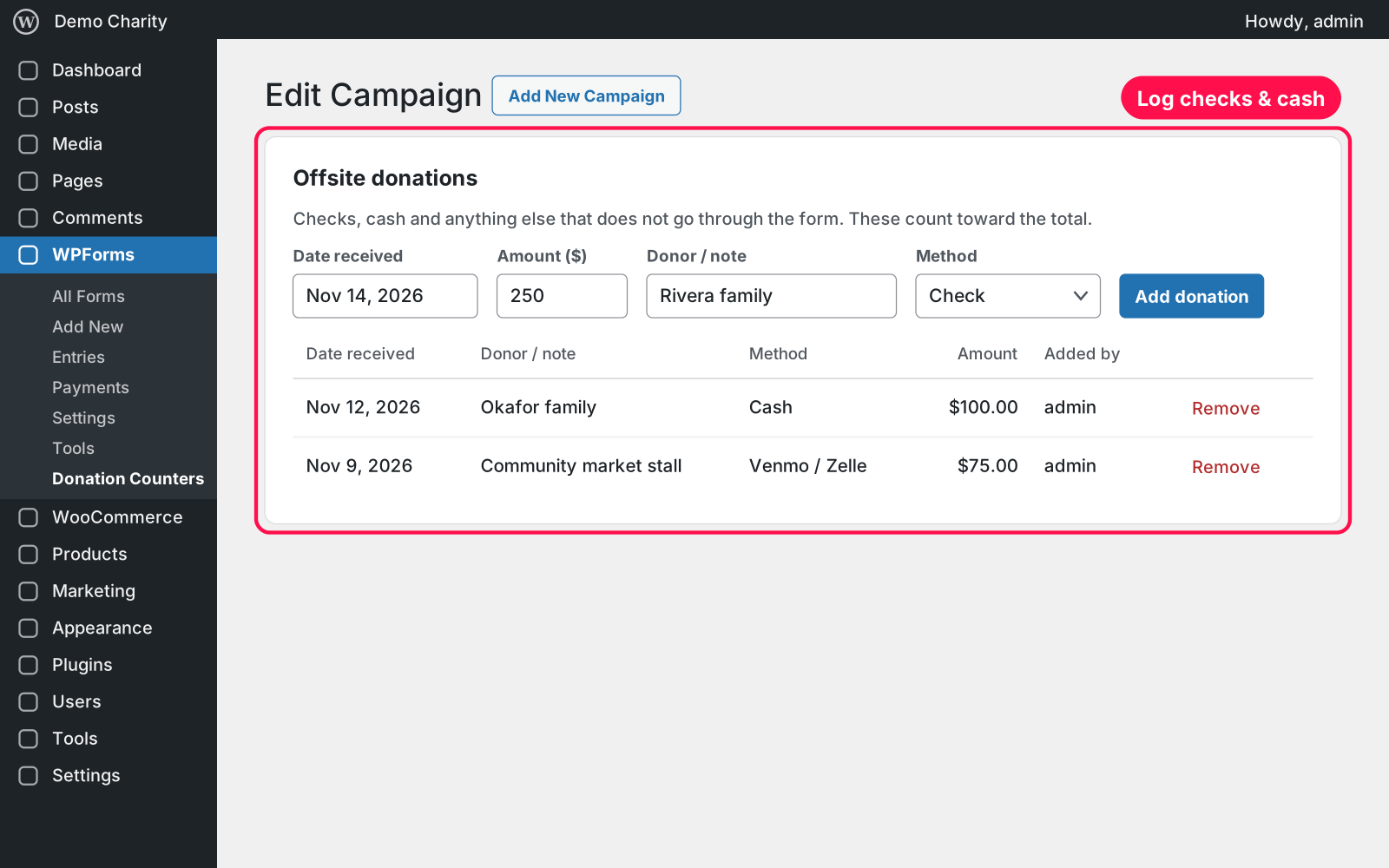
  • Offsite gifts: log checks, cash, Venmo / Zelle or bank transfers with date, amount, donor and method. Each one counts as a donor.
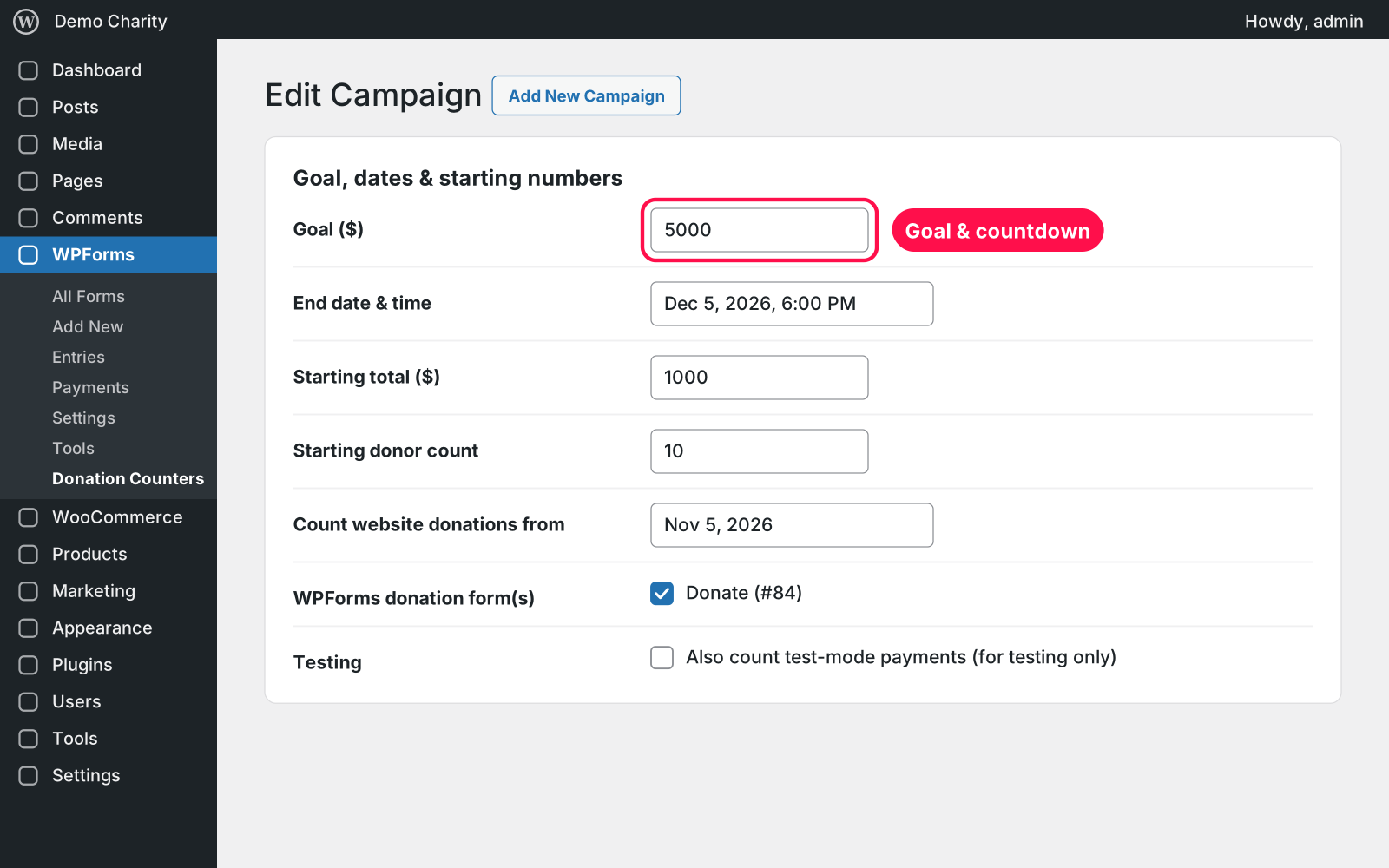
  • Start where you are: enter what you've already raised and how many donors you have.
  • Monthly donors counted once: every monthly charge adds to the total, but the donor counts one time.
  • Honest numbers: refunded, failed and test payments are not counted.
  • Countdown: days left and the end date; after it ends, a thank-you message like "We raised $12,480 together".
  • Goal reached: shows your own celebration message when you pass the goal.
  • One shortcode: [donation_counter], with a light card, a dark green card or no card for dark sections.
  • Always up to date: the counter fetches fresh numbers when the page loads, even with page caching.
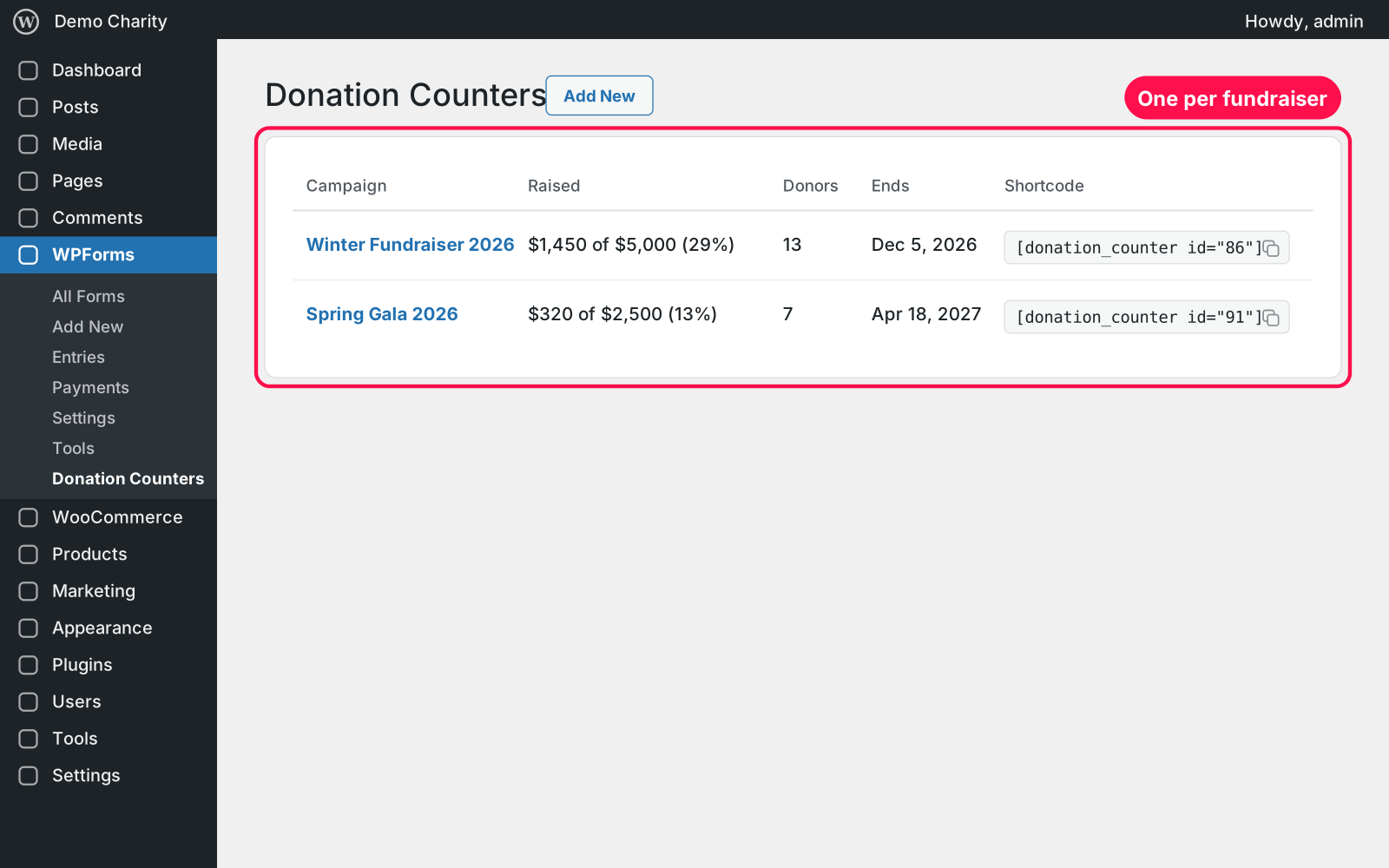
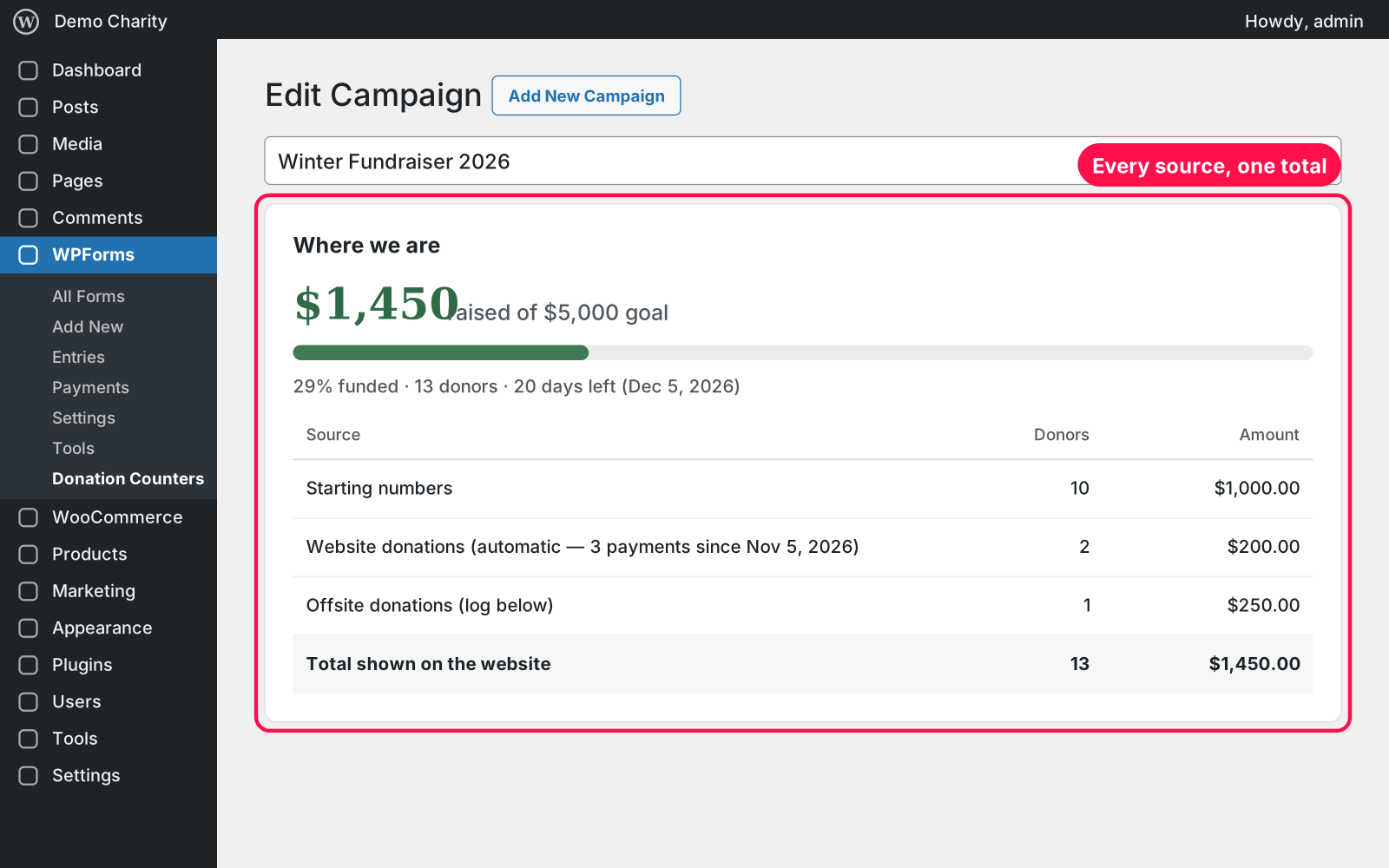
  • See the breakdown: the campaign screen shows starting numbers, website and offsite donations, and the total on your site.
  • Reusable: create a new campaign for every fundraiser.

Setup 02 · about 5 minutes

  1. Install & Activate it. In WordPress go to Plugins → Add New → Upload Plugin, choose the .zip and click Install Now, then Activate. WPForms with a payment form must be active.
  2. Create a campaign. Go to WPForms › Donation Counters › Add Campaign and give it a name.
  3. Set the goal. Fill in the goal, end date, starting total and donors, and tick your WPForms donation form. Publish.
  4. Add it to a page. Paste `[donation_counter]` where the counter should appear.
  5. Log offsite gifts. On the campaign screen, add checks or cash under Offsite donations — the total updates right away.

FAQ 03

Which WPForms payments are counted?

Payments with status completed or processed, in live mode, made with the donation form(s) you ticked, between "Count website donations from" and the end date.

Does it work with page caching?

Yes. The counter fetches the latest numbers when the page loads, so cached pages stay up to date.

Can I test it before going live?

Yes. Tick "Also count test-mode payments", make a test donation, then untick it.

I'm using version 1.0.x — how do I update?

Upload the new zip under Plugins → Add New → Upload Plugin and choose "Replace current with uploaded". Your campaigns, offsite logs and shortcodes carry over.

What happens to my campaigns when I delete the plugin?

They're kept, with their offsite donation logs. Your WPForms payments are never touched.

Changelog 04

1.1.0Nov 15, 2026 · Latest
  • - The Donation Counters menu moved under WPForms (Tools while WPForms is inactive).
  • - The counter keeps translated words ("donors", "days left") after it refreshes.
  • - Pauses while an older copy is active, so nothing runs twice.
1.0.1Nov 4, 2026
  • - style="dark" now shows its own dark green card, so it looks right on white pages.
  • - New style="dark-bare" for placing the counter on an existing dark section.
Need it to do something else?

I customize plugins and build new ones from scratch — same care, made for your site.

Ask me

Comments

Every comment is reviewed before it appears.

No comments yet — questions, ideas and bug reports are all welcome.

Leave a comment

Replying to
Comments are moderated and appear once approved. Your email is only used to notify you of replies.
Thanks! Your comment is awaiting moderation and will appear once it's approved.
Scripts & plugins

More plugins.

All scripts & plugins →
WordPressPremium

Arock Wordpress + WooCommerce Toolkit

20 small WordPress and WooCommerce tools in one lightweight plugin. Switch each tool on or off from one page; only the tools you turn on run.

Buy →
WordPress

WooCommerce Checkout Field Manager

Rename, hide, reorder, resize and add WooCommerce checkout fields with a live preview. Billing, shipping and order notes, on the classic and block checkout.

FreeDownload ↓
WordPress

WPForms Submission Limit

Cap the number of submissions on any WPForms form. When it's full, the form is replaced by your message. Show a spots-left progress bar and an "Enrolling now / Fully booked" badge.

FreeDownload ↓