WordPress pluginWordPressWooCommerceShortcodeProductivityMediaEcommerceShippingPremium

Arock Wordpress + WooCommerce Toolkit

20 small WordPress and WooCommerce tools in one lightweight plugin. Switch each tool on or off from one page; only the tools you turn on run.

Version 1.2.1WP 6.0+PHP 7.4+Updated Nov 2026Price $19.95Use on unlimited sites
Coming soon See it in action

What it does 01

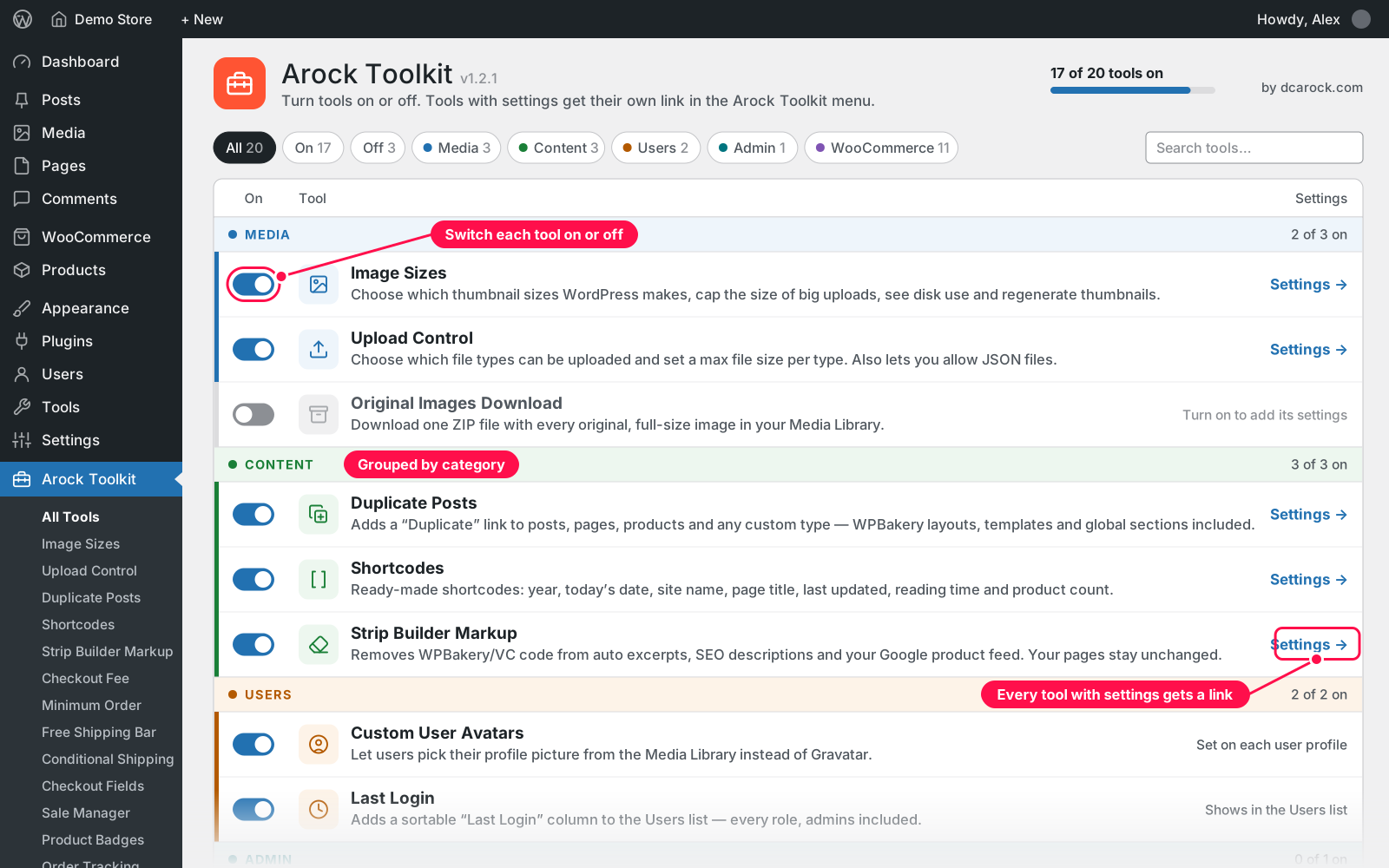
Arock Toolkit puts 20 small WordPress and WooCommerce tools in one lightweight plugin. Switch each tool on or off from one page, and only the tools you turn on actually run. Every tool with settings gets its own link in the Arock Toolkit menu, and Shop Managers see the WooCommerce tools they're allowed to use.

Media

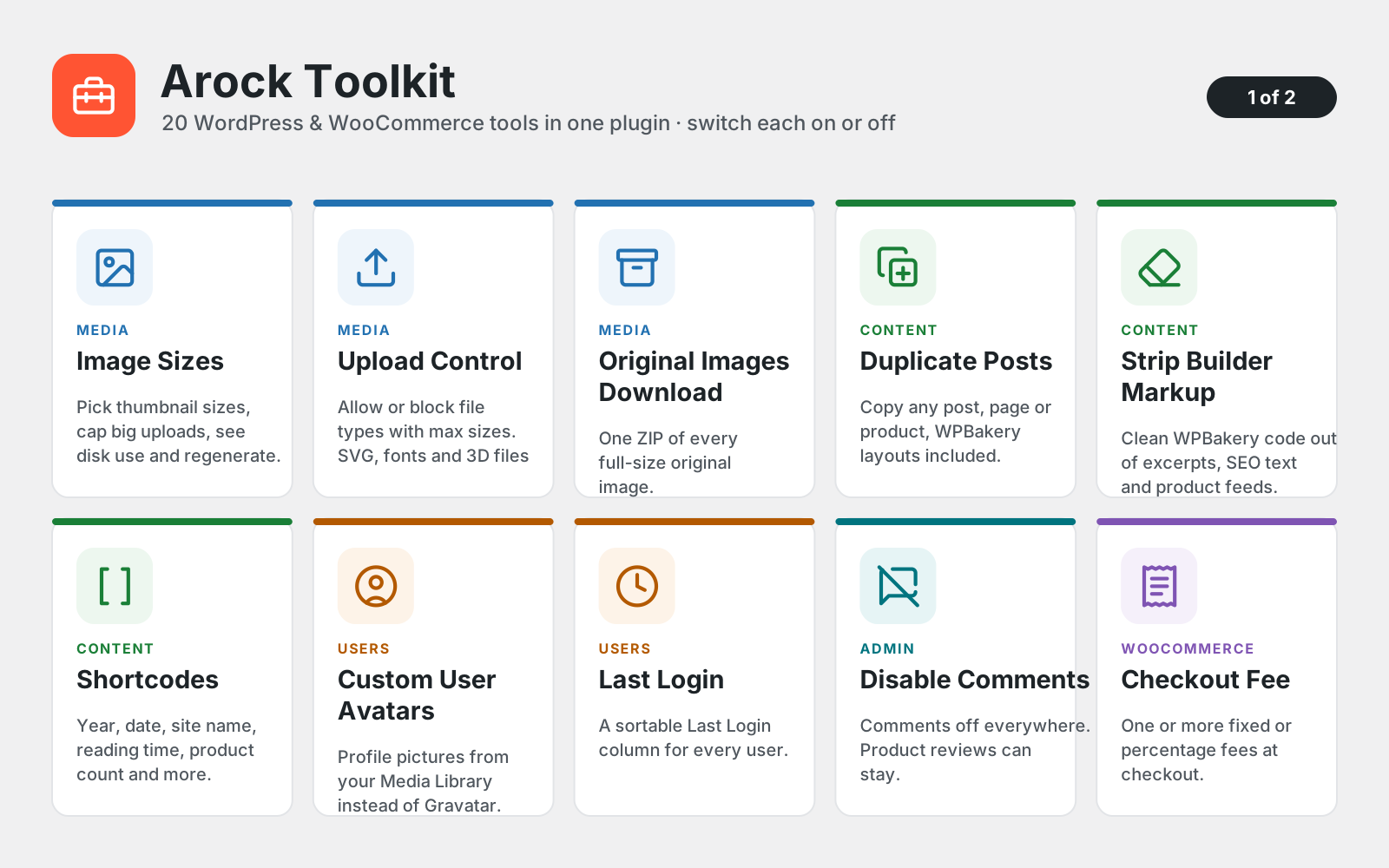
  • Image Sizes: choose which thumbnail sizes WordPress makes, cap big uploads, see disk use and regenerate
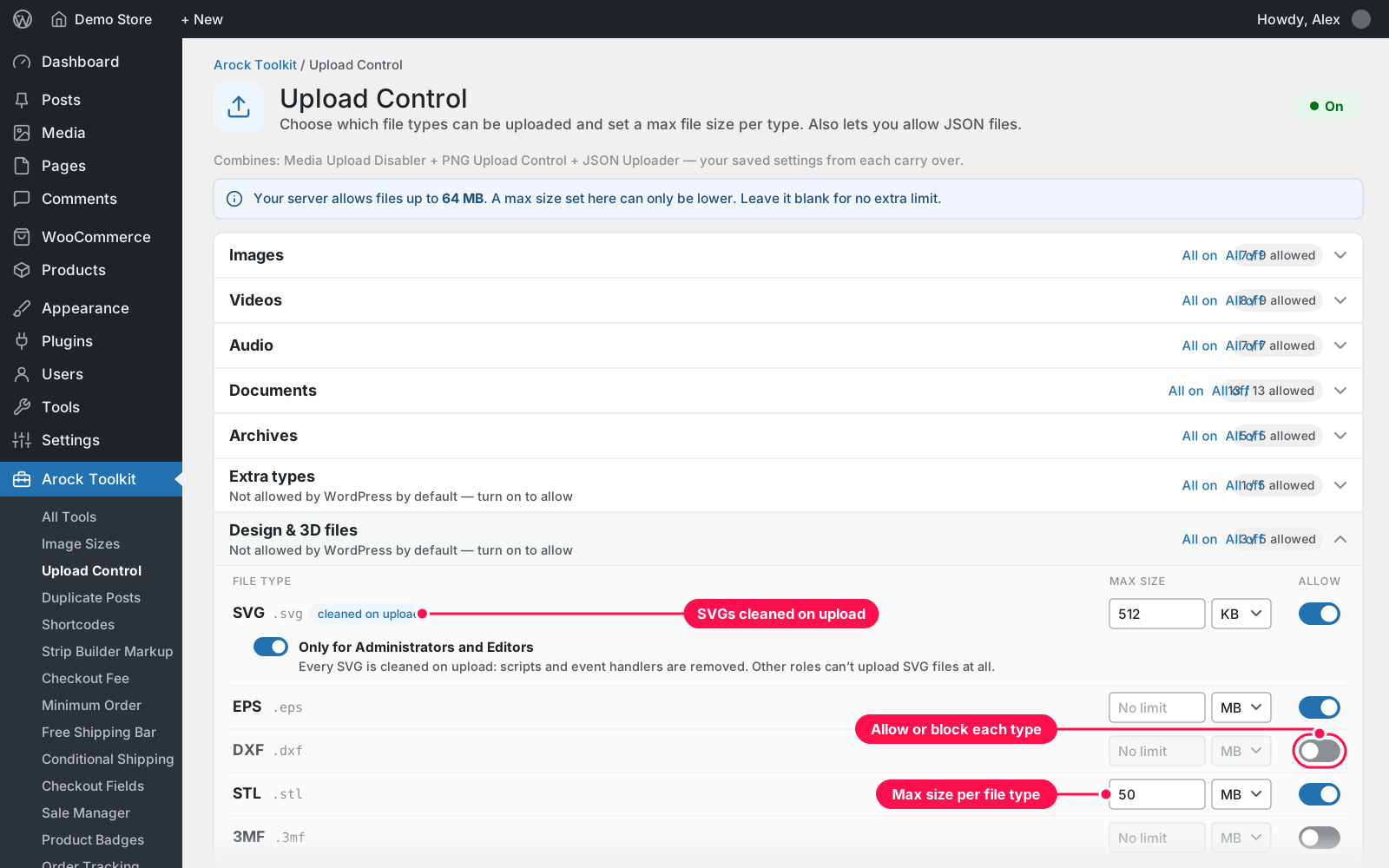
  • Upload Control: allow or block each file type with a max size per type, plus JSON, fonts, SVG, EPS, DXF, STL and 3MF
  • Original Images Download: one ZIP of every original, full-size image, kept in a list and auto-deleted when you choose

Content

  • Duplicate Posts: a "Duplicate" link for posts, pages, products and any custom type, WPBakery layouts included
  • Strip Builder Markup: removes WPBakery code from excerpts, SEO descriptions and your Google product feed
  • Shortcodes: year, today's date, site name, page title, last updated, reading time and product count

Users

  • Custom User Avatars: pick a profile picture from the Media Library instead of Gravatar
  • Last Login: a sortable "Last Login" column in the Users list, for every role

Admin

  • Disable Comments: comments off everywhere, with the option to keep WooCommerce product reviews

WooCommerce

  • Checkout Fee: one or more fixed or percentage fees in the cart and at checkout
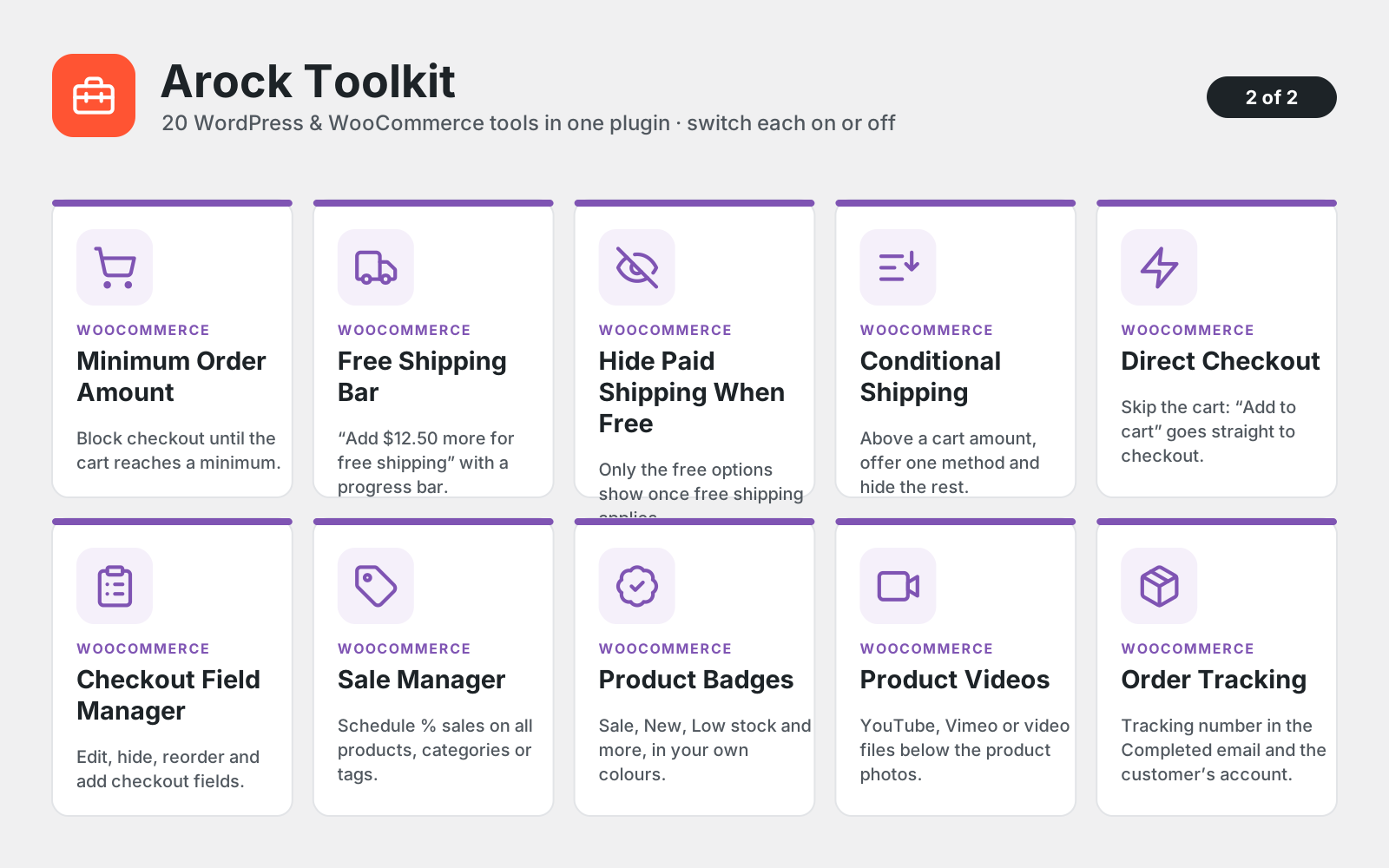
  • Minimum Order Amount: block checkout until the cart reaches a minimum, with your own message
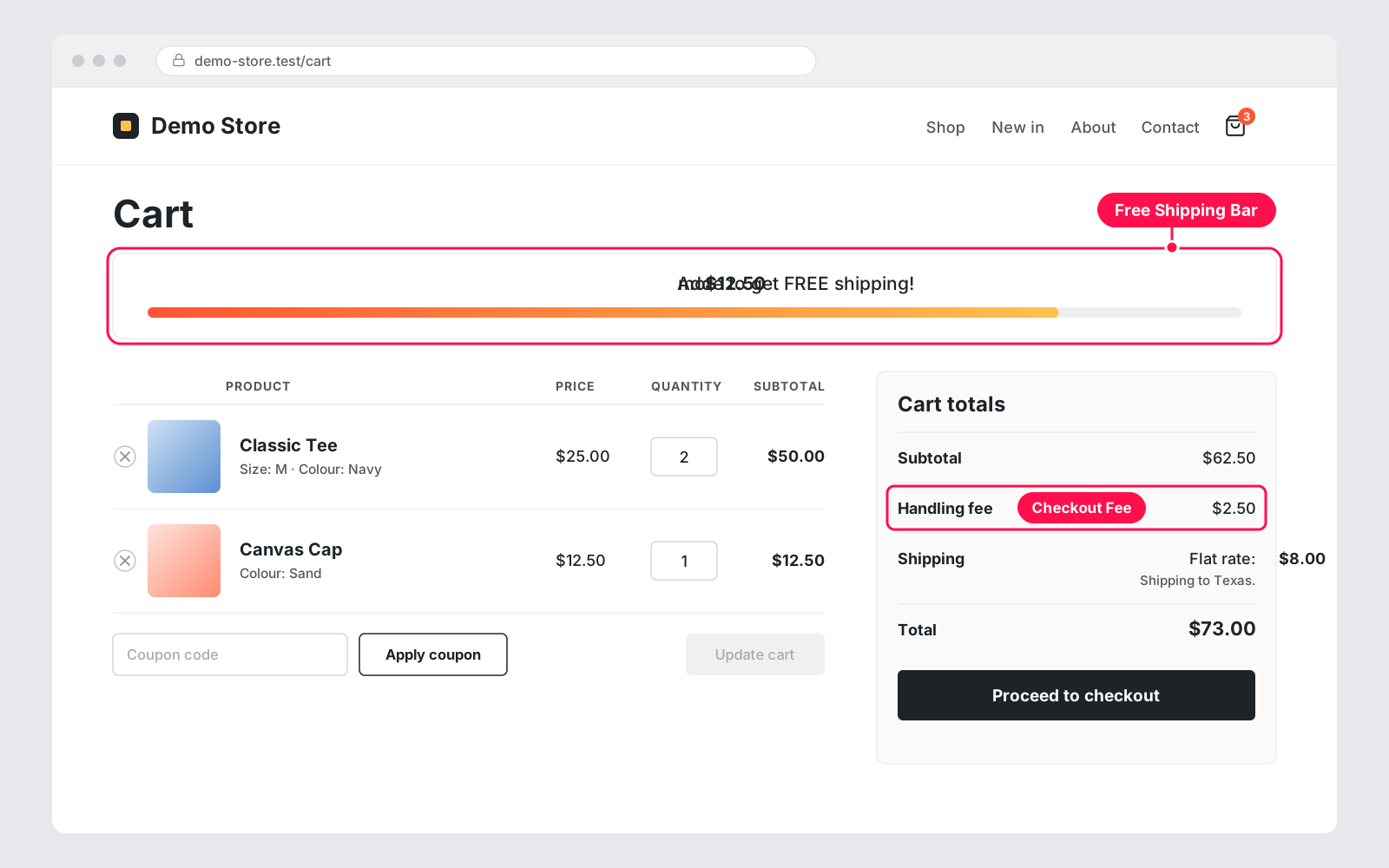
  • Free Shipping Bar: "Add $12.50 more for free shipping" with a progress bar, plus a shortcode
  • Hide Paid Shipping When Free: only the free options (and Local Pickup) once free shipping applies
  • Conditional Shipping: from a cart amount you choose, offer one method and hide the ones you pick
  • Direct Checkout: skip the cart, so "Add to cart" goes straight to checkout
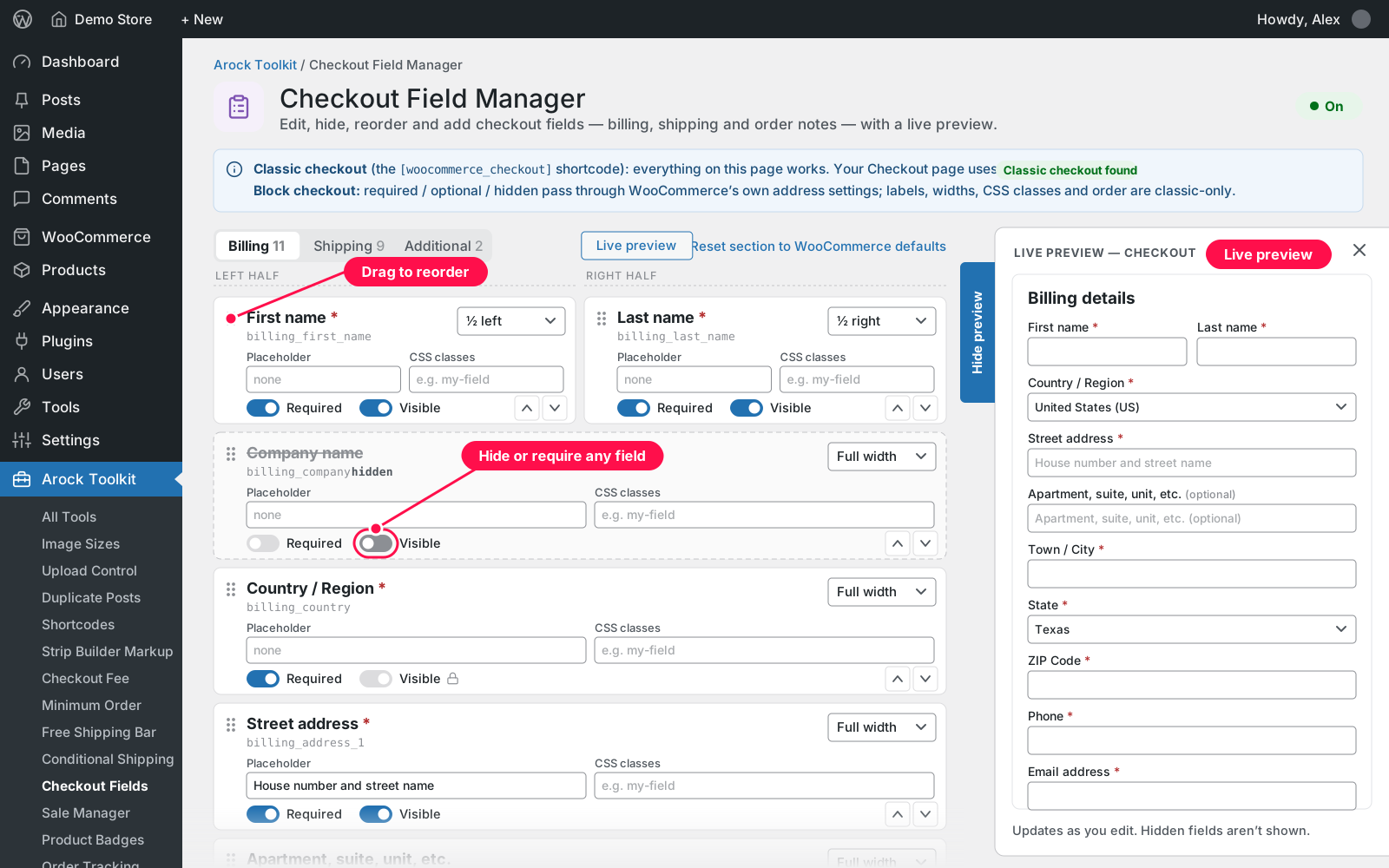
  • Checkout Field Manager: edit, hide, reorder and add checkout fields, with a live preview
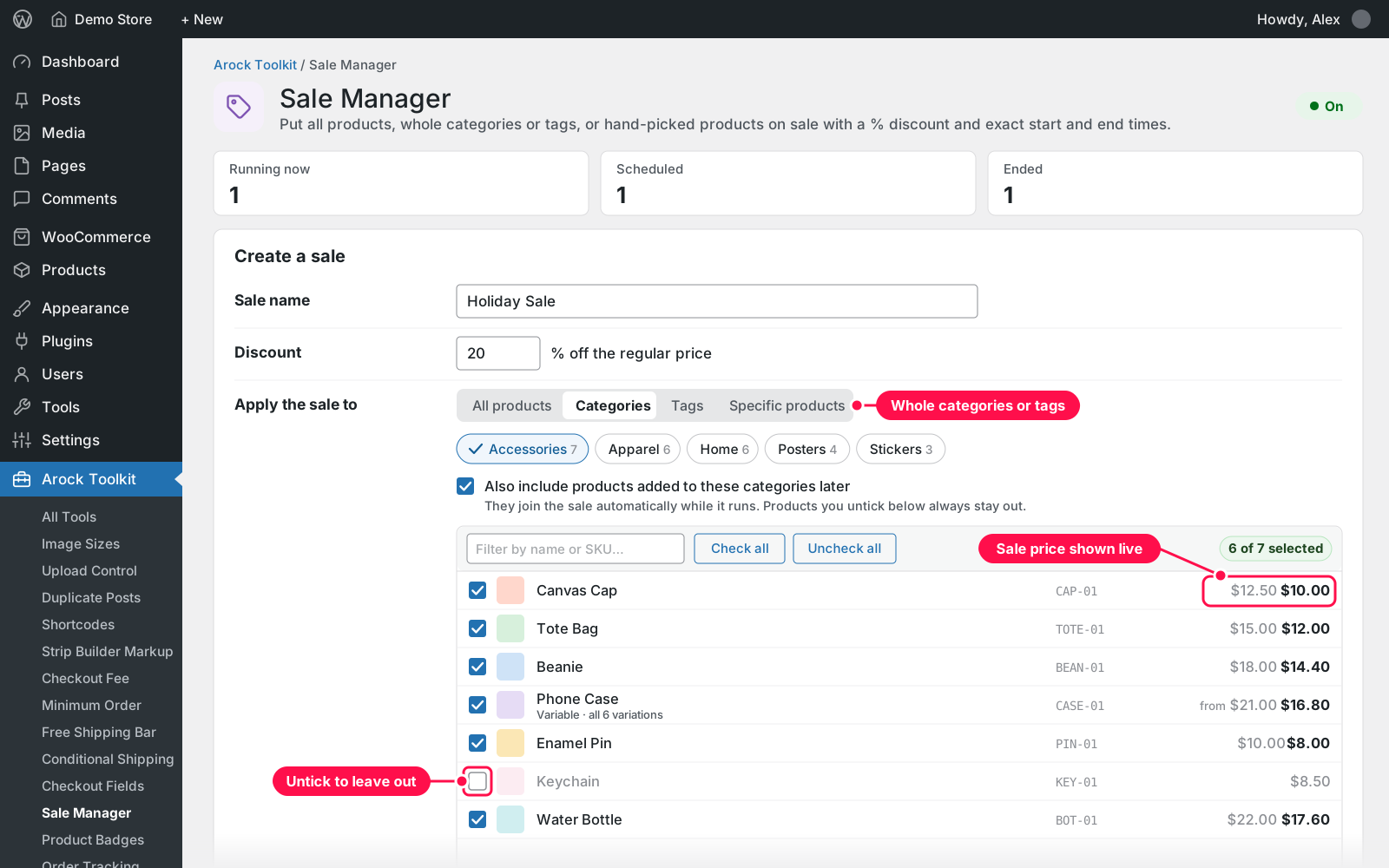
  • Sale Manager: a % discount on all products, categories, tags or picked items, with exact start and end times
  • Product Badges: Sale, New, Out of stock, Featured and Low stock badges in your own colours and shape
  • Product Videos: YouTube, Vimeo or video files below the product photos, as a slider when there are several
  • Order Tracking: carrier and tracking number on the order, in the Completed email and in the customer's account

Already using the separate dcarock plugins? Their settings carry over automatically.

Setup 02 · about 3 minutes

  1. Install & Activate it. In Plugins › Add New › Upload Plugin, upload `arock-toolkit-1.2.1.zip`, then click Activate.
  2. Open Arock Toolkit. Click Arock Toolkit in the admin menu to see all 20 tools, grouped by category.
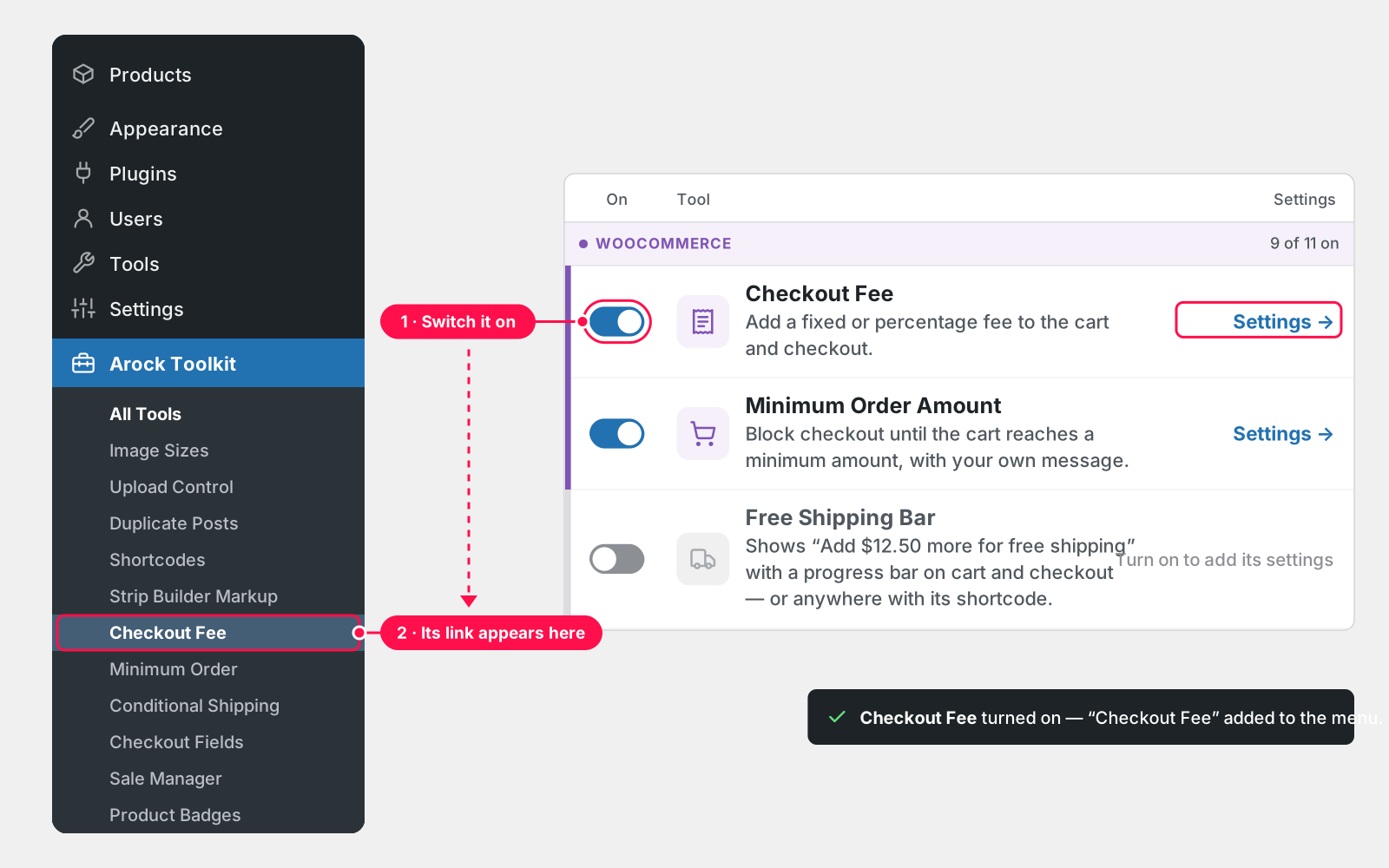
  3. Switch on the tools you need. Flip a tool's switch. It saves right away, and tools you leave off don't run.
  4. Set them up from the menu. Each tool with settings gets its own link under Arock Toolkit, so open it, adjust and save.
  5. Moving from the old dcarock plugins? Deactivate them. The matching tools take over with your settings. If everything is still working as expected, then you can delete the single plugins.

FAQ 03

Do I need WooCommerce?

No. The 9 Media, Content, Users and Admin tools work on any WordPress site. The 11 WooCommerce tools need WooCommerce. Until it's active they show "Needs WooCommerce" and stay off.

Will it slow my site down?

No. Only the tools you switch on run, and tools that are off add nothing to your pages. Each tool is kept small and simple.

I used your separate plugins. What happens?

Your settings are imported automatically. While an old plugin is still active, the matching tool stays paused so nothing runs twice. Deactivate the old plugins, but don't delete them. Deleting some of them, such as the old Order Tracking and Global Sale Manager plugins, runs their own clean-up, which erases their data, such as tracking history and the sales list.

Does it work with the block checkout?

Checkout Field Manager does everything on the classic checkout. On the block checkout, Required, Visible and custom fields work through WooCommerce's own supported route, but labels, placeholders, widths, CSS classes and order apply to the classic checkout only. The tool tells you which checkout your store uses.

What happens to my data if I delete the plugin?

Deleting Arock Toolkit removes only its own settings, the Last Login times, the ZIP files it made and its scheduled sale switches. Order tracking, the sales list, product sale prices and product videos stay.

What do I get when I buy it?

The full plugin with all 20 tools — nothing is locked behind extra upgrades. It's licensed under GPL-2.0, like WordPress itself.

Changelog 04

1.2.1Nov 14, 2026 · Latest
  • - Order Tracking: shows tracking saved by the old Order Tracking plugin on stores that use WooCommerce order tables (HPOS)
1.2.0Nov 13, 2026
  • - New tools: Sale Manager, Product Badges, Order Tracking, Conditional Shipping, Product Videos and Checkout Field Manager
  • - Upload Control: SVG (cleaned on upload), EPS, DXF, STL and 3MF
  • - Checkout Fee: multiple fees
  • - Free Shipping Bar: gradient colour and message tag
  • - Custom User Avatars: always uses the Thumbnail size
  • - Shop Managers get an Arock Toolkit menu with the tools they may use
1.1.0Nov 12, 2026
  • - New tool: Strip Builder Markup
  • - Original Images Download: ZIP files are kept and listed with Download and Delete, and auto-deleted after 1, 7 or 30 days (or never)
1.0.0Nov 10, 2026
  • - First release with 13 tools: 11 separate dcarock plugins combined into 7 tools, plus 6 new tools
  • - Settings from the old plugins are imported automatically
Need it to do something else?

I customize plugins and build new ones from scratch — same care, made for your site.

Ask me

Comments

Every comment is reviewed before it appears.

No comments yet — questions, ideas and bug reports are all welcome.

Leave a comment

Replying to
Comments are moderated and appear once approved. Your email is only used to notify you of replies.
Thanks! Your comment is awaiting moderation and will appear once it's approved.
Scripts & plugins

More plugins.

All scripts & plugins →
WordPress

Wordpress Simple Popups

Create popups with your own editor or a single image, and choose exactly where, when and how often they appear.

FreeDownload ↓

WordPress

WPForms Email List Extractor

Export every email from your WPForms entries, even forms with two email fields, to CSV, TXT, JSON or HTML. Filter by form and date.

FreeDownload ↓
WordPress

WooCommerce Product Count Shortcode

Show your total WooCommerce product count anywhere with one shortcode. Filter by category, and leave out hidden products if you like.

FreeDownload ↓