Home/Scripts & plugins/WordPress/Strip Builder Markup
WordPress pluginWooCommerceSEOShortcodeFree

WPBakery Strip Builder Markup

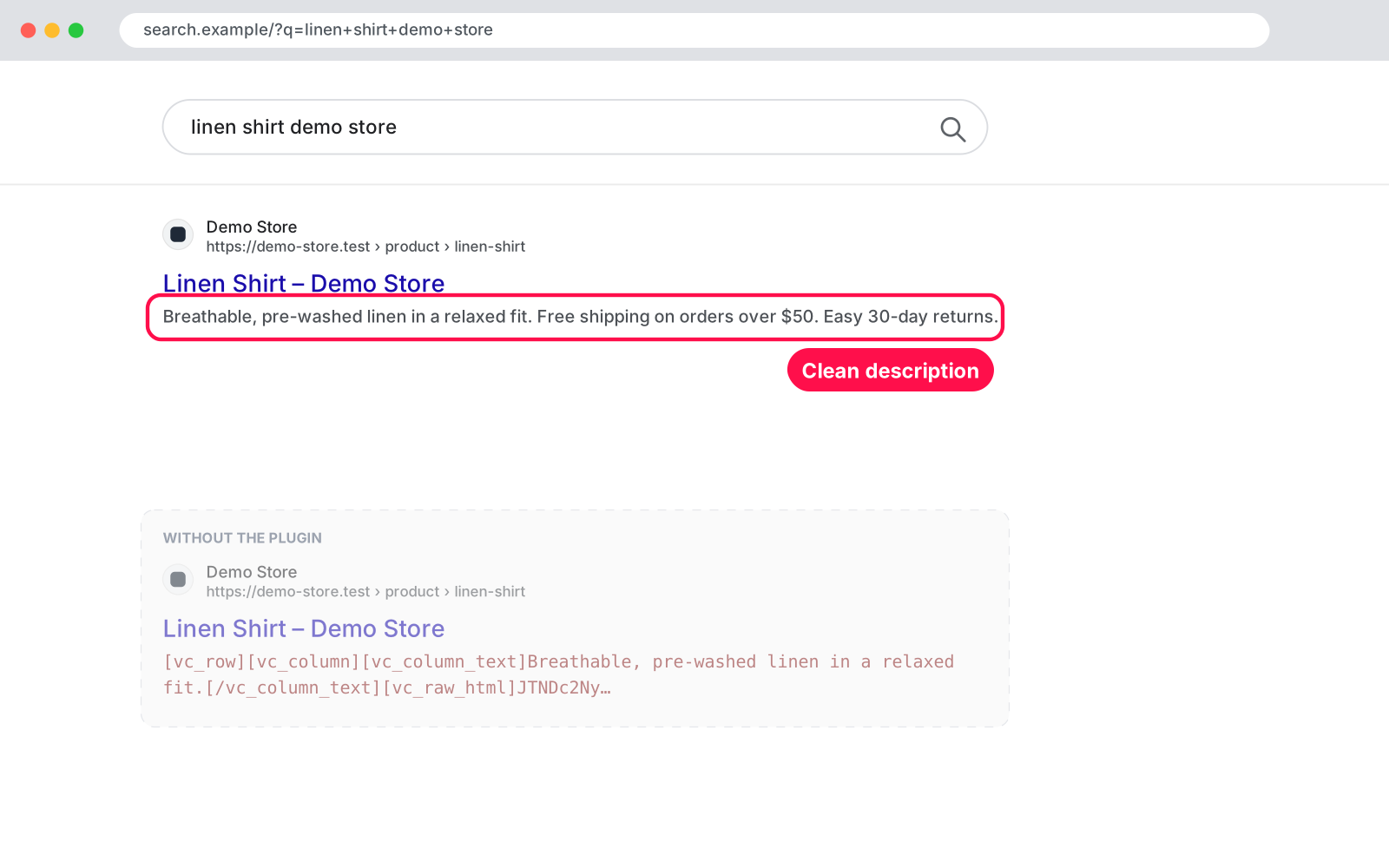
Removes WPBakery and shortcode code from auto excerpts, SEO descriptions and your Google product feed, so they show clean text. Your pages stay unchanged.
Version 1.0.0WP 6.0+PHP 7.4+Updated Nov 2026Downloads 0

What it does 01

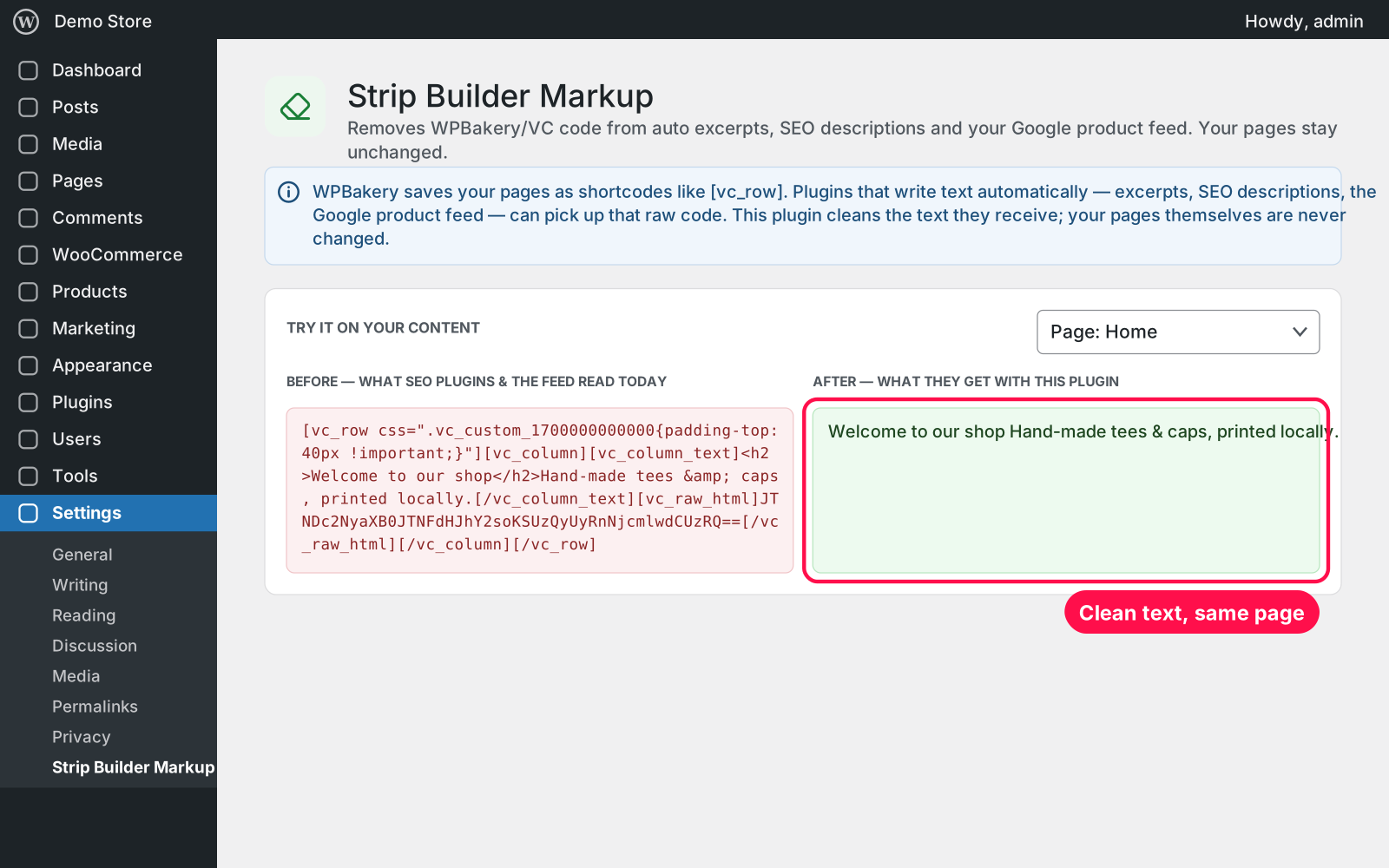
WPBakery saves your pages as shortcodes like [vc_row]. Plugins that write text automatically (excerpts, SEO descriptions, the Google product feed) can pick up that raw code and show it to the world. This plugin cleans the text they receive, so search results, social previews and your product feed show real sentences. Your pages themselves are never changed.

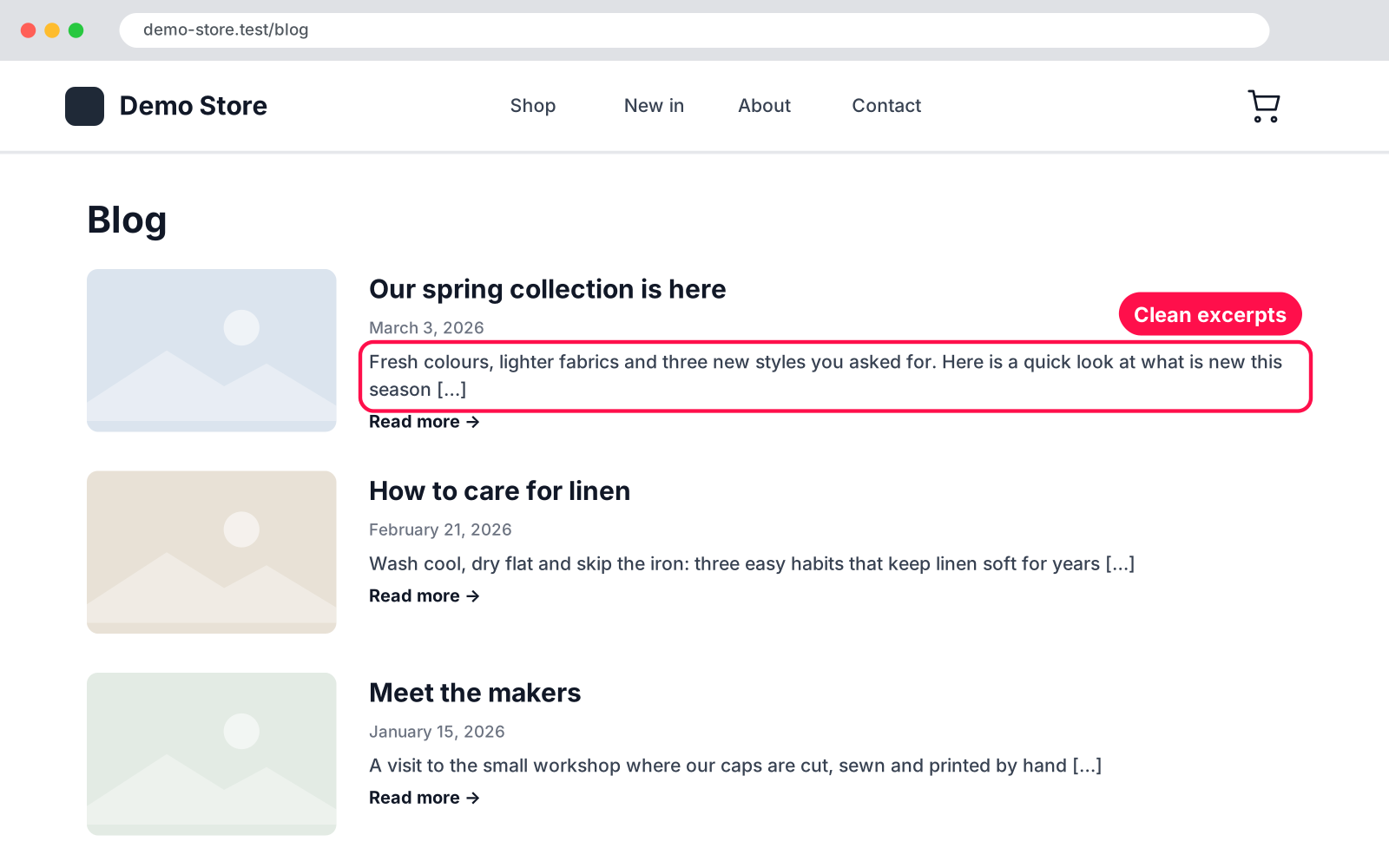
  • Excerpts: cleans the automatic excerpts in blog lists, archives, RSS feeds and themes.
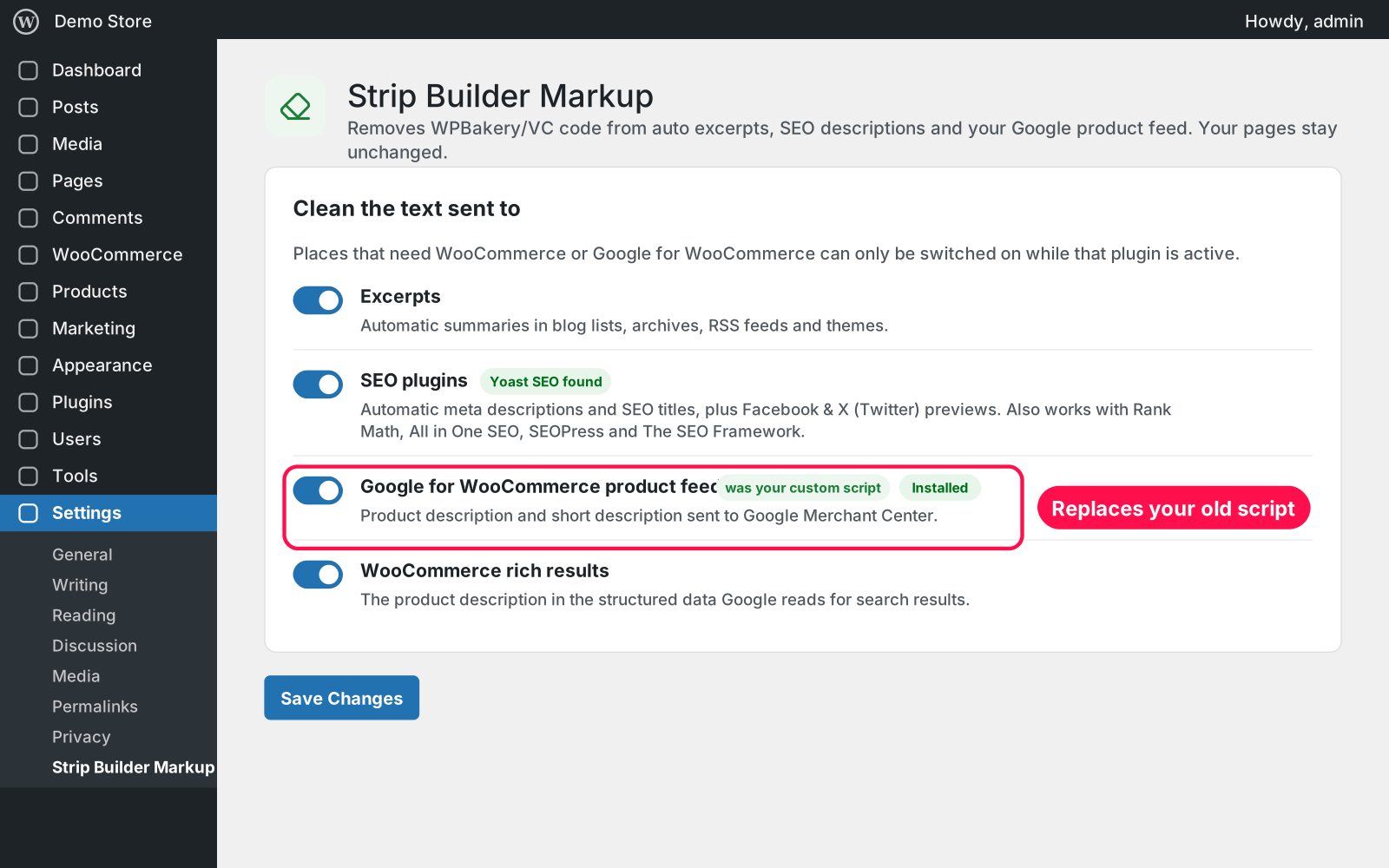
  • SEO plugins: cleans meta descriptions, SEO titles and Facebook & X previews from Yoast SEO, Rank Math, All in One SEO, SEOPress and The SEO Framework.
  • Google feed: cleans the product description and short description that Google for WooCommerce sends to Google Merchant Center.
  • Rich results: cleans the product description in WooCommerce's structured data, the text Google reads.
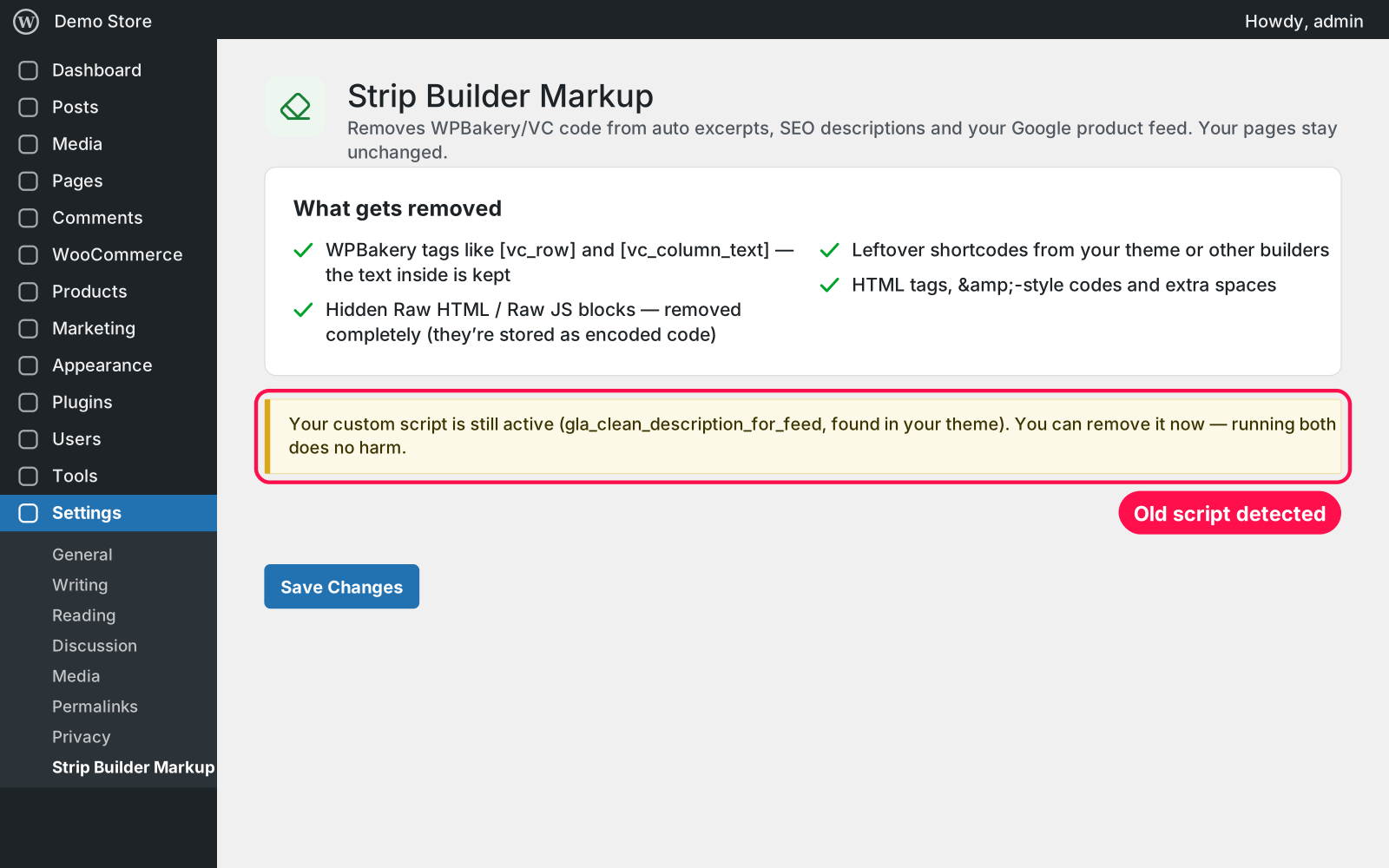
  • WPBakery tags: tags like [vc_row] and [vc_column_text] go, the text inside them stays.
  • Raw code: hidden Raw HTML / Raw JS blocks are removed completely, so no encoded code ends up in your descriptions.
  • Other leftovers: leftover shortcodes from your theme or other builders, HTML tags, &-style codes and extra spaces are cleaned too.
  • Safe: your posts, pages and products are never modified, only the text these plugins receive.
  • Test it: "Try it on your content" shows the before and after for your own pages, posts and products.
  • Switches: one switch per place, all on by default.
  • Snippet replacement: replaces the gla_clean_description_for_feed code snippet and tells you while it is still loaded, and where.
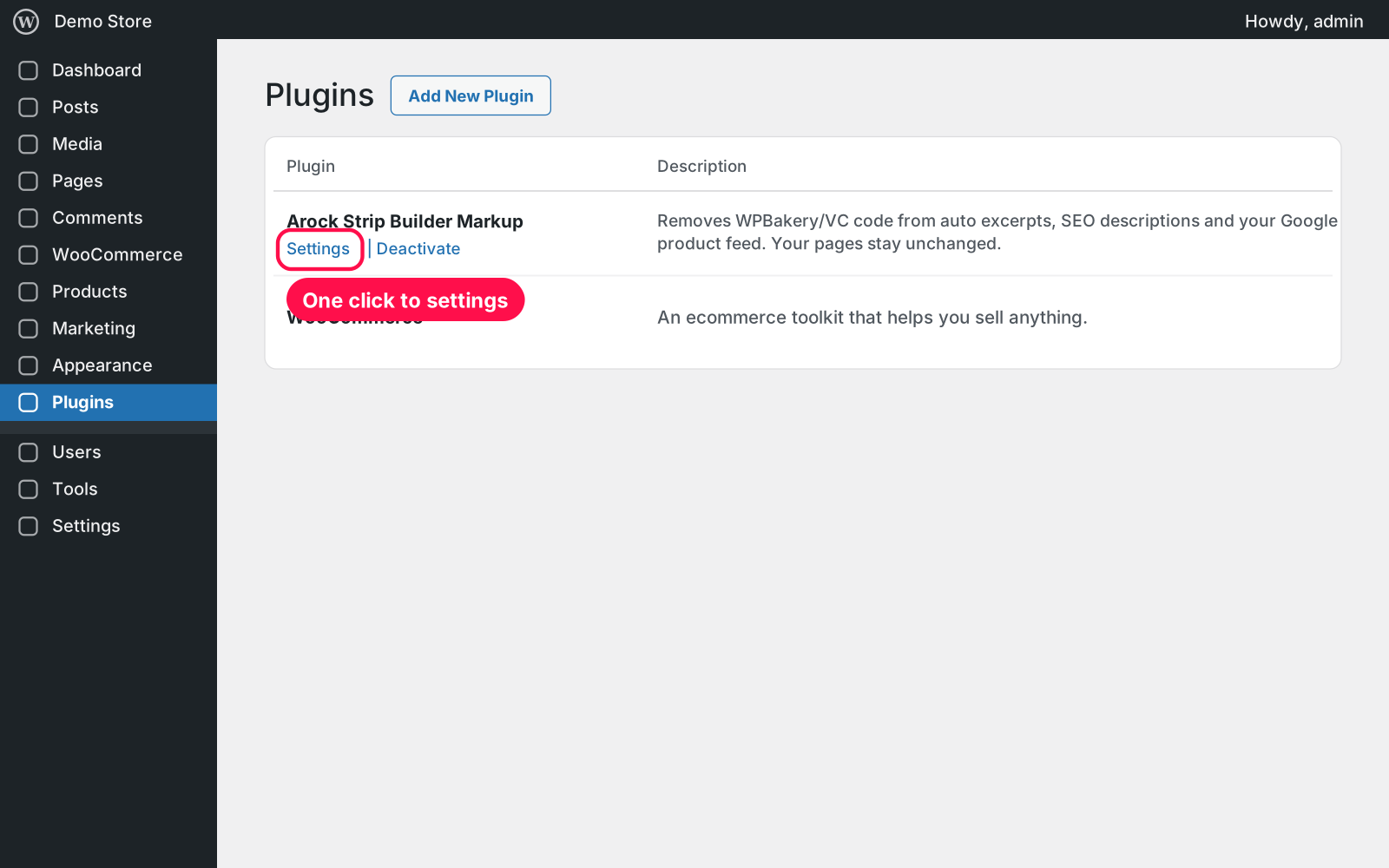
  • Simple setup: one settings page under Settings › Strip Builder Markup. No setup needed.

Setup 02 · about 1 minute

  1. Install & Activate it. In WordPress go to Plugins → Add New → Upload Plugin, choose the .zip and click Install Now, then Activate. Cleaning starts right away.
  2. See the difference. Go to Settings › Strip Builder Markup and pick a page in "Try it on your content" to compare before and after.
  3. Remove your old snippet. If the page says your custom script is still active, you can delete it from your theme or code snippets — running both does no harm.

FAQ 03

Does it change my pages or products?

No. Your content stays exactly as it is. Only the text handed to excerpts, SEO plugins, the Google feed and rich results is cleaned.

Which SEO plugins does it work with?

Yoast SEO, Rank Math, All in One SEO, SEOPress and The SEO Framework. All in One SEO and The SEO Framework remove shortcodes themselves, so on WPBakery pages their automatic description can come out empty — but never as raw code.

Does it work with page caching?

Yes. Clear your cache once after activating so cached pages pick up the clean descriptions. The Google feed updates on its next sync.

Is it really free?

Yes. Free forever, no sign-up, no ads, and it doesn't track you.

What happens to my data when I delete the plugin?

Your content is never touched. Deleting the plugin keeps its few settings too, because Arock Toolkit and other versions of this plugin share them.

Changelog 04

1.0.0Nov 14, 2026 · Latest
  • - First release as a standalone plugin (the same tool as in Arock Toolkit, with the same settings).
  • - Replaces the `gla_clean_description_for_feed` code snippet and also removes WPBakery Raw HTML / Raw JS blocks, which the snippet left behind.
Need it to do something else?

I customize plugins and build new ones from scratch — same care, made for your site.

Ask me

Comments

Every comment is reviewed before it appears.

No comments yet — questions, ideas and bug reports are all welcome.

Leave a comment

Replying to
Comments are moderated and appear once approved. Your email is only used to notify you of replies.
Thanks! Your comment is awaiting moderation and will appear once it's approved.
Scripts & plugins

More plugins.

All scripts & plugins →
WordPressPremium

Arock Wordpress + WooCommerce Toolkit

20 small WordPress and WooCommerce tools in one lightweight plugin. Switch each tool on or off from one page; only the tools you turn on run.

Buy →
WordPress

Custom User Avatars

Let users pick their profile picture from the Media Library instead of Gravatar. It shows everywhere WordPress shows an avatar. No settings needed.

FreeDownload ↓
WordPress

Upload Control

Choose which file types can be uploaded to your Media Library, set a max file size per type, and safely allow JSON, fonts, SVG and 3D files.

FreeDownload ↓