
Arock Wordpress + WooCommerce Toolkit
20 small WordPress and WooCommerce tools in one lightweight plugin. Switch each tool on or off from one page; only the tools you turn on run.
$9.95Buy →

Add the carrier and tracking number to orders. Customers get it in WooCommerce's Completed order email and see it in My Account. One email, no extra "Shipped" email.
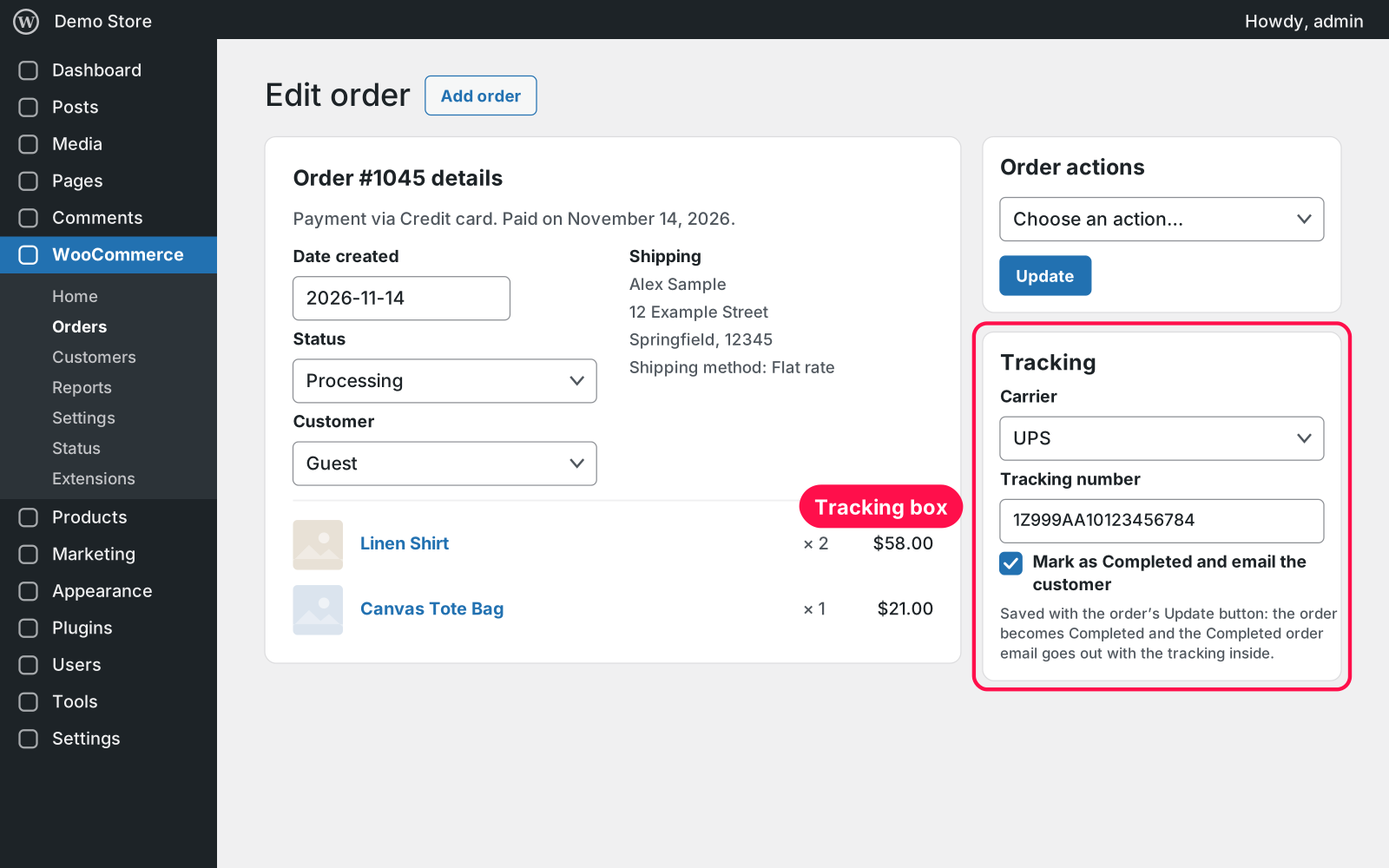
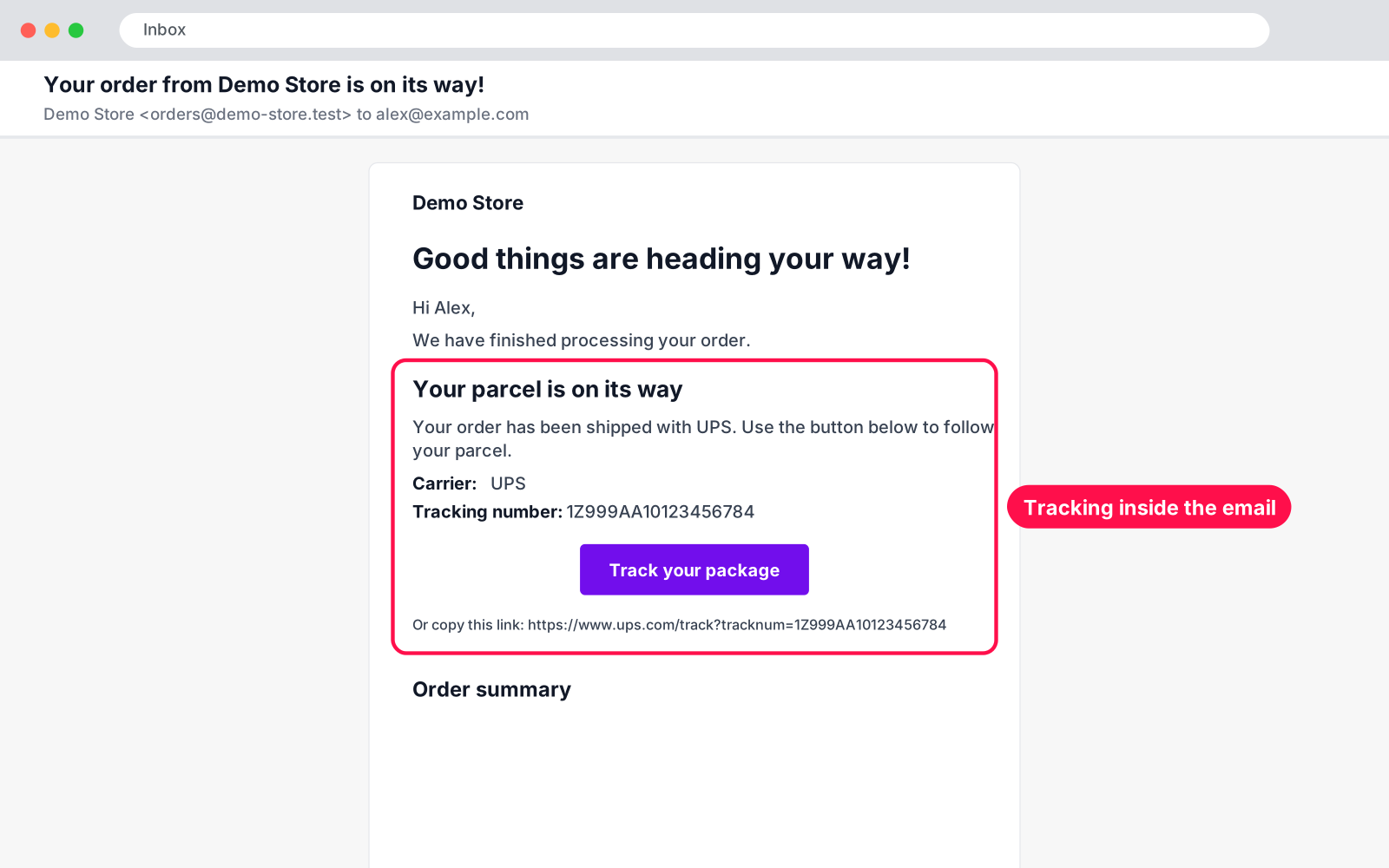
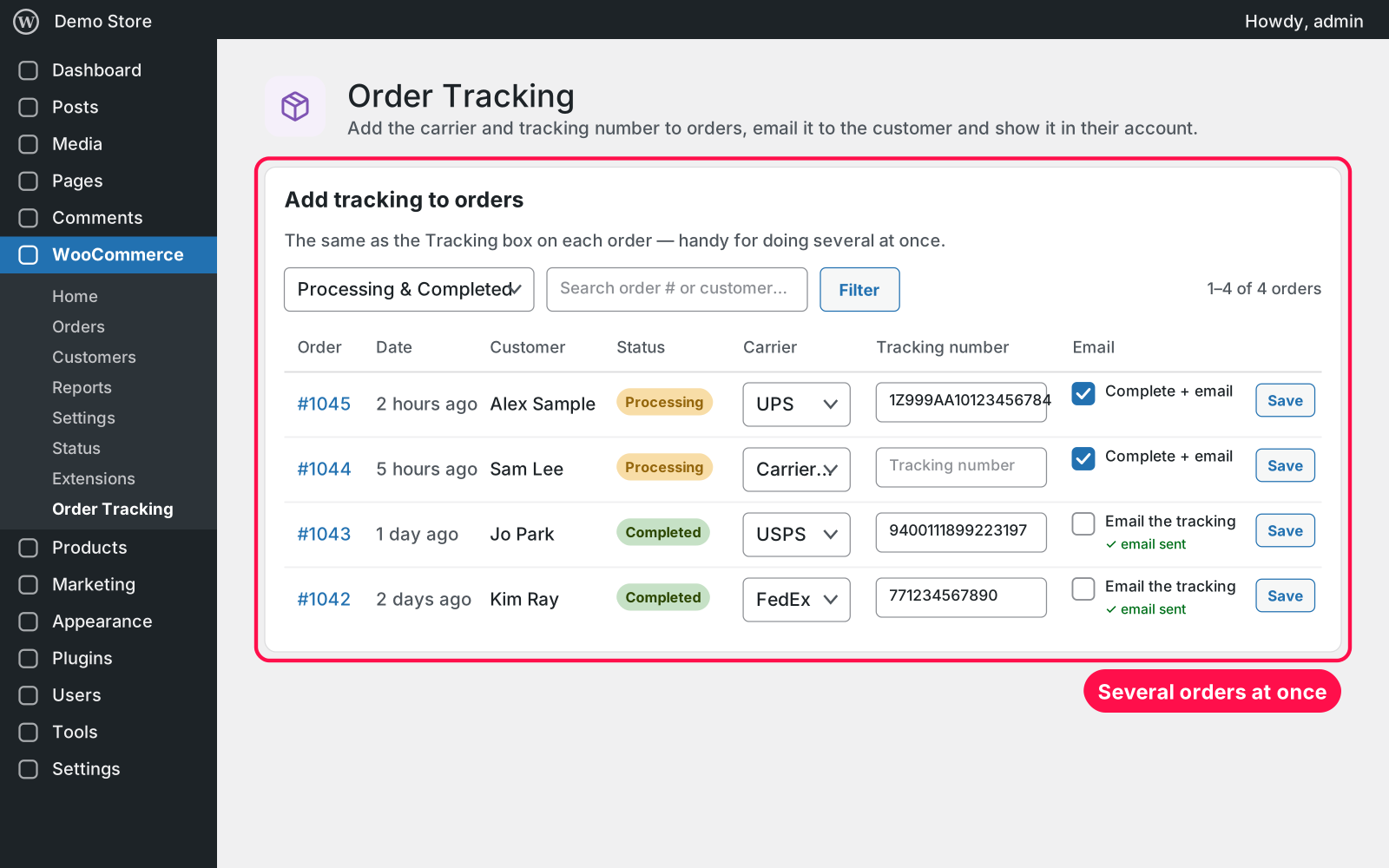
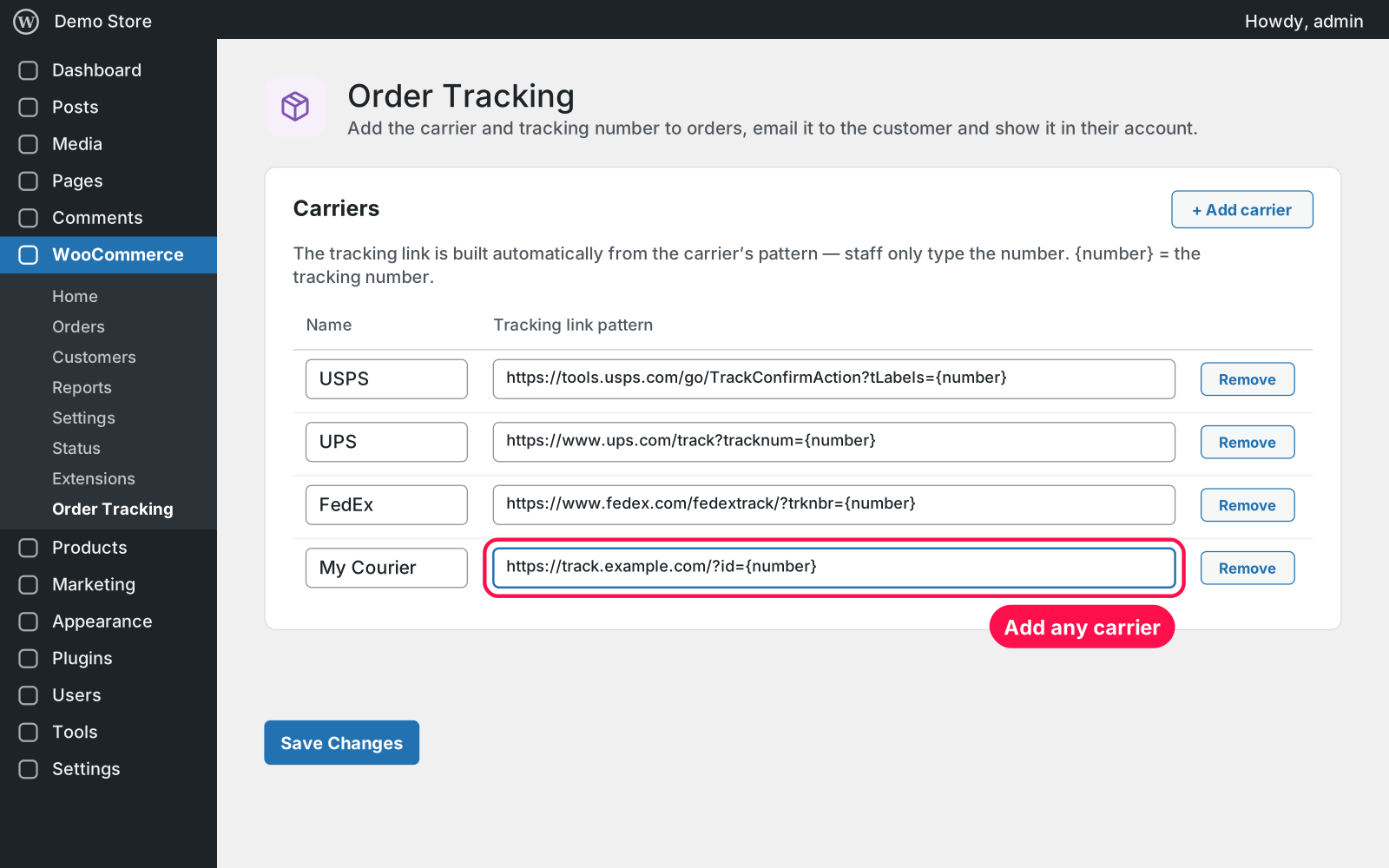
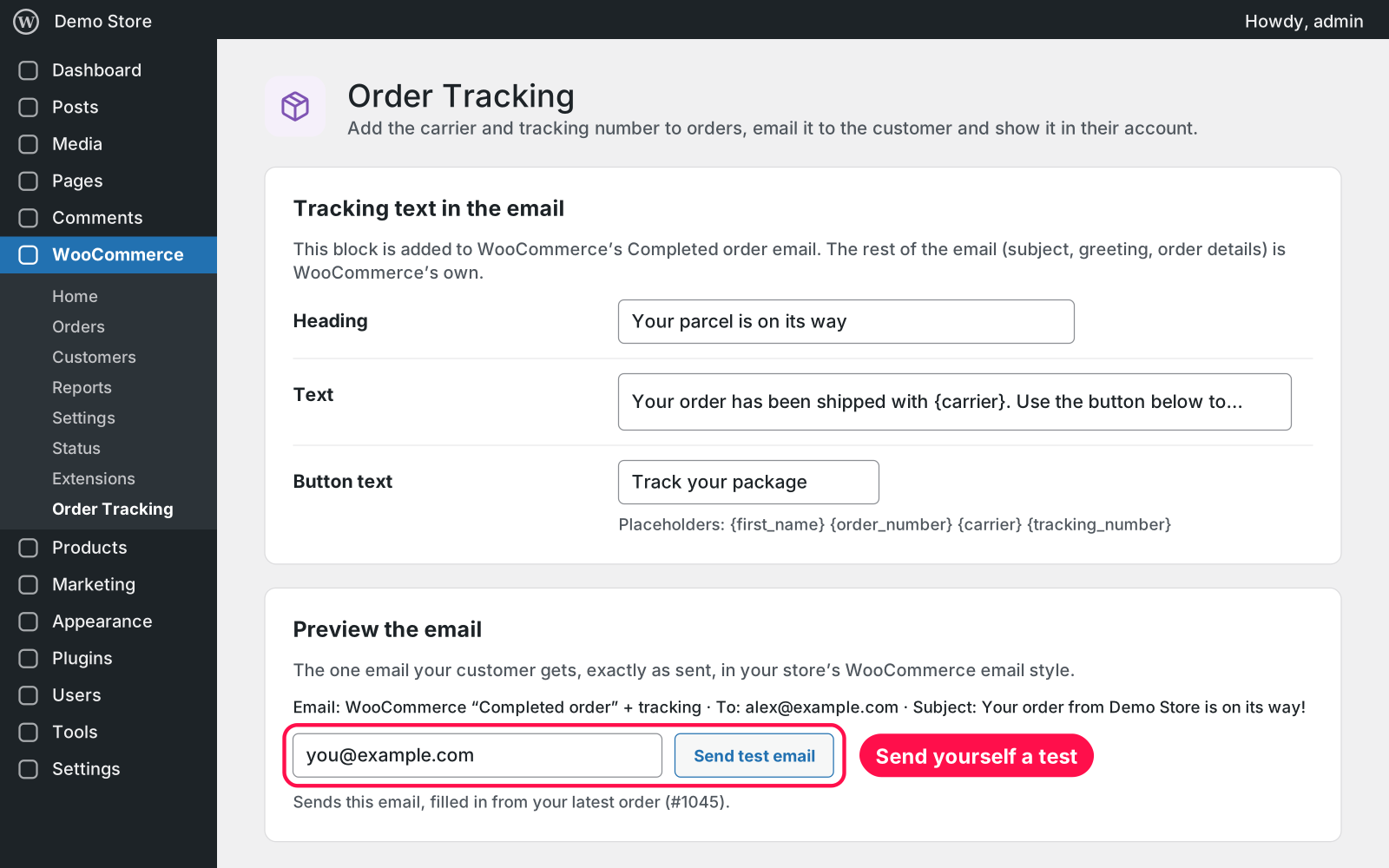
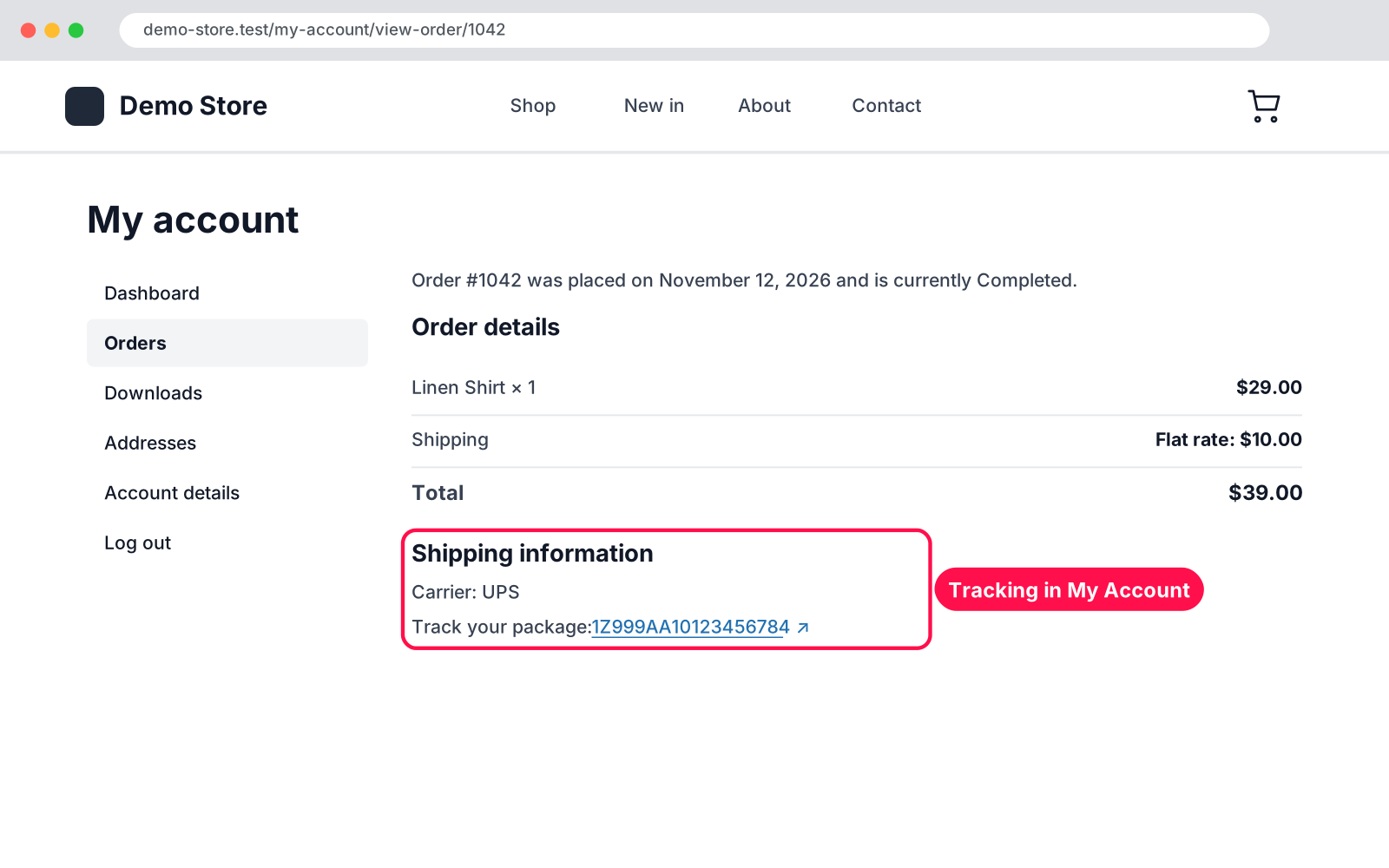
Ship an order, add its tracking in seconds and let your customer know, all from the order screen. Pick the carrier, type the tracking number, click Update: the order is marked Completed and WooCommerce's own Completed order email goes out with the tracking and a "Track your package" button inside.
{first_name}, {order_number}, {carrier} and {tracking_number}.No. The tracking goes inside WooCommerce's own Completed order email, so your customer gets one email in your store's usual email style.
Yes. It works with both HPOS and the classic order storage, and also shows tracking the old plugin saved before you switched.
Yes. The tracking shows on the customer's own order page in My Account, which caching plugins leave out.
Nothing. Tracking on your orders and your settings are always kept, because Arock Toolkit and other versions of this plugin use the same data.
I customize plugins and build new ones from scratch — same care, made for your site.
20 small WordPress and WooCommerce tools in one lightweight plugin. Switch each tool on or off from one page; only the tools you turn on run.

Skip the cart: "Add to cart" becomes "Checkout" and takes customers straight to checkout. Ideal for one-product stores and quick buys.

When a shopper adds a product to the cart, a popup offers that product's cross-sells with a quantity box and an "Add to order" button. Uses WooCommerce's own Cross-sells field.
Comments
Every comment is reviewed before it appears.
No comments yet — questions, ideas and bug reports are all welcome.