Home/Scripts & plugins/WordPress/Product Gallery Videos
WordPress pluginWooCommerceMediaFree

WooCommerce Product Gallery Videos

Add YouTube, Vimeo or video-file links to any WooCommerce product. They show below the product photos, with an optional caption, as a slider when there are several.
Version 1.0.0WP 6.0+WooCommerce 8.0+PHP 7.4+Updated Nov 2026Downloads 0

What it does 01

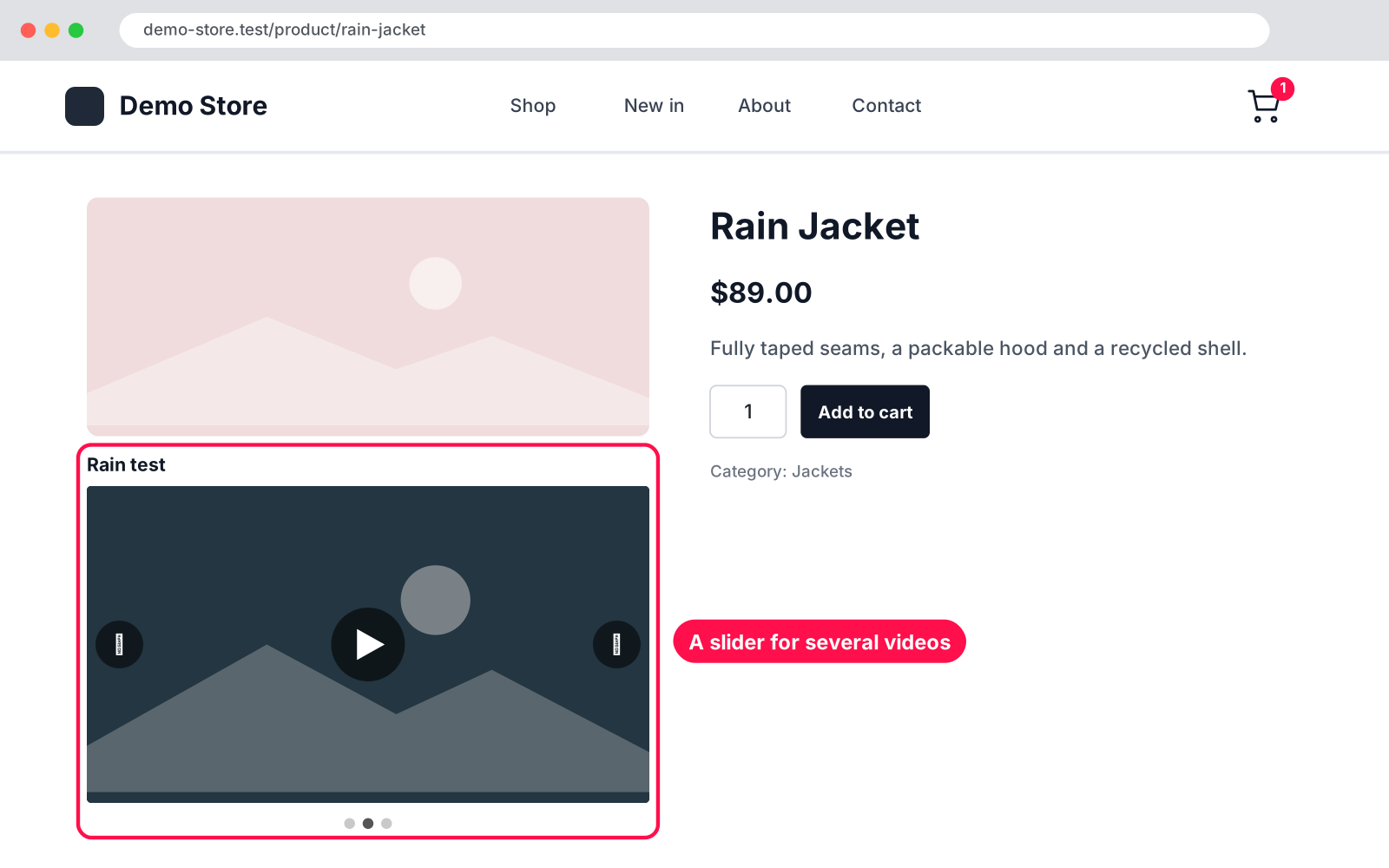
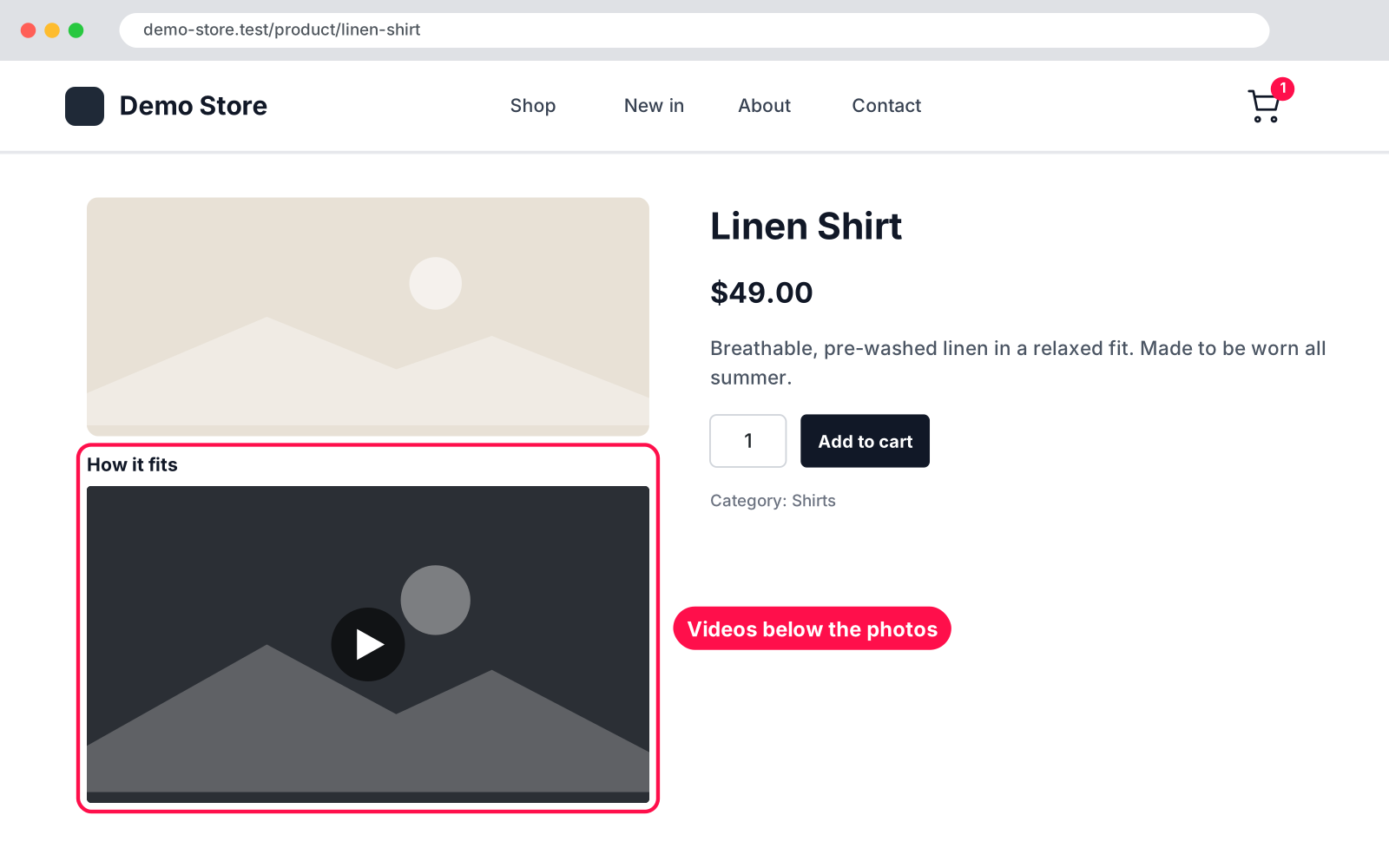
Show your products in action. Paste one or more video links into the "Product Videos" box when you edit a product, and they appear on the product page right below the photos, in the same column. Several videos turn into a neat slider with arrows and dots. There is nothing to set up.

  • Many videos: add as many video links per product as you like, each with an optional caption.
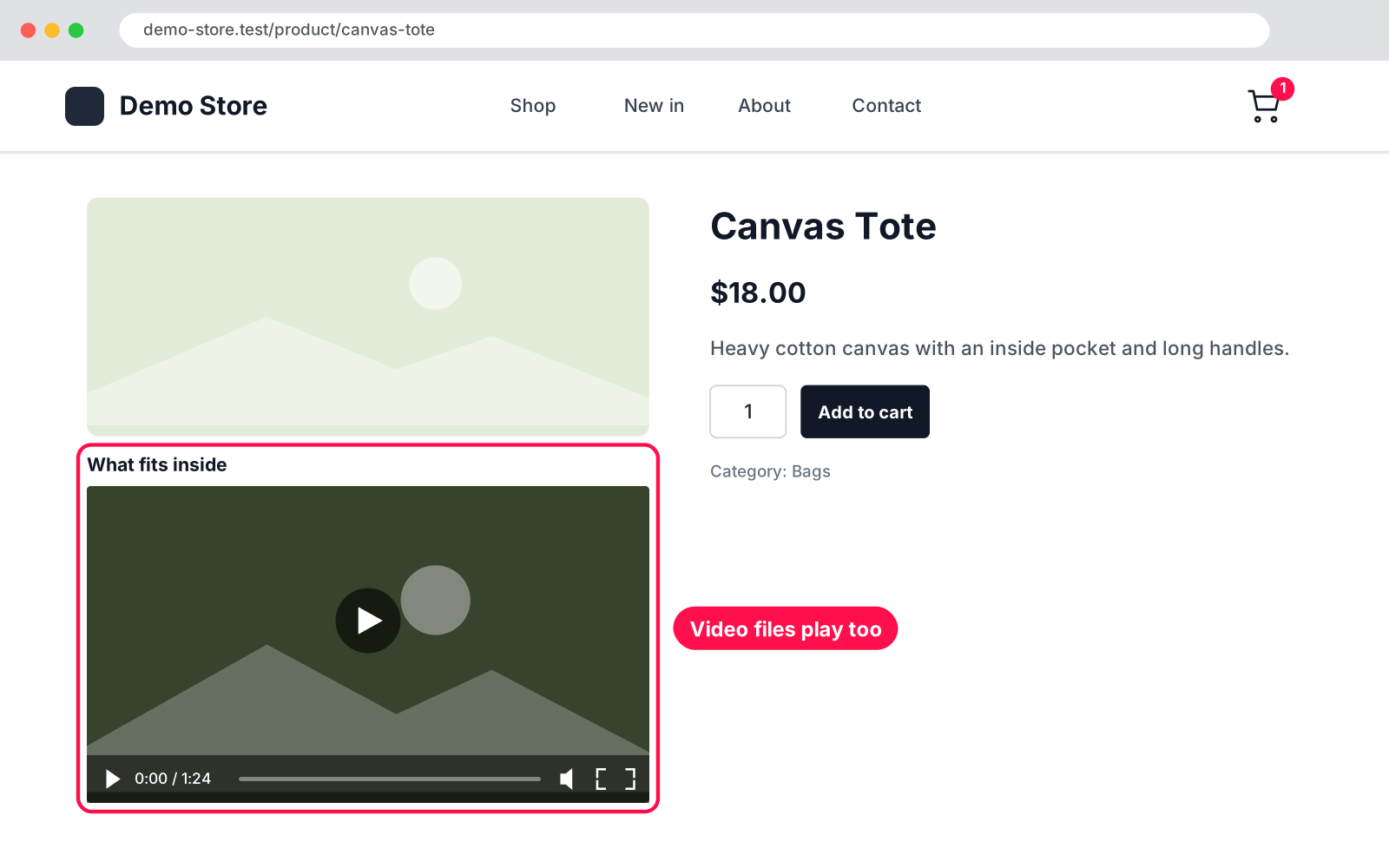
  • Sources: YouTube, Vimeo and video files (MP4, WebM, OGG, MOV).
  • Privacy: YouTube plays in the privacy-enhanced youtube-nocookie.com player.
  • Other sites: work through WordPress's own embeds, cached so pages stay fast.
  • Position: videos sit right below the product photos, in the same column.
  • Slider: two or more videos become a slider with arrows and clickable dots.
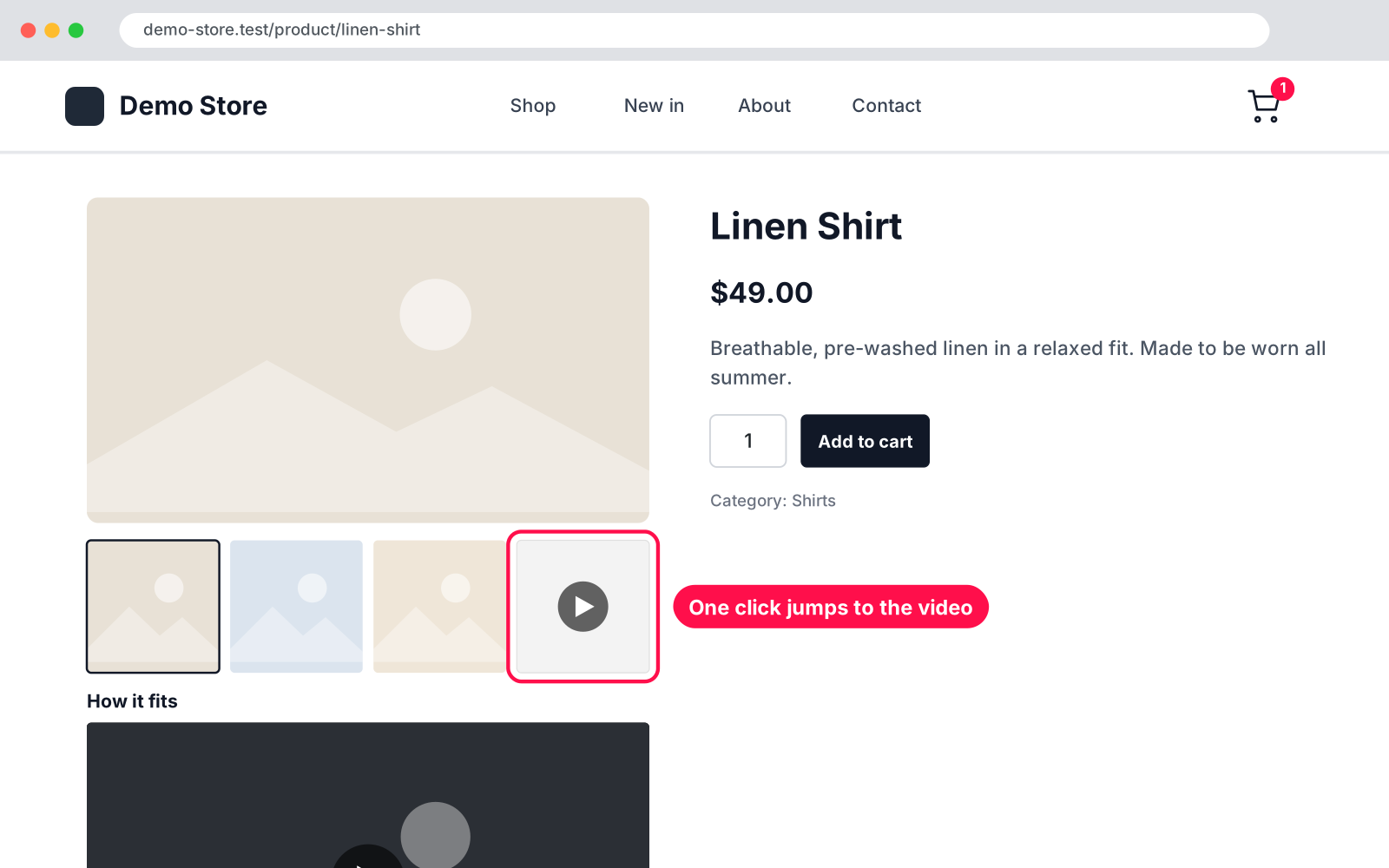
  • Gallery icon: a play icon in the product gallery jumps straight to the video.
  • Themes: works with classic and block themes, and in the [product_page] shortcode.
  • Lightweight: loads its small CSS and script only on product pages that have videos.
  • No settings: edit a product, add links, done.

Setup 02 · about 1 minute

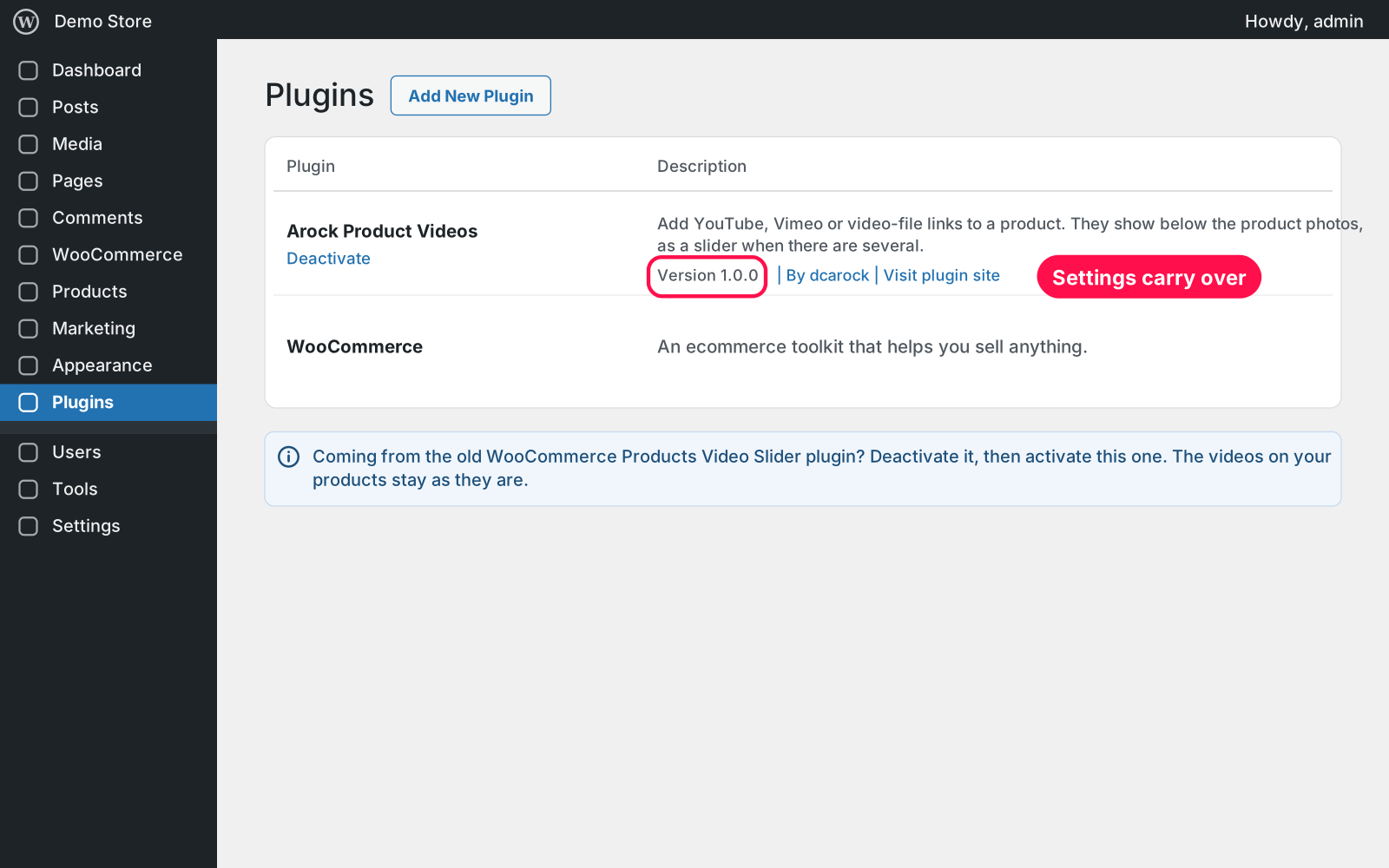
  1. Install & Activate it. In WordPress go to Plugins → Add New → Upload Plugin, choose the .zip and click Install Now, then Activate. Coming from the old WooCommerce Products Video Slider plugin? Deactivate it first — your videos carry over.
  2. Edit a product. Go to Products and open the product you want to show a video on.
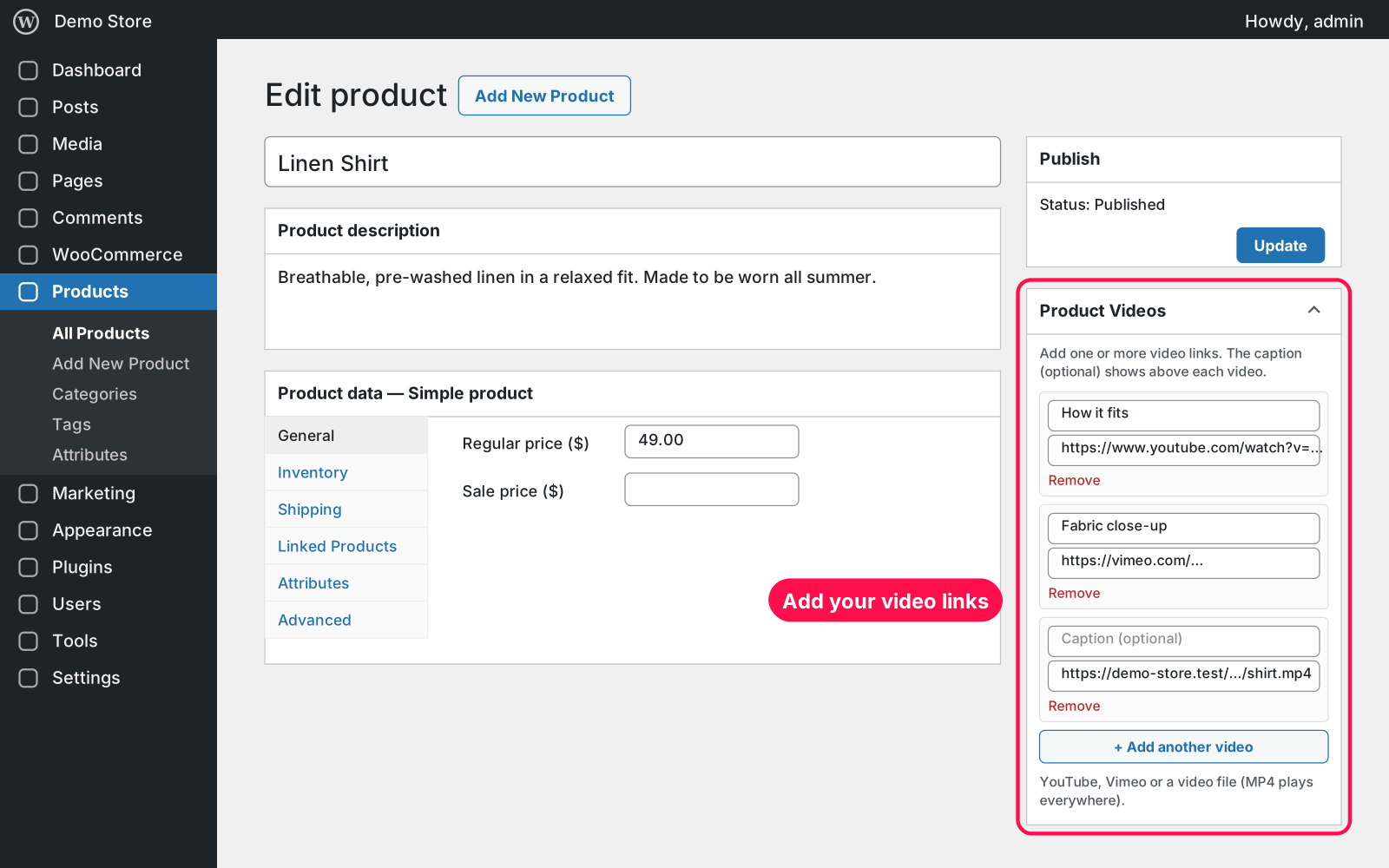
  3. Add your video links. In the "Product Videos" box, paste a YouTube, Vimeo or video-file link and an optional caption. Use "+ Add another video" for more.
  4. Update the product. The videos now show below the product photos.

FAQ 03

Does it work with my theme?

Yes. It works with classic themes and with block themes (product image gallery blocks), and also inside the [product_page] shortcode.

Which video links can I use?

YouTube, Vimeo, and direct links to video files (MP4 plays everywhere; WebM, OGG and MOV too). Other video sites that WordPress can embed also work.

Does it work with page caching?

Yes. The videos are part of the product page, so cached pages show them like any other content.

What happens to my data when I delete the plugin?

Your video links stay saved on your products, because Arock Toolkit and other versions of this plugin use the same data.

Changelog 04

1.0.0Nov 14, 2026 · Latest
  • - First release.
  • - Replaces the older WooCommerce Products Video Slider plugin; your videos carry over.
Need it to do something else?

I customize plugins and build new ones from scratch — same care, made for your site.

Ask me

Comments

Every comment is reviewed before it appears.

No comments yet — questions, ideas and bug reports are all welcome.

Leave a comment

Replying to
Comments are moderated and appear once approved. Your email is only used to notify you of replies.
Thanks! Your comment is awaiting moderation and will appear once it's approved.
Scripts & plugins

More plugins.

All scripts & plugins →
WordPressPremium

Arock Wordpress + WooCommerce Toolkit

20 small WordPress and WooCommerce tools in one lightweight plugin. Switch each tool on or off from one page; only the tools you turn on run.

Buy →
WordPress

WooCommerce Direct Checkout

Skip the cart: "Add to cart" becomes "Checkout" and takes customers straight to checkout. Ideal for one-product stores and quick buys.

FreeDownload ↓
WordPress

WooCommerce Cross-Sell Popup

When a shopper adds a product to the cart, a popup offers that product's cross-sells with a quantity box and an "Add to order" button. Uses WooCommerce's own Cross-sells field.

FreeDownload ↓