Home/Scripts & plugins/WordPress/Global Sale Manager
WordPress pluginWooCommerceMarketingPremium

WooCommerce Global Sale Manager

Put all products, whole categories or tags, or hand-picked products on sale with a % discount and exact start and end times. Prices switch on the minute.
Version 1.0.0WP 6.0+WooCommerce 8.0+PHP 7.4+Updated Nov 2026Price $5Use on unlimited sites

What it does 01

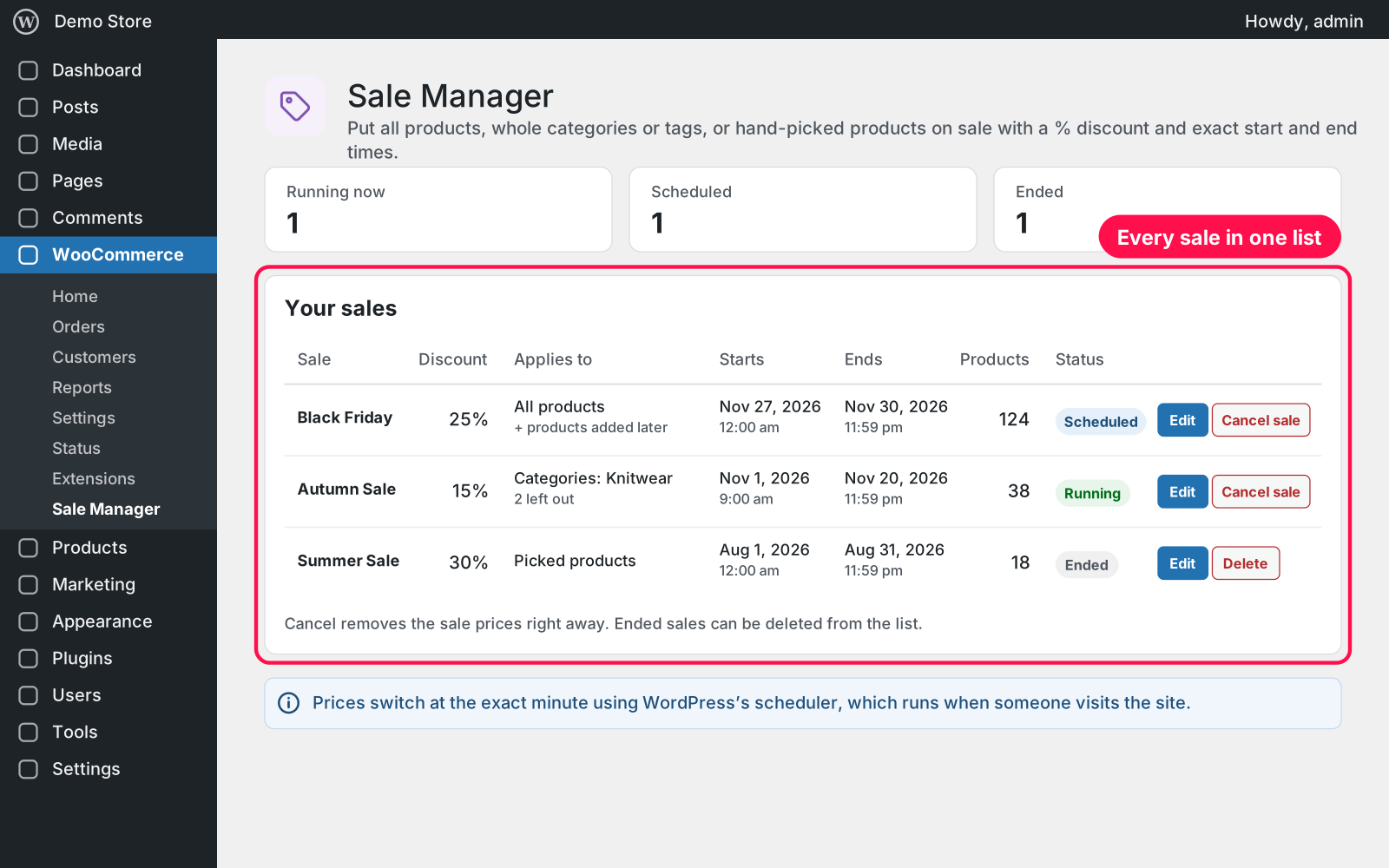
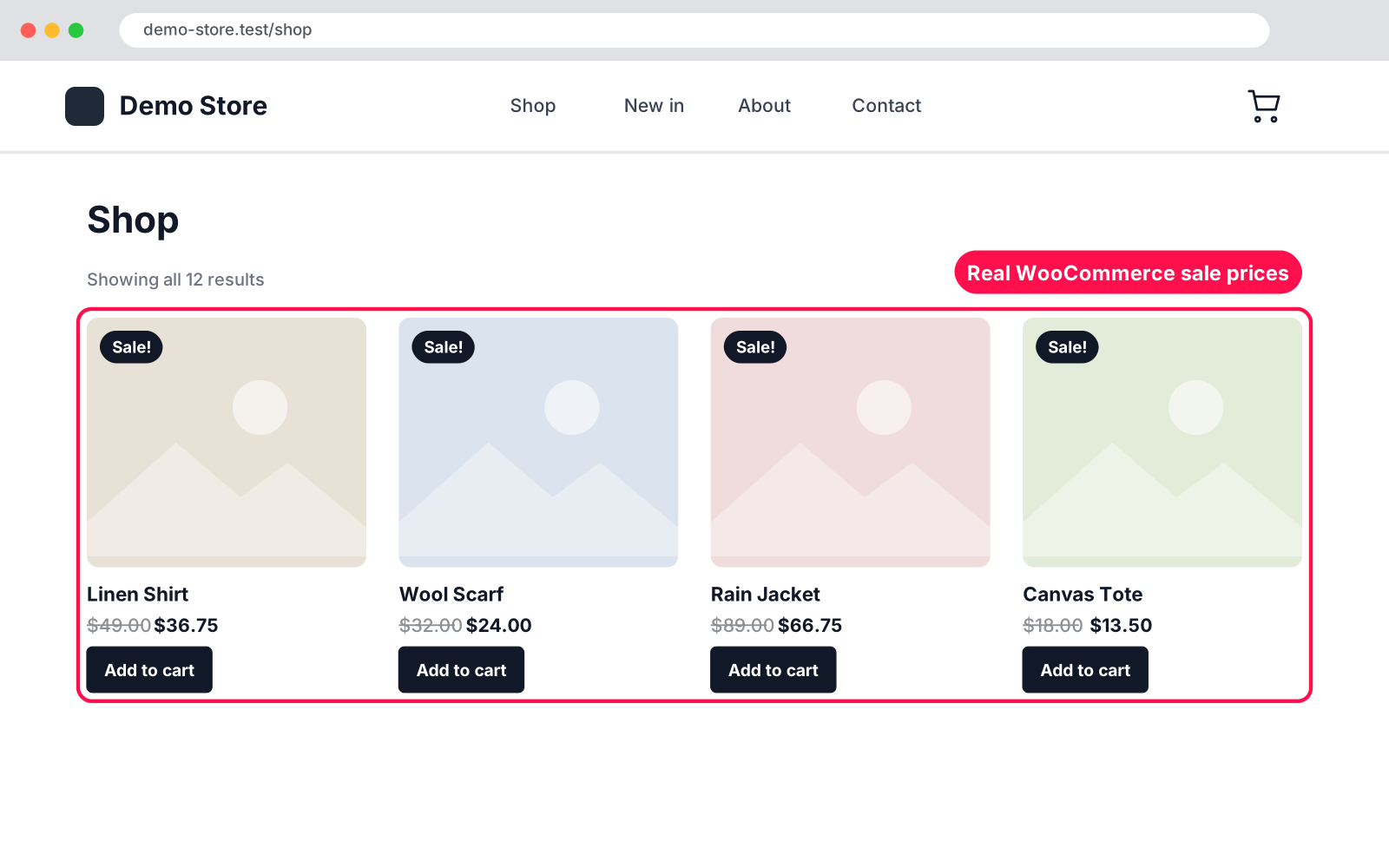
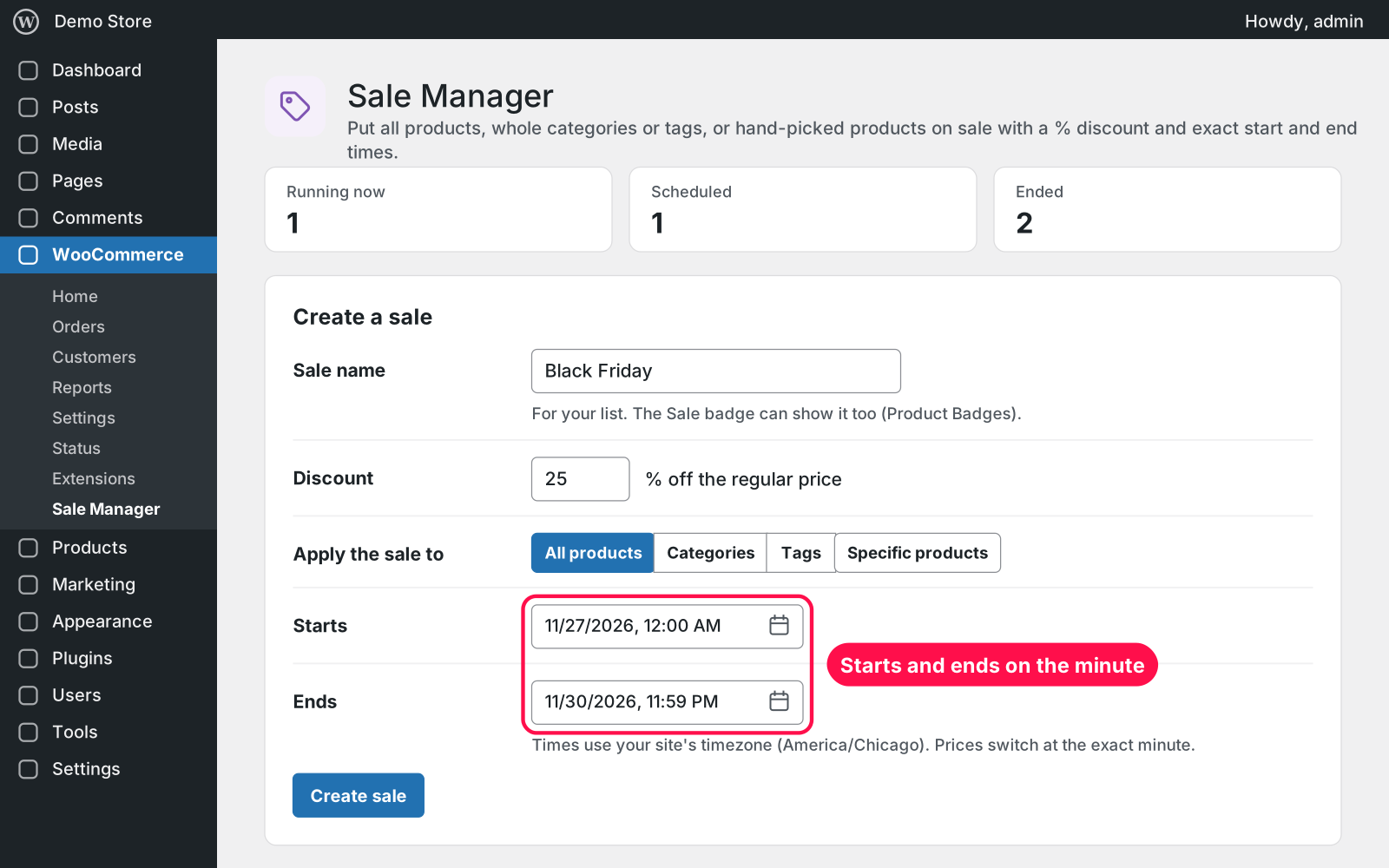
Run store-wide or targeted % sales from one page. Name the sale, enter the discount, pick what it applies to and set the exact start and end time. The plugin writes WooCommerce's own sale price and sale dates on every product and variation, so prices switch on the minute and the sale ends on its date even if the plugin is switched off.

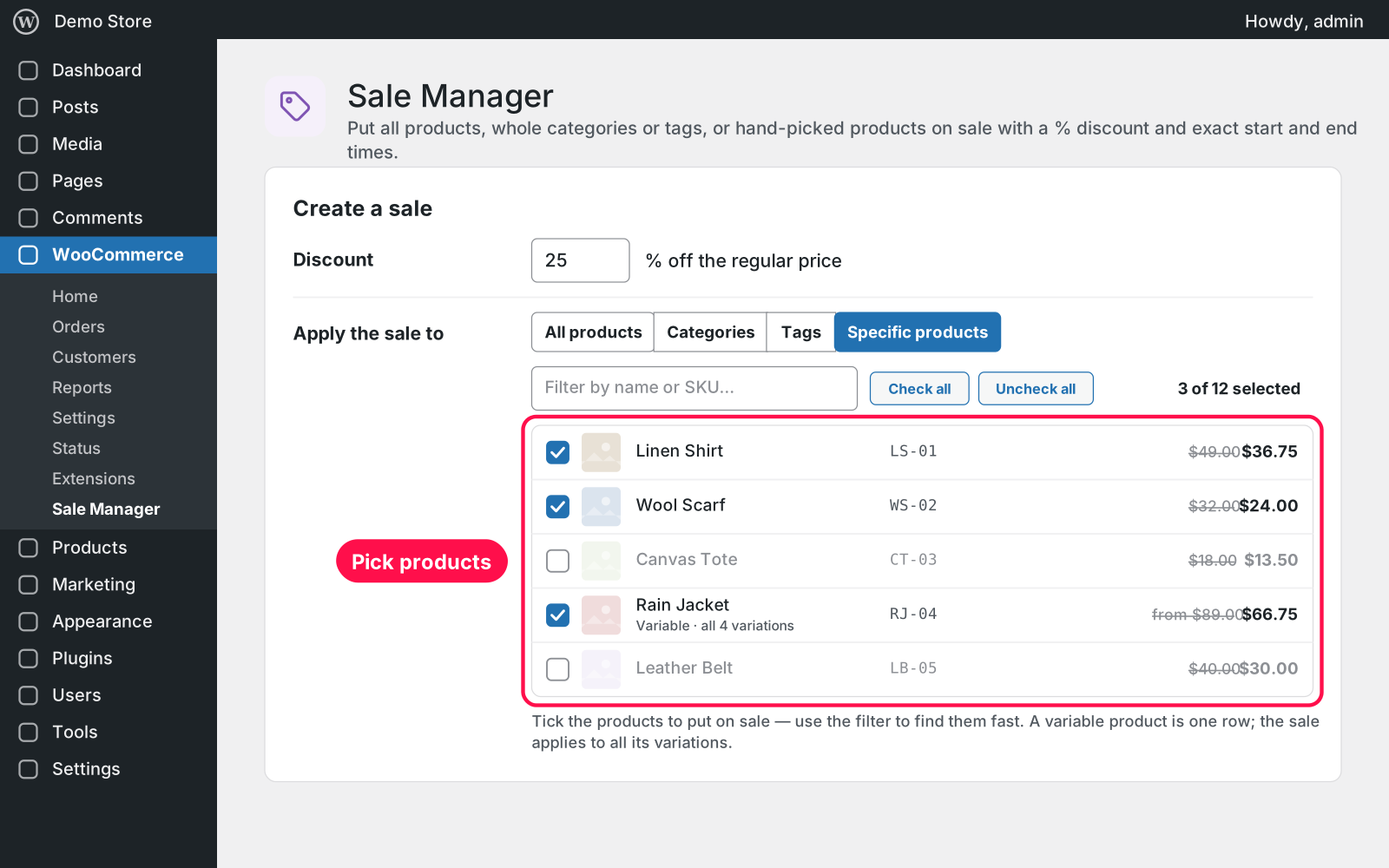
  • What to discount: everything, whole categories, tags or hand-picked products, with one % discount.
  • Exact times: start and end date and time, in your site's timezone.
  • Product checklist: with a name/SKU filter; untick anything you want to leave out.
  • Variable products: one row; the sale covers all their variations.
  • Auto-join: optionally, products added to the store, category or tag later join the running sale automatically.
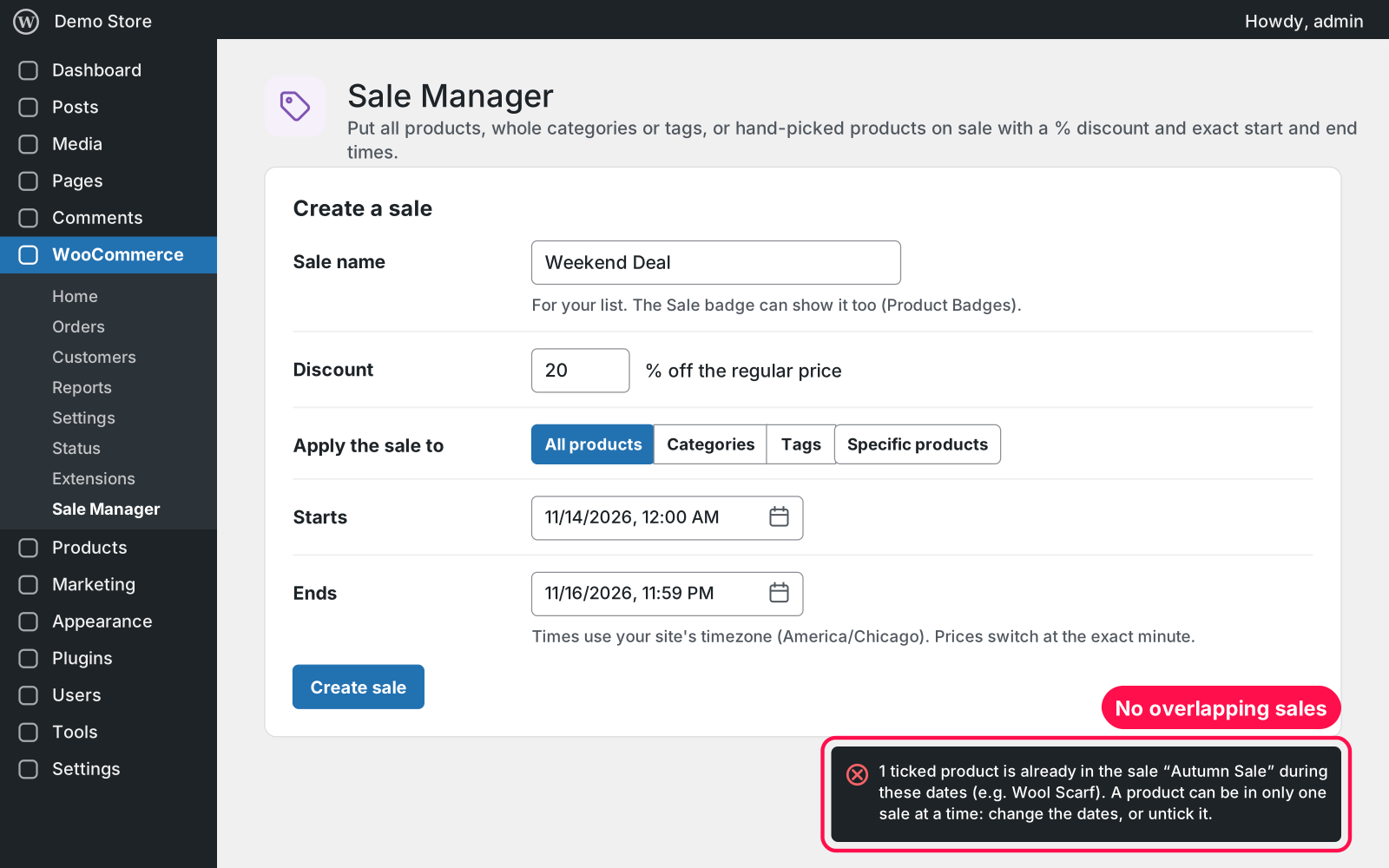
  • No overlaps: one product, one sale: overlapping sales are refused with a clear message.
  • When it ends: when a sale ends or is cancelled, each product's own sale price (if it had one) comes back.
  • Your sales: one list of running, scheduled and ended sales, with Edit, Cancel and Delete.
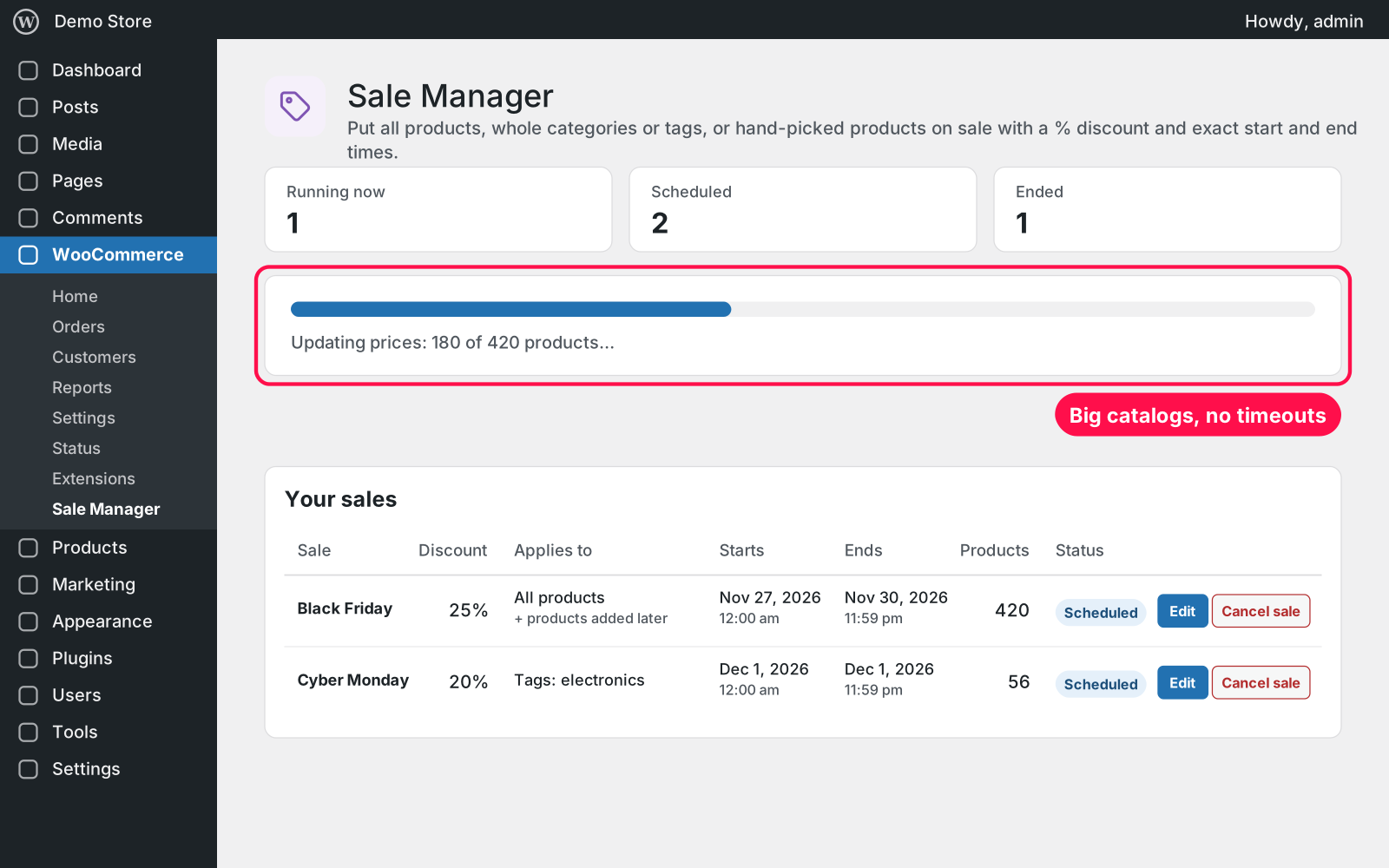
  • Big catalogs: update in batches with a progress bar, so nothing times out.
  • Danger zone: clear every sale price and sale date in the store in one go.
  • Shop Managers: they can run sales too.
  • Old plugin: takes over the sales of the old "Woocommerce Global Sale Manager" plugin.

Setup 02 · about 2 minutes

  1. Install & Activate it. In WordPress go to Plugins → Add New → Upload Plugin, choose the .zip and click Install Now, then Activate.
  2. Open Sale Manager. Go to WooCommerce › Sale Manager.
  3. Create your sale. Enter a name and the % discount, pick all products, categories, tags or specific products, and set when it starts and ends.
  4. Click Create sale. The progress bar updates the prices; the sale then starts and ends on its own.

FAQ 03

Does it work with my theme and the block checkout?

Yes. It sets WooCommerce's own sale prices, so the shop, product pages, classic and block cart and checkout all show them like any sale price.

Does it work with page caching?

Yes, but cached pages keep the old price until the cache refreshes. Clear your page cache when a sale starts or ends, or set a short cache time.

What if my site gets few visitors?

Prices switch using WordPress's scheduler, which runs when someone visits the site. On quiet sites, ask your host for a real server cron so a switch is never late.

What happens to my data when I delete the plugin?

Nothing is lost. Your sales, product sale prices and schedule stay, because Arock Toolkit and other versions of this plugin use the same data. To remove sale prices, use "Clear all sales data" before deleting.

Changelog 04

1.0.0Nov 14, 2026 · Latest
  • - First release as a standalone plugin (the same tool as in Arock Toolkit, with the same sales and data).
Need it to do something else?

I customize plugins and build new ones from scratch — same care, made for your site.

Ask me

Comments

Every comment is reviewed before it appears.

No comments yet — questions, ideas and bug reports are all welcome.

Leave a comment

Replying to
Comments are moderated and appear once approved. Your email is only used to notify you of replies.
Thanks! Your comment is awaiting moderation and will appear once it's approved.
Scripts & plugins

More plugins.

All scripts & plugins →
WordPressPremium

Arock Wordpress + WooCommerce Toolkit

20 small WordPress and WooCommerce tools in one lightweight plugin. Switch each tool on or off from one page; only the tools you turn on run.

Buy →
WordPress

WooCommerce Direct Checkout

Skip the cart: "Add to cart" becomes "Checkout" and takes customers straight to checkout. Ideal for one-product stores and quick buys.

FreeDownload ↓
WordPress

WooCommerce Cross-Sell Popup

When a shopper adds a product to the cart, a popup offers that product's cross-sells with a quantity box and an "Add to order" button. Uses WooCommerce's own Cross-sells field.

FreeDownload ↓