WordPress pluginWooCommerceFree

WooCommerce Checkout Fee

Add one or more fixed or percentage fees to the WooCommerce cart and checkout, each on its own line. Works with the classic and the block checkout.
Version 1.0.0WP 6.0+WooCommerce 8.0+PHP 7.4+Updated Nov 2026Downloads 0

What it does 01

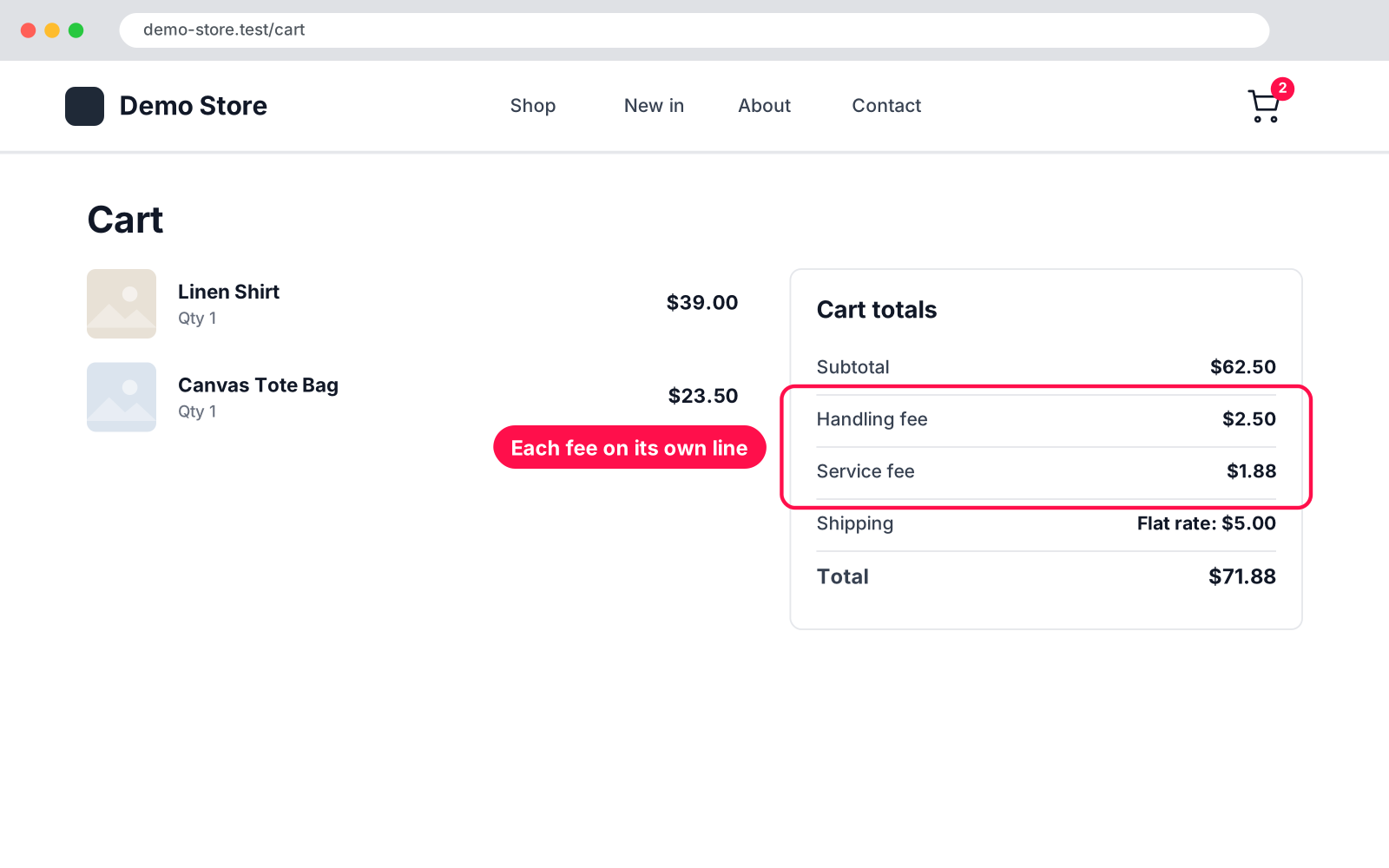
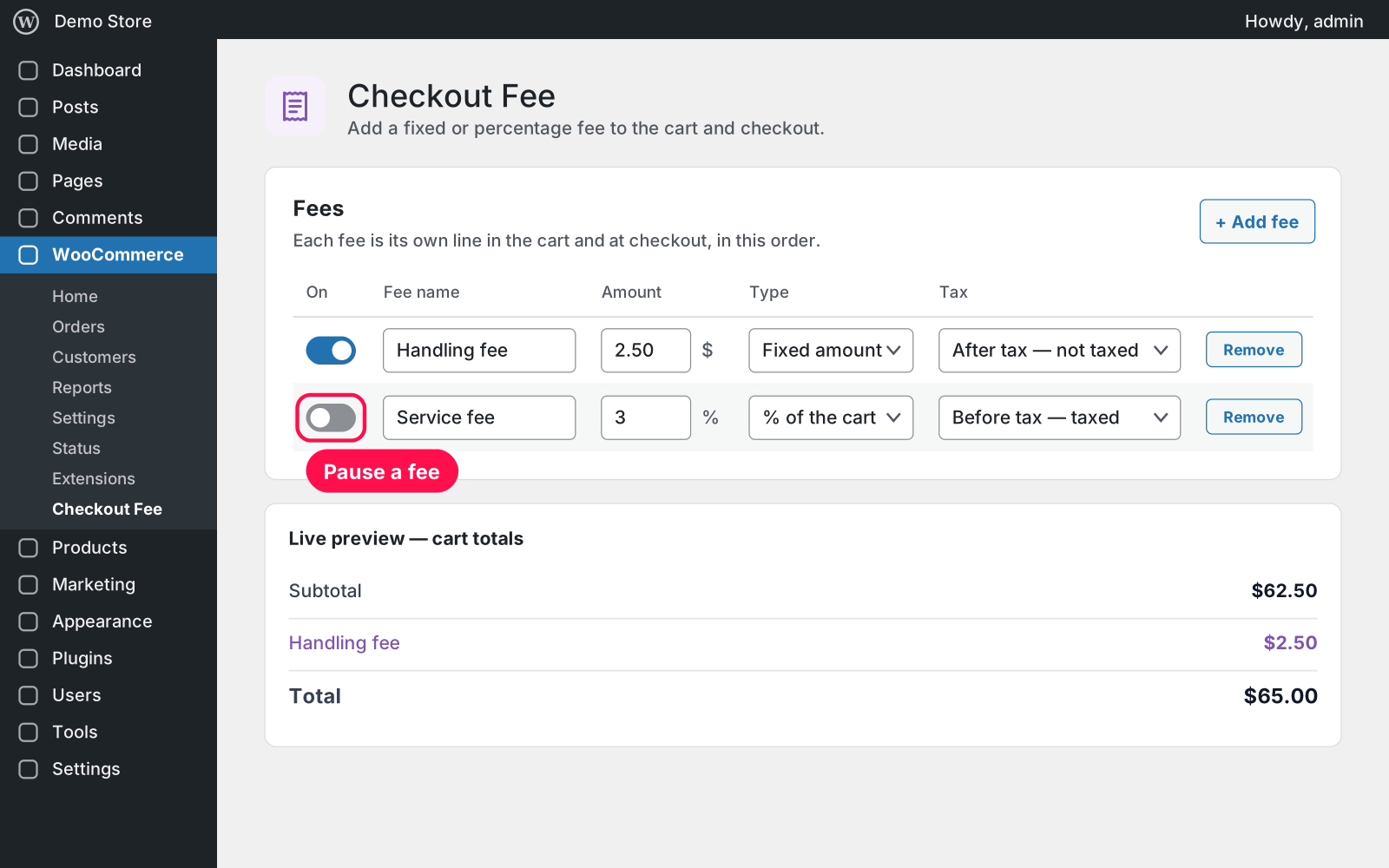
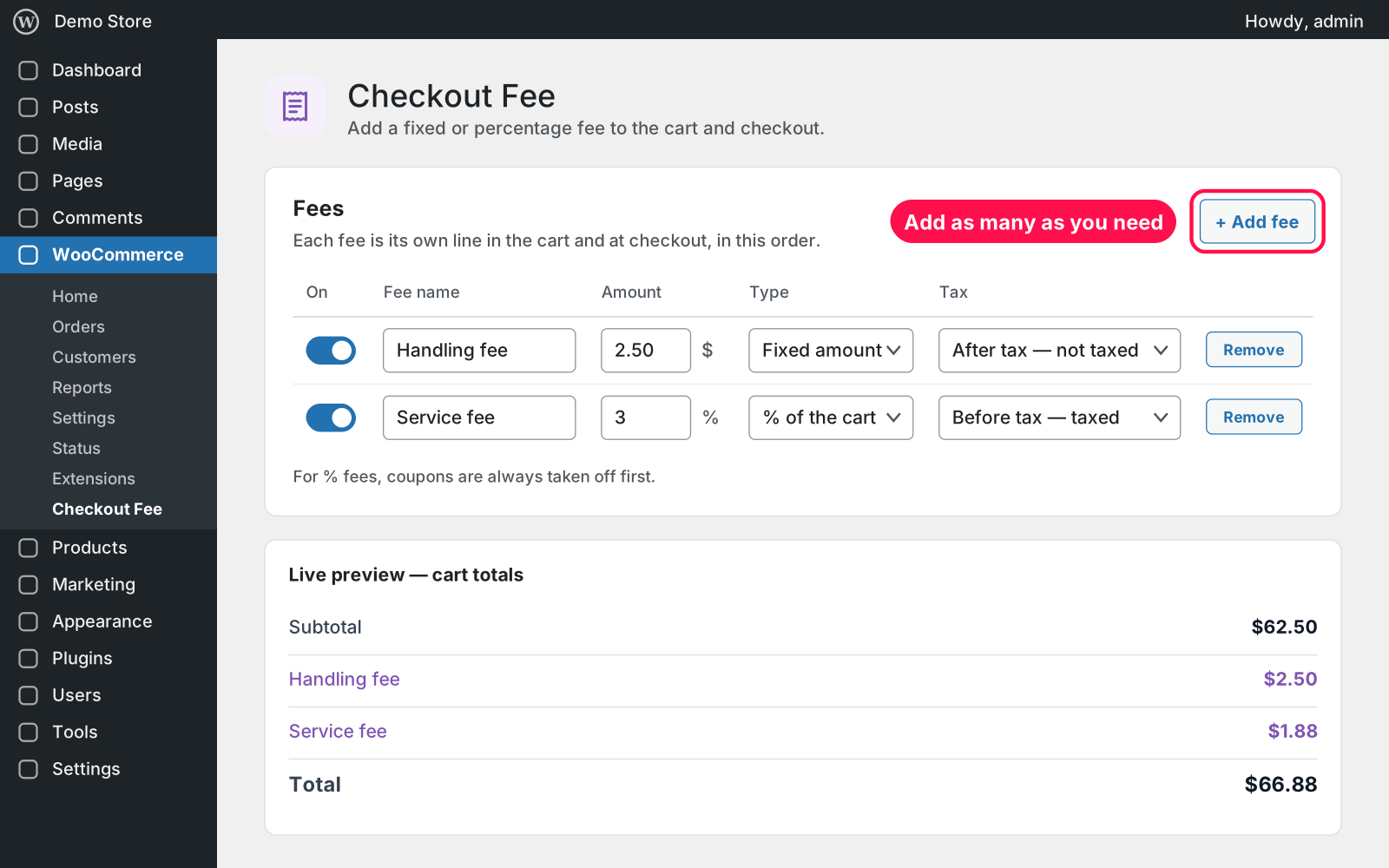
Adds the fees you set to every cart: a handling fee, a service fee, a packaging fee, anything you need. Each fee is a fixed amount or a percentage of the cart and shows as its own line in the cart and at checkout. You manage them in one small table with a live preview of the totals.

  • Any number: add as many fees as you need, each with its own name.
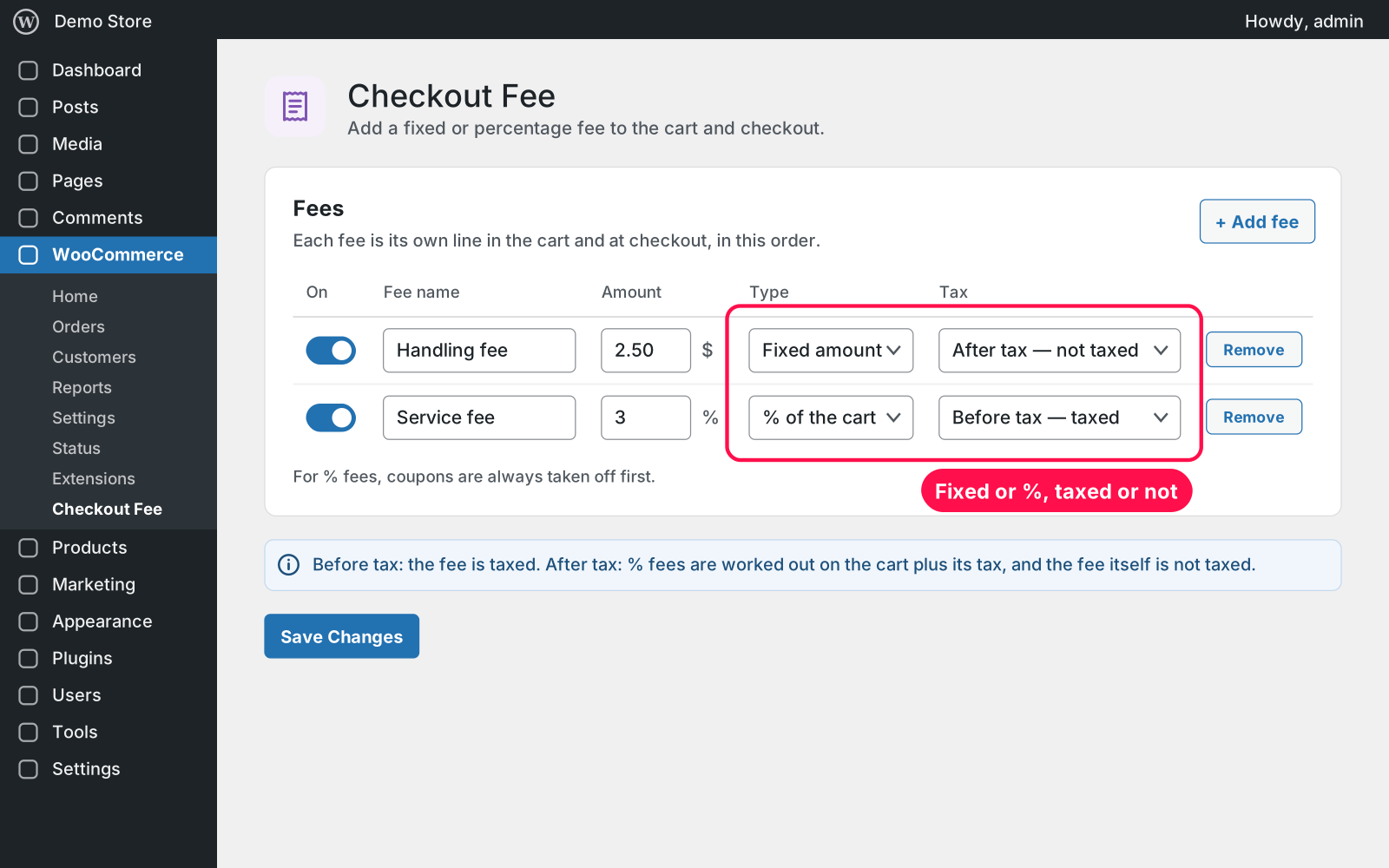
  • Fixed or percentage: a fixed amount or a percentage of the cart.
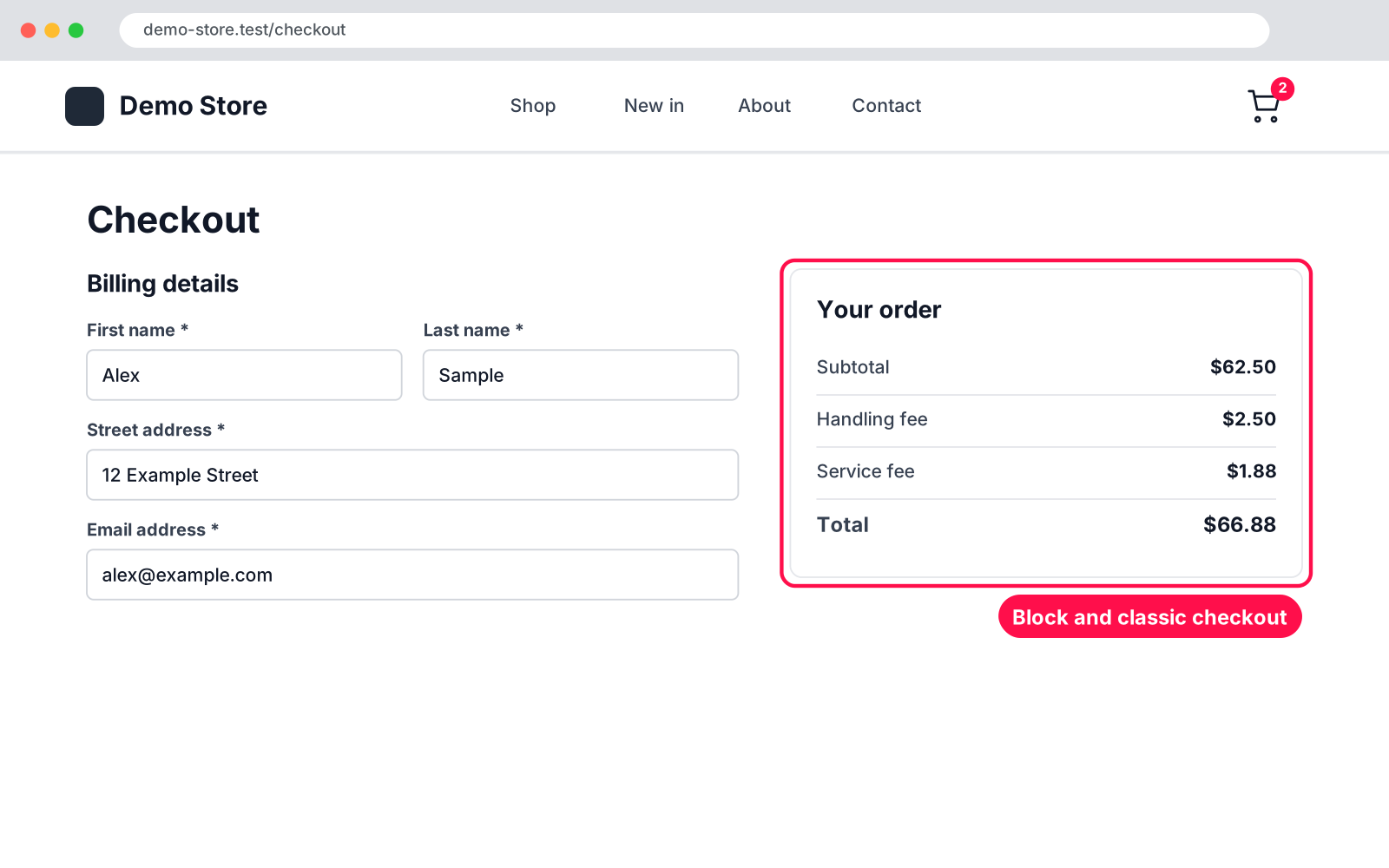
  • Own line: each fee shows in the cart and at checkout, in the order of your table.
  • Tax: per fee, before tax (the fee is taxed) or after tax (not taxed).
  • Coupons: percentage fees are always worked out after coupons.
  • On/off: switch a fee off without deleting it.
  • Live preview: see the cart totals while you edit.
  • Both checkouts: works with the classic and the block Cart and Checkout.
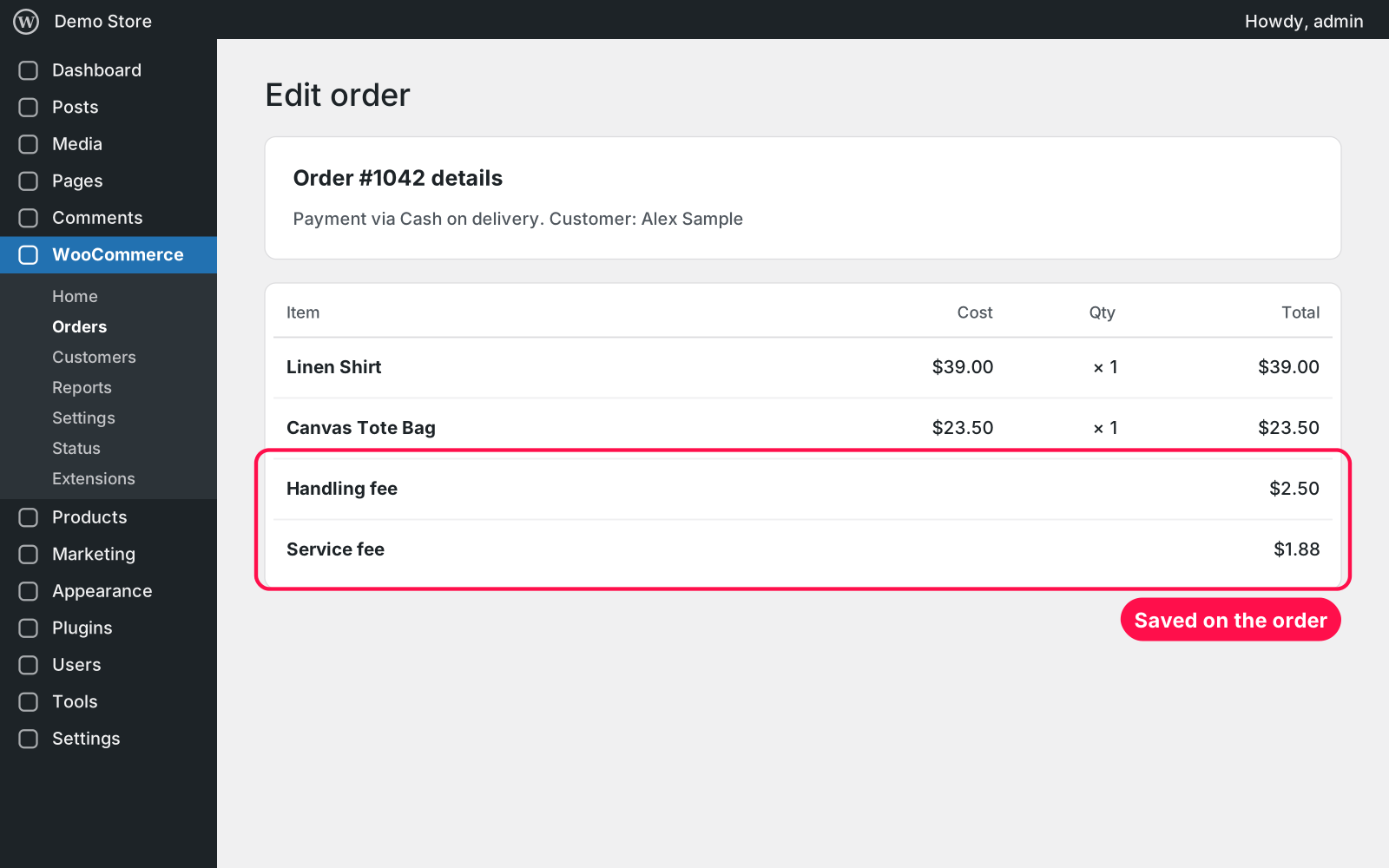
  • On the order: fees are saved on the order, so they show on the order screen and in order emails.
  • Shop Managers: they can manage the fees too (WooCommerce › Checkout Fee).
  • Coming from "WooCommerce Custom Fee"? Your fee shows up as the first row, and its "Enable fee" checkbox becomes that row's switch.

Setup 02 · about 2 minutes

  1. Install & Activate it. In WordPress go to Plugins → Add New → Upload Plugin, choose the .zip and click Install Now, then Activate.
  2. Open the settings. Go to WooCommerce › Checkout Fee.
  3. Add your fees. Click "+ Add fee", then set the name, amount, type (fixed or %) and tax.
  4. Save. Check the live preview and click Save Changes. The fees show in the cart right away.

FAQ 03

Does it work with the block checkout?

Yes. The fees show on the classic and the block Cart and Checkout, and they are saved on the order either way.

Can a fee apply only to some products or payment methods?

No. Every fee that is switched on applies to every cart. That keeps it simple.

Does it work with page caching?

Yes. Cart and checkout pages aren't cached by caching plugins, and the fees are worked out there every time the cart changes.

Does it work with my theme?

Yes. It uses WooCommerce's own fee lines, so any theme that shows the cart totals shows the fees.

Is it really free?

Yes. Free forever, no sign-up, no ads, and it doesn't track you.

What happens to my data when I delete the plugin?

Fees already on orders are never touched. Deleting the plugin keeps your fee settings too, because Arock Toolkit and other versions of this plugin share them.

Changelog 04

1.0.0Nov 14, 2026 · Latest
  • - First release as a standalone plugin (the same tool as in Arock Toolkit, with the same settings).
Need it to do something else?

I customize plugins and build new ones from scratch — same care, made for your site.

Ask me

Comments

Every comment is reviewed before it appears.

No comments yet — questions, ideas and bug reports are all welcome.

Leave a comment

Replying to
Comments are moderated and appear once approved. Your email is only used to notify you of replies.
Thanks! Your comment is awaiting moderation and will appear once it's approved.
Scripts & plugins

More plugins.

All scripts & plugins →
WordPressPremium

Arock Wordpress + WooCommerce Toolkit

20 small WordPress and WooCommerce tools in one lightweight plugin. Switch each tool on or off from one page; only the tools you turn on run.

Buy →
WordPress

WPForms Donation Counter

A fundraising goal progress bar for WPForms donation forms. Website donations count automatically, checks and cash are logged by hand, with donors and days left.

FreeDownload ↓
WordPress

WooCommerce Checkout Field Manager

Rename, hide, reorder, resize and add WooCommerce checkout fields with a live preview. Billing, shipping and order notes, on the classic and block checkout.

FreeDownload ↓