WordPress pluginWordpressSecurityProductivityFree

Users Last Login Tracker

See when every user last logged in. Adds a sortable Last Login column to the Users list for every role, admins included. No settings needed.
Version 1.0.0WP 6.0+PHP 7.4+Updated Nov 2026Downloads 0

What it does 01

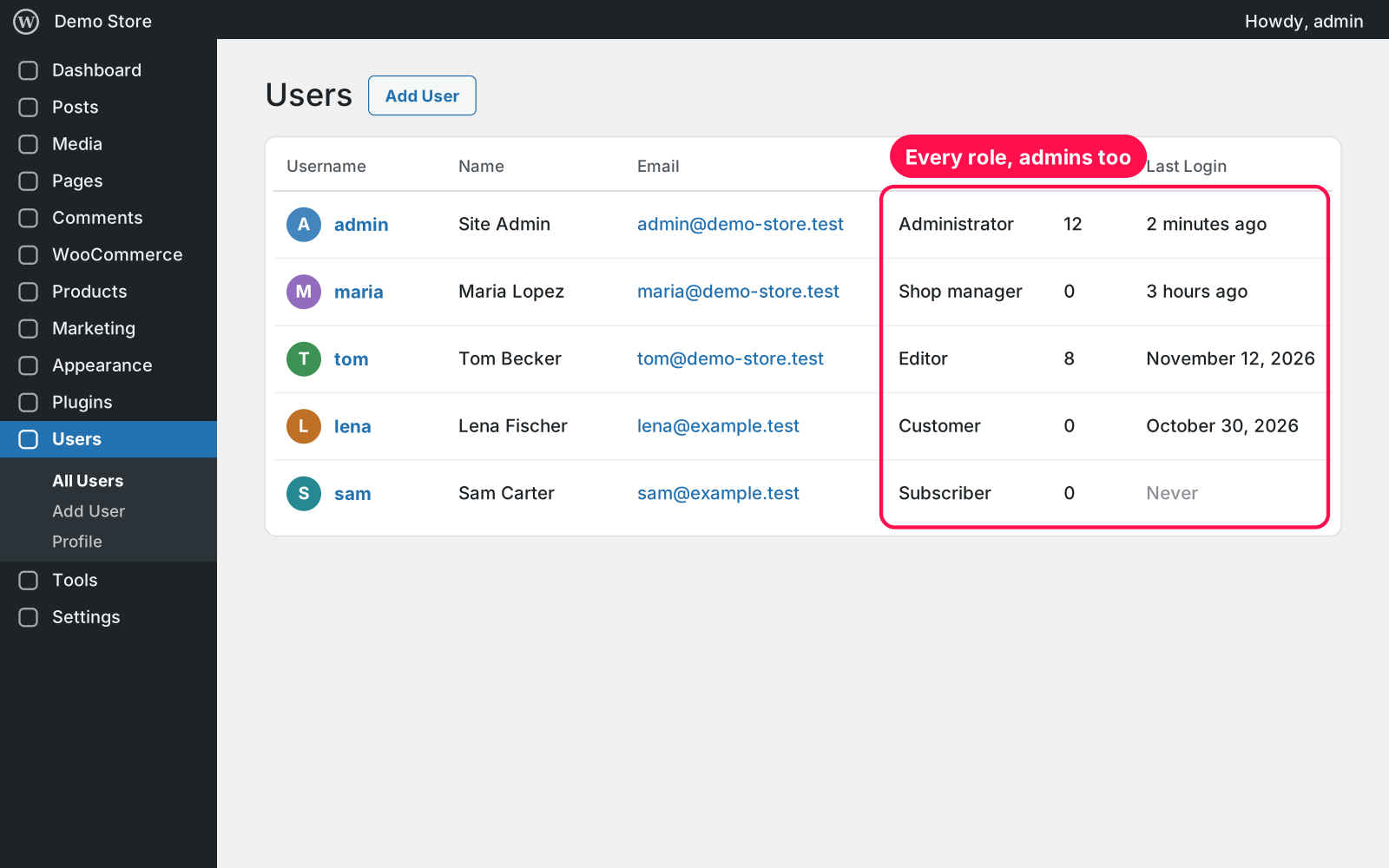
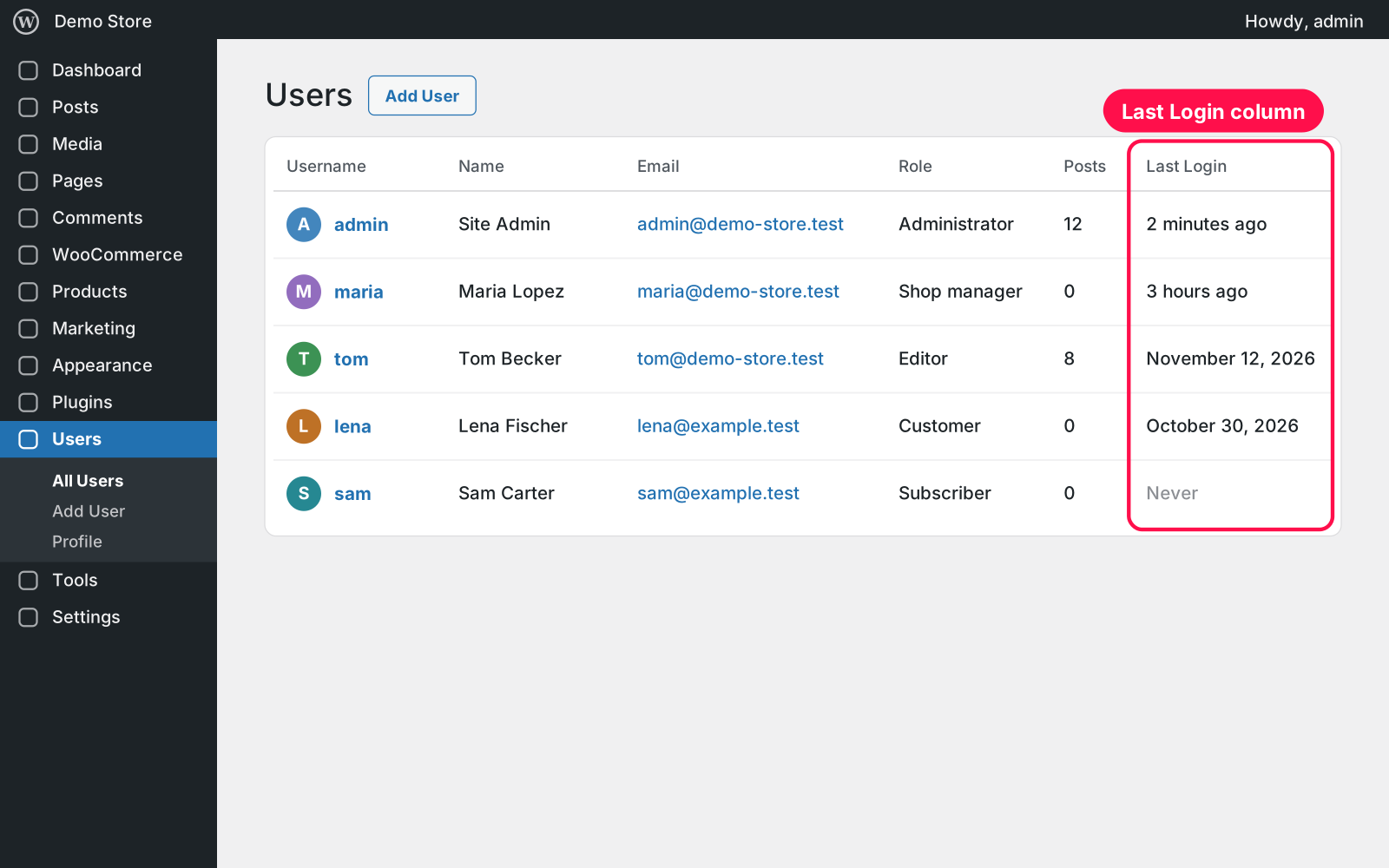
Adds a "Last Login" column to Users › All Users so you can see at a glance who is active and which accounts haven't been used in a while. It works for every role, admins included, and there's nothing to set up: activate it and the column is there.

  • New column: adds a "Last Login" column to the Users list.
  • Every role: records every login: administrators, shop managers, editors, customers and subscribers.
  • Readable dates: recent logins read like "2 hours ago"; older ones show the date.
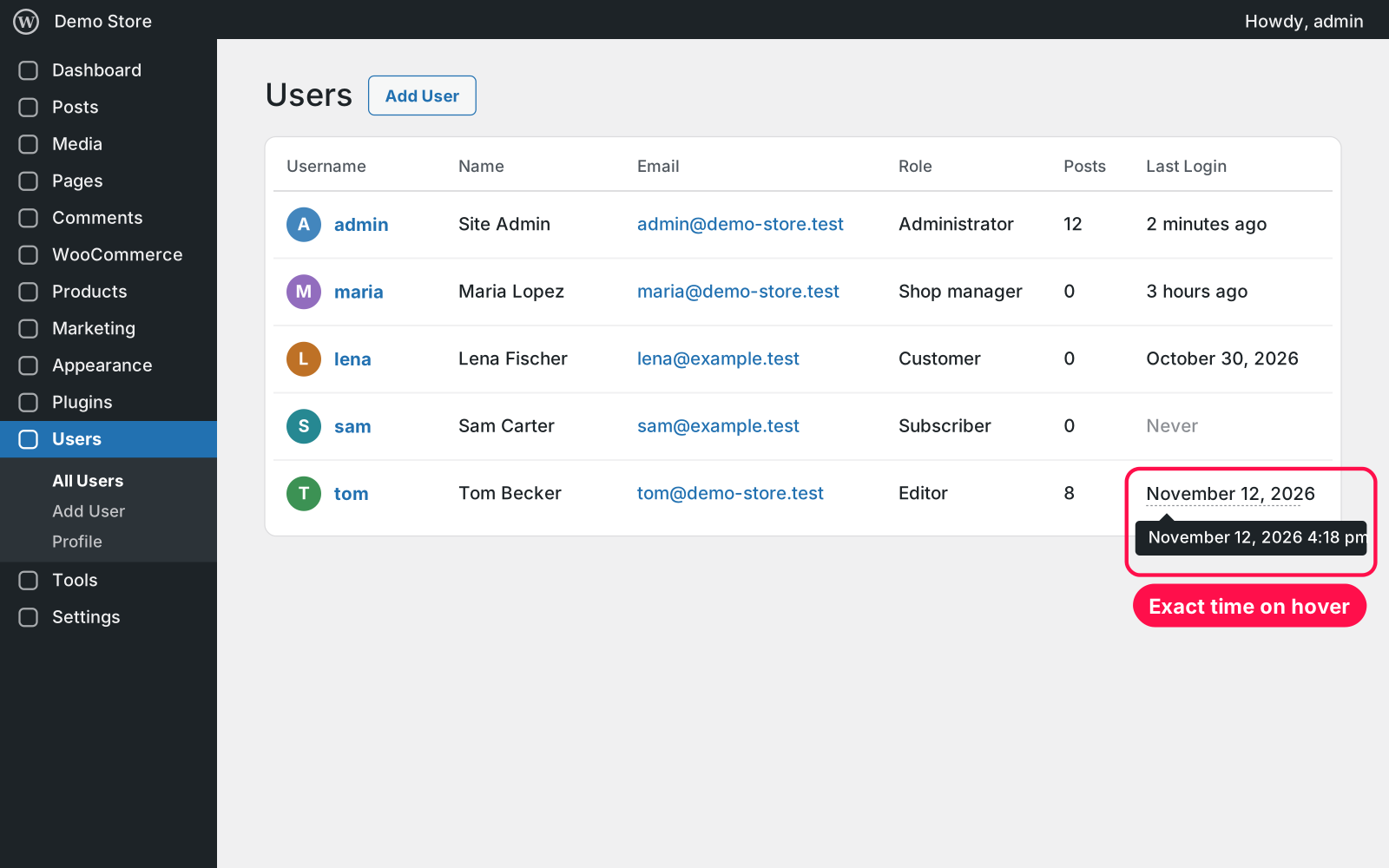
  • Exact time: hover a date to see the exact day and time.
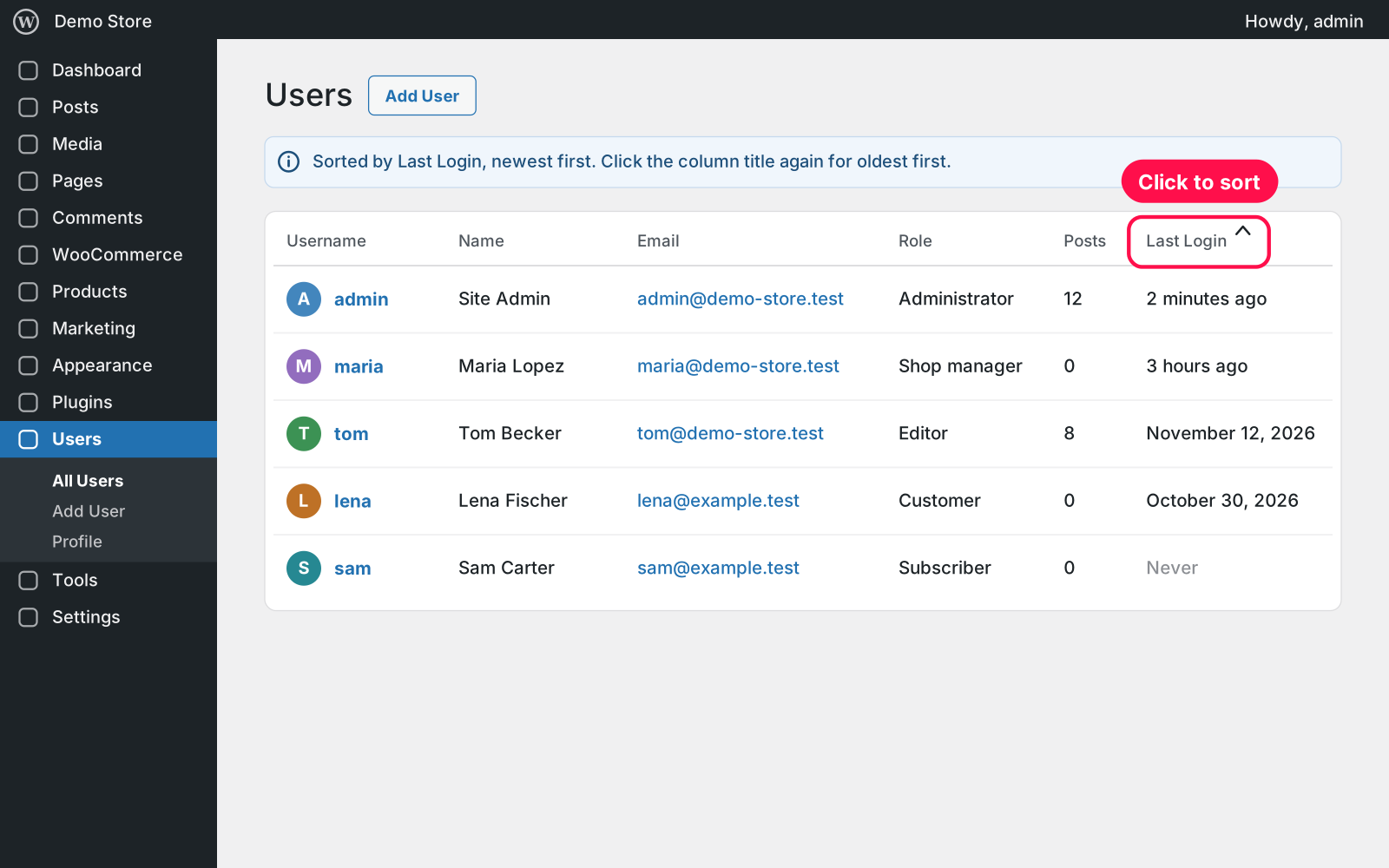
  • Sortable: click the column title to sort by last login, newest or oldest first.
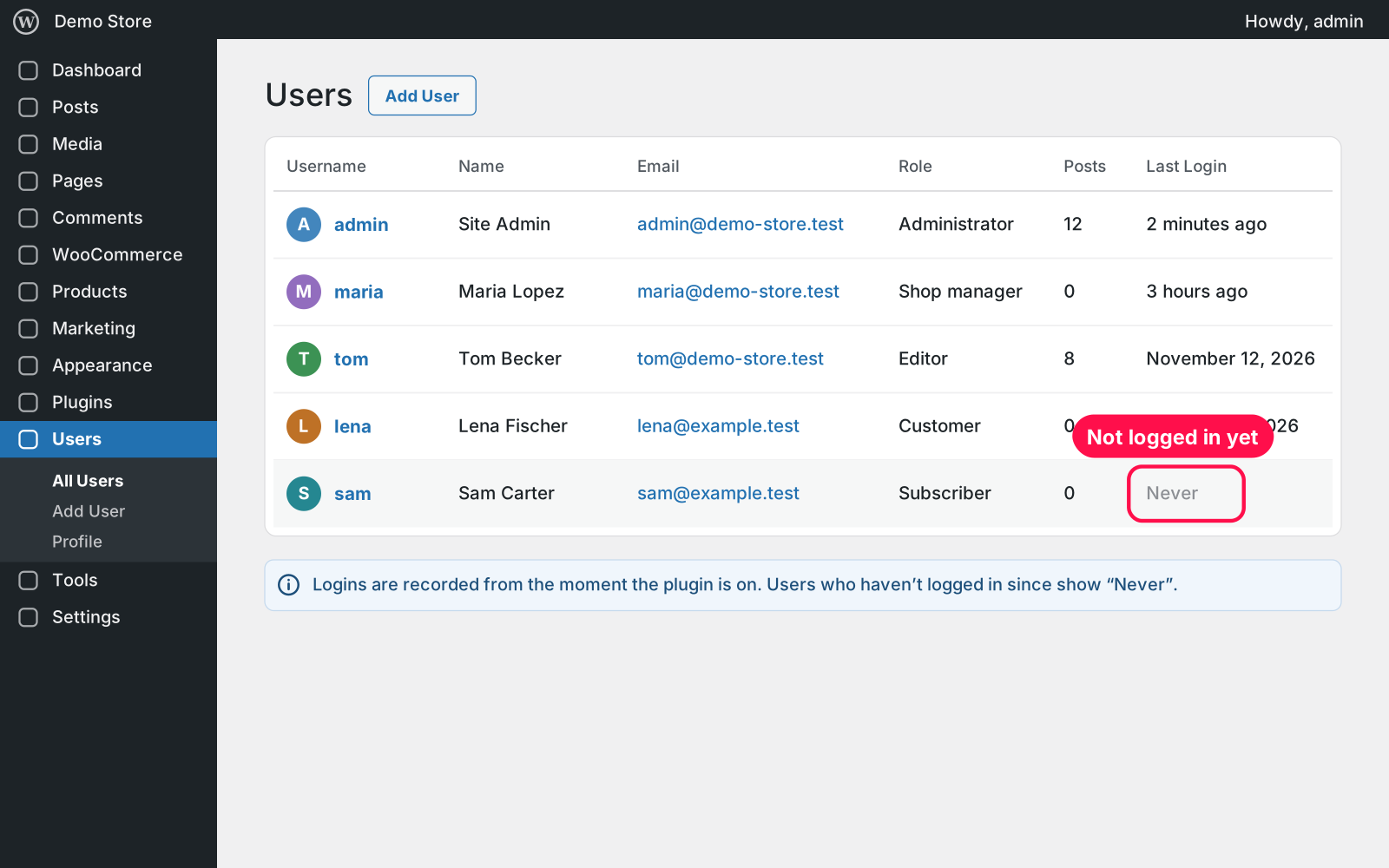
  • Never: users who haven't logged in since you activated it show "Never".
  • Your formats: uses your site's own date format, time format and timezone.
  • Login pages: counts logins from the normal login page and from WooCommerce's My Account page.
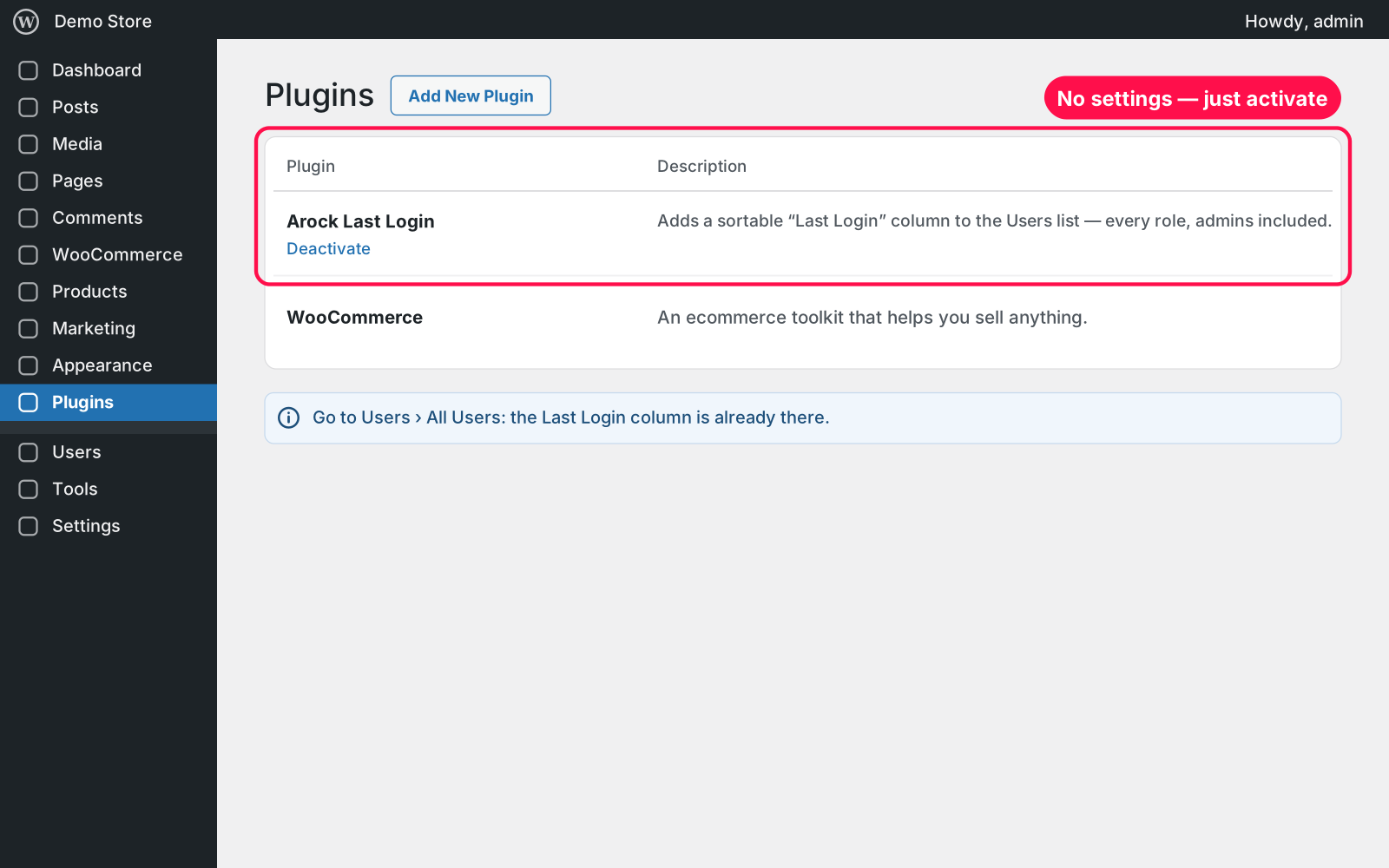
  • No settings: activate it and you're done.
  • Lightweight: one small value per user, no extra database tables.
  • Kept data: login times stay saved if you deactivate or delete the plugin.

Setup 02 · about 1 minute

  1. Install & Activate it. In WordPress go to Plugins → Add New → Upload Plugin, choose the .zip and click Install Now, then Activate.
  2. Open your Users list. Go to Users › All Users. The Last Login column is already there; there are no settings.
  3. Sort it. Click "Last Login" to see the most recent logins first, or click again for the oldest.

FAQ 03

Why does everyone show "Never" at first?

Logins are recorded from the moment the plugin is on. Each user's time appears after their next login.

Does it work with WooCommerce customer logins?

Yes. Customers who log in on the My Account page are recorded like everyone else.

Does it work with page caching?

Yes. The column only shows in your admin, and logins are never served from the cache.

Is it really free?

Yes. Free forever, no sign-up, no ads, and it doesn't track you.

What happens to my data when I delete the plugin?

The login times are kept. Arock Toolkit and other versions of this plugin use the same data, so deleting the plugin never erases them.

Changelog 04

1.0.0Nov 14, 2026 · Latest
  • - First release as a standalone plugin (the same tool as in Arock Toolkit, with the same login data).
Need it to do something else?

I customize plugins and build new ones from scratch — same care, made for your site.

Ask me

Comments

Every comment is reviewed before it appears.

No comments yet — questions, ideas and bug reports are all welcome.

Leave a comment

Replying to
Comments are moderated and appear once approved. Your email is only used to notify you of replies.
Thanks! Your comment is awaiting moderation and will appear once it's approved.
Scripts & plugins

More plugins.

All scripts & plugins →
WordPressPremium

Arock Wordpress + WooCommerce Toolkit

20 small WordPress and WooCommerce tools in one lightweight plugin. Switch each tool on or off from one page; only the tools you turn on run.

Buy →
WordPress

WPForms Donation Counter

A fundraising goal progress bar for WPForms donation forms. Website donations count automatically, checks and cash are logged by hand, with donors and days left.

FreeDownload ↓
WordPress

WooCommerce Checkout Field Manager

Rename, hide, reorder, resize and add WooCommerce checkout fields with a live preview. Billing, shipping and order notes, on the classic and block checkout.

FreeDownload ↓