WordPress pluginWordPressProductivityWooCommerceFree

Simple Duplicate Posts

Copy any post, page, product or custom post type in one click: from the list, bulk actions, admin bar or editor. WPBakery layouts and custom fields included.
Version 1.0.0WP 6.0+PHP 7.4+Updated Nov 2026Downloads 0

What it does 01

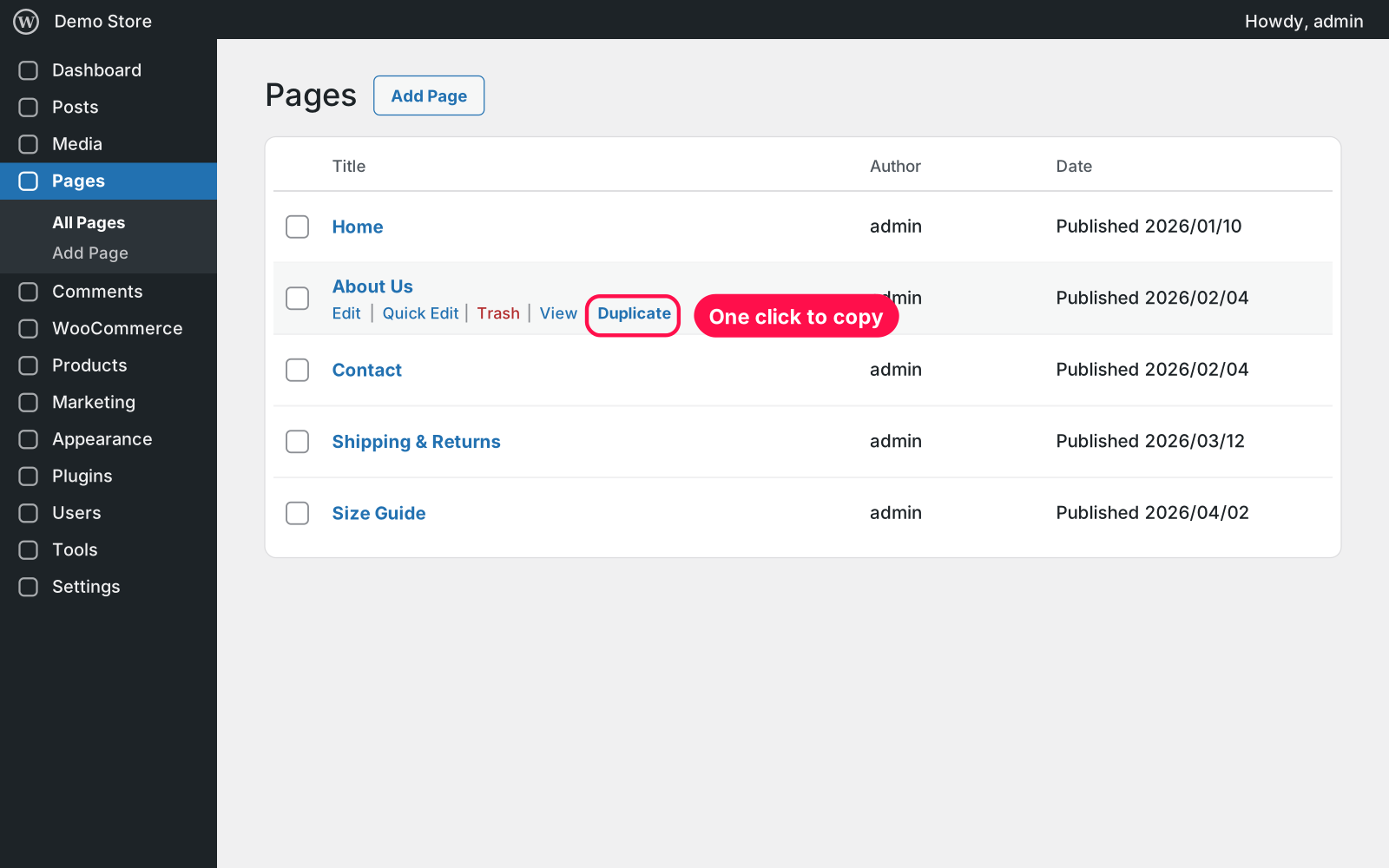
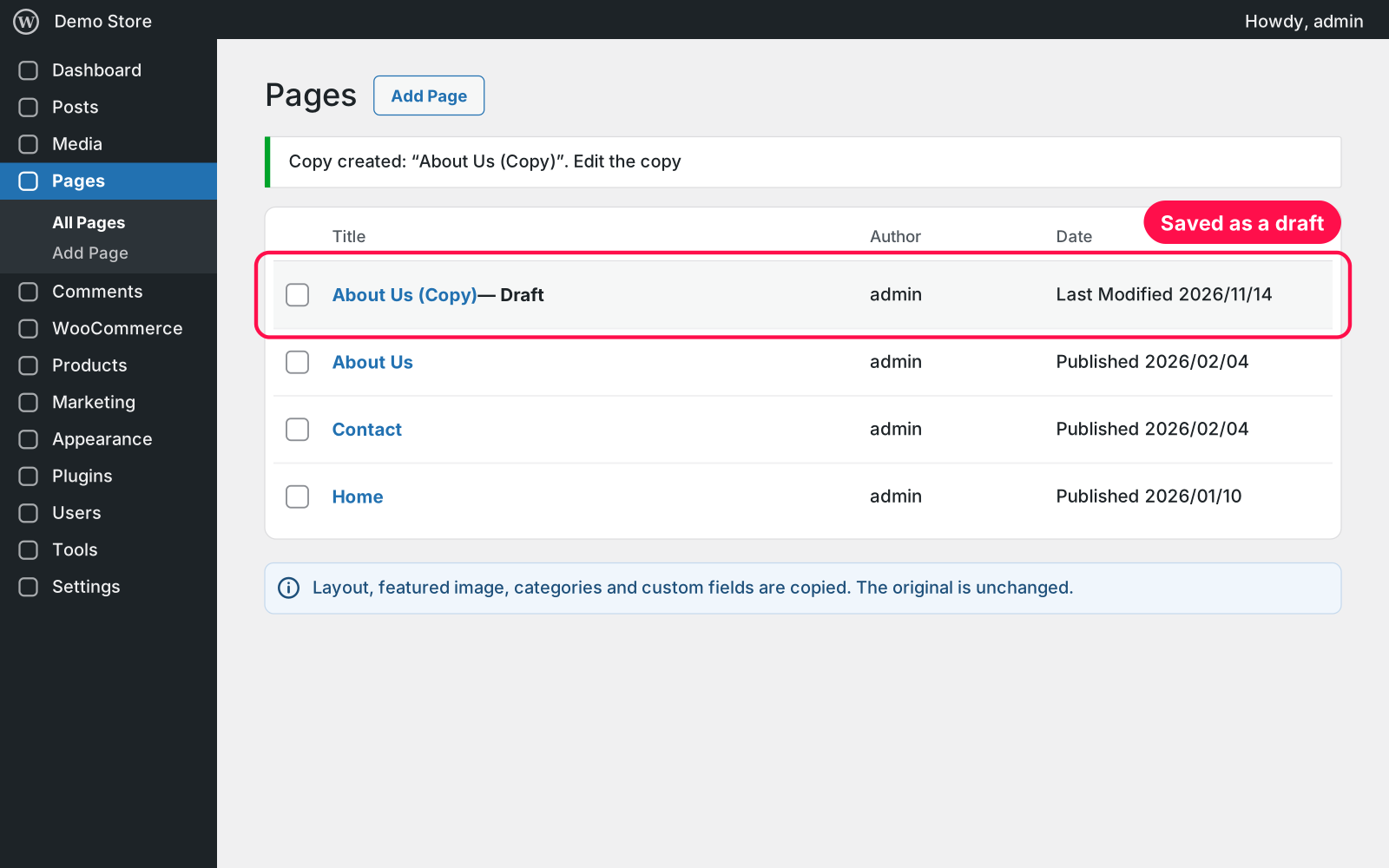
Adds a "Duplicate" link to posts, pages, products and every custom post type. The copy gets the content, featured image, categories, tags and all custom fields, so page-builder layouts look exactly like the original. It's saved as a draft, so nothing changes on your site until you publish it.

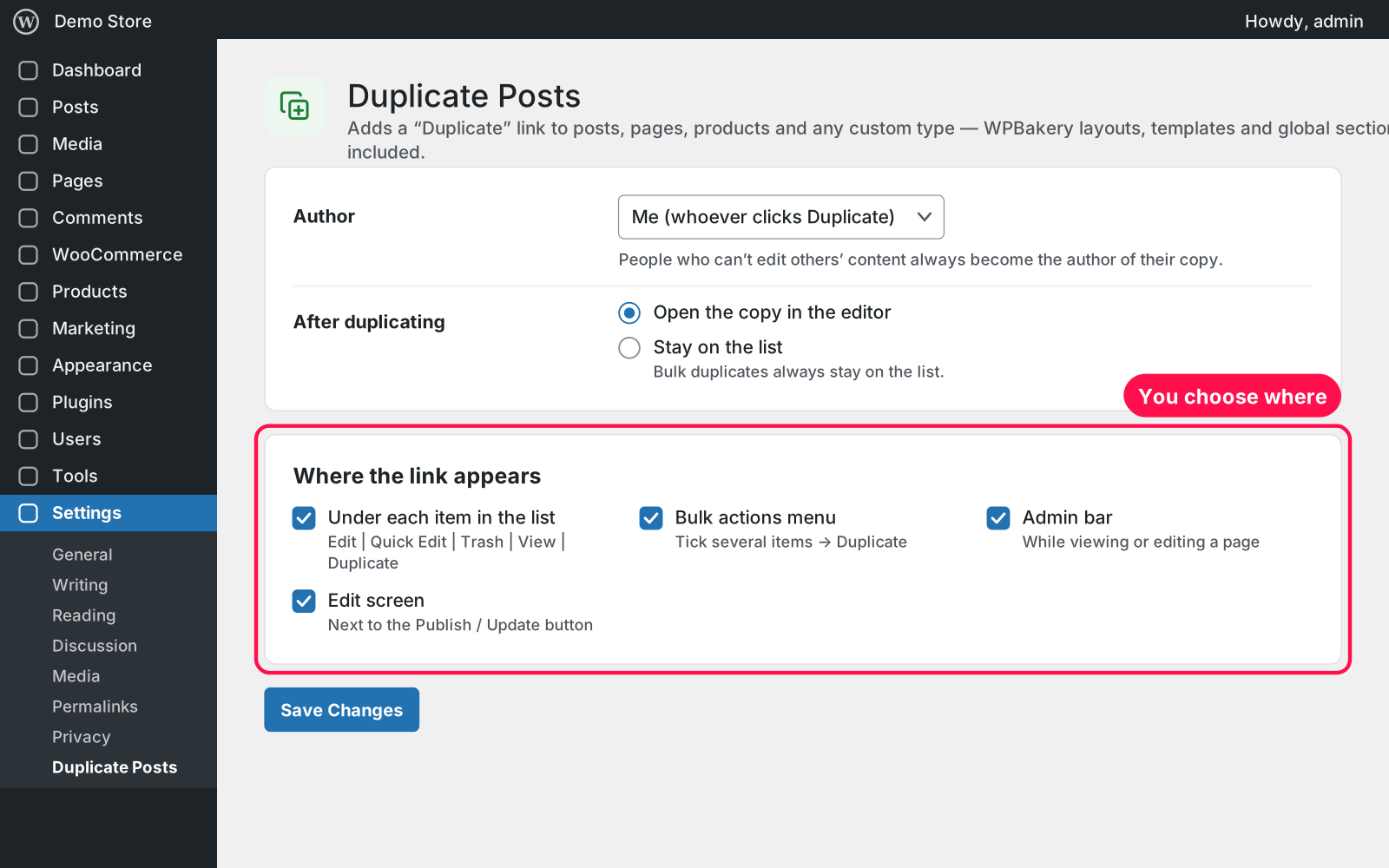
  • List link: a "Duplicate" link under each item in the Posts, Pages and other lists.
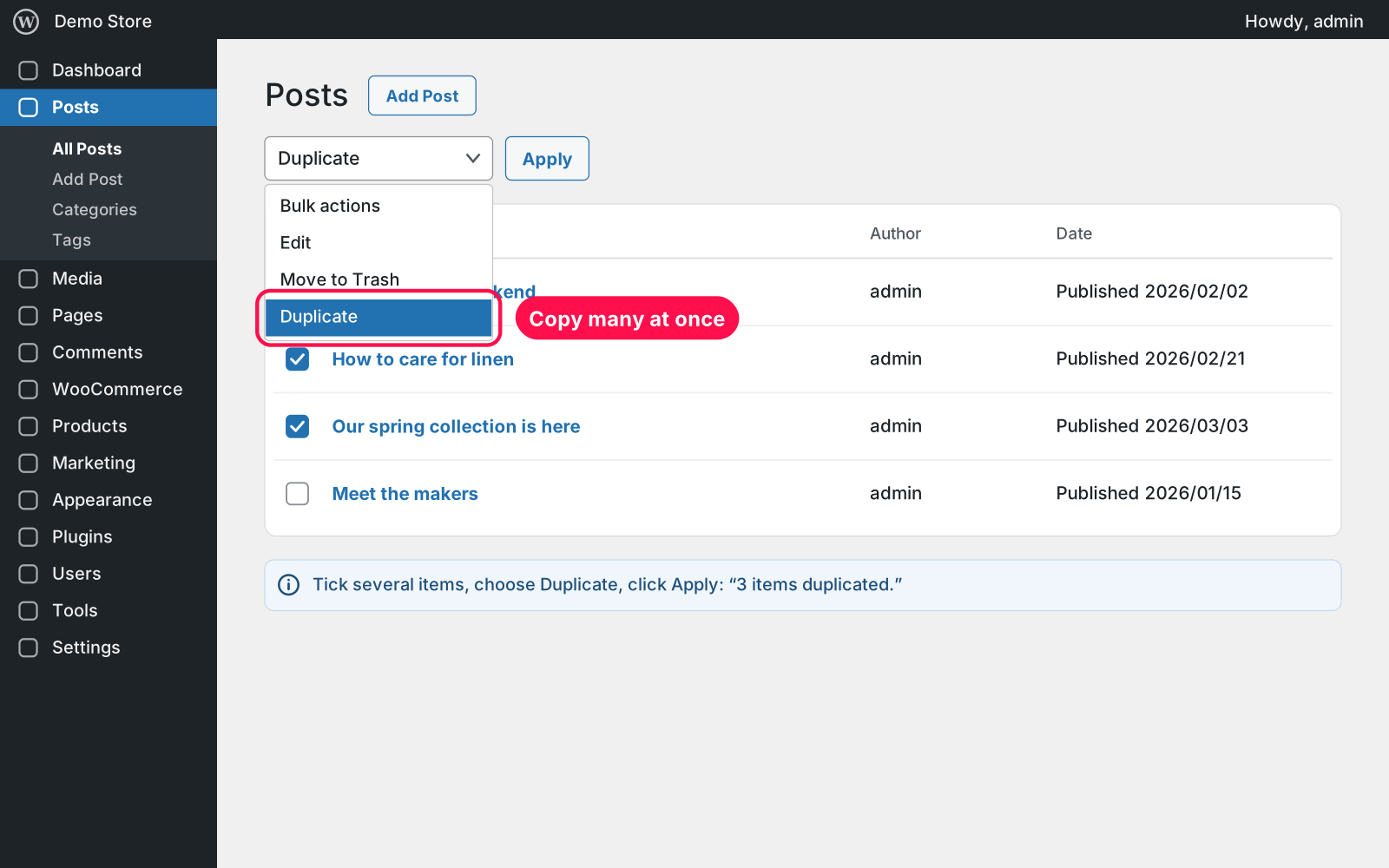
  • Bulk duplicate: tick several items, choose Duplicate, click Apply.
  • Admin bar: duplicate while viewing or editing a page.
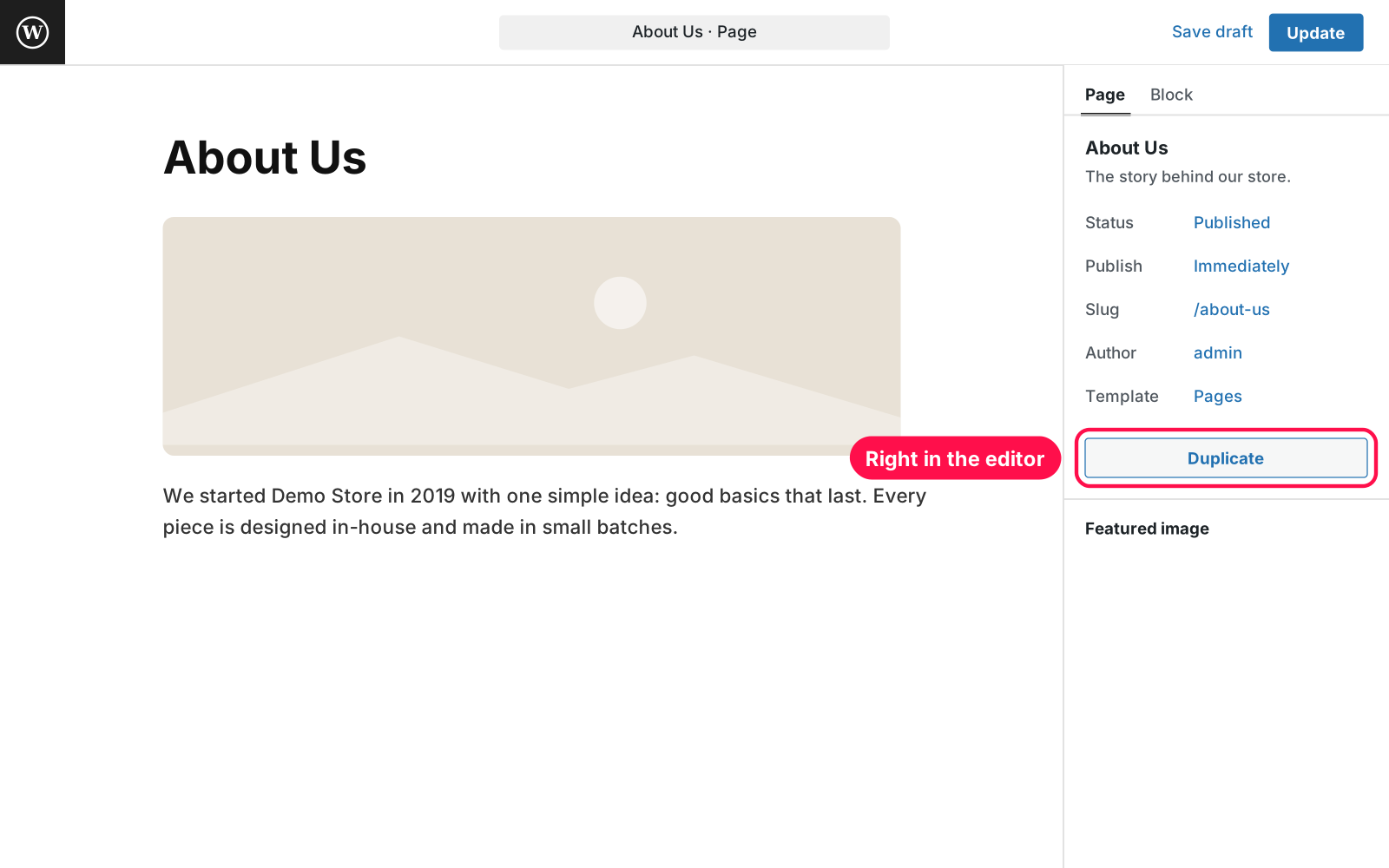
  • Editors: a Duplicate button in the block editor and the classic editor.
  • What is copied: content, excerpt, featured image, categories, tags, page template, parent page and every custom field.
  • WPBakery: layouts look identical: Design Options, custom CSS, templates, grid items and theme global sections.
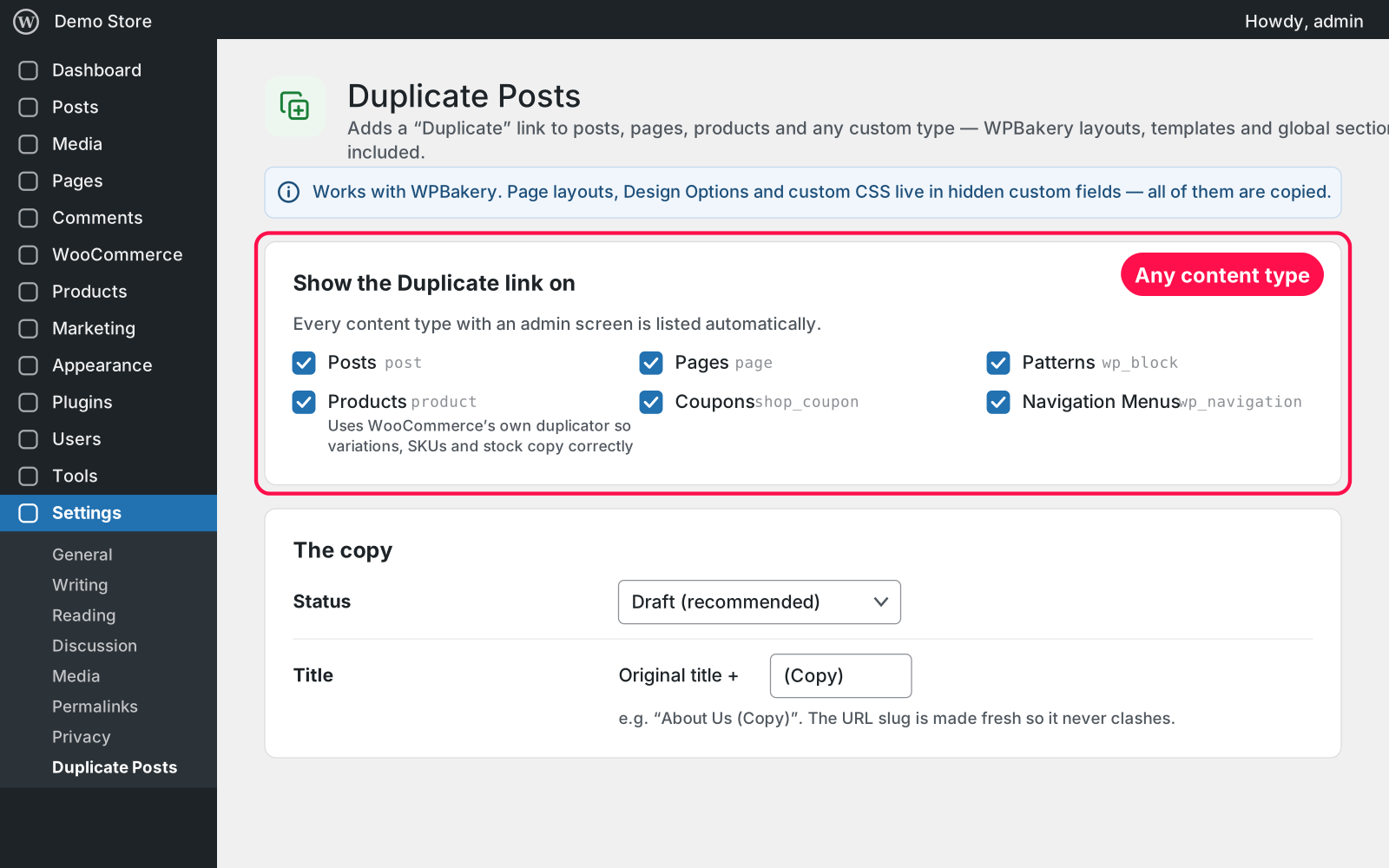
  • WooCommerce: products are copied with WooCommerce's own duplicator, so variations, SKUs and stock are handled correctly.
  • Status: the copy is a draft by default, or pending review, private, or the same status as the original.
  • Title and owner: choose the title ending (" (Copy)" by default) and whether you or the original author owns the copy.
  • After copying: open the copy in the editor straight away, or stay on the list.
  • Where it shows: pick which content types get the link and where it appears.
  • User roles: only people who can edit and create that content can copy it.

Setup 02 · about 2 minutes

  1. Install & Activate it. In WordPress go to Plugins → Add New → Upload Plugin, choose the .zip and click Install Now, then Activate. The Duplicate link works right away.
  2. Choose the content types. Go to Settings › Duplicate Posts and tick where the link should appear (all types are on by default).
  3. Set up the copy. Choose its status, title ending, author and what happens after duplicating. 4. **Save.** Click Save Changes. That's it.

FAQ 03

Is the copy published right away?

No. By default it's a draft, so visitors don't see it until you publish it. You can change this in the settings.

Does it work with WPBakery and other page builders?

Yes. Layouts, Design Options and custom CSS live in hidden custom fields, and every custom field is copied, so the copy looks exactly like the original.

Can I duplicate WooCommerce products?

Yes. Products go through WooCommerce's own duplicator, so variations, SKUs and stock copy correctly, and your title, status and author settings still apply.

Does it work with page caching?

Yes. Copies start as drafts, so nothing changes on your live pages until you publish one.

Is it really free?

Yes. Free forever, no sign-up, no ads, and it doesn't track you.

What happens to my data when I delete the plugin?

Your copies are normal posts and pages, so they stay. The settings are kept too, because Arock Toolkit and other versions of this plugin share them.

Changelog 04

1.0.0Nov 14, 2026 · Latest
  • - First release as a standalone plugin (the same tool as in Arock Toolkit, with the same settings).
Need it to do something else?

I customize plugins and build new ones from scratch — same care, made for your site.

Ask me

Comments

Every comment is reviewed before it appears.

No comments yet — questions, ideas and bug reports are all welcome.

Leave a comment

Replying to
Comments are moderated and appear once approved. Your email is only used to notify you of replies.
Thanks! Your comment is awaiting moderation and will appear once it's approved.
Scripts & plugins

More plugins.

All scripts & plugins →
WordPressPremium

Arock Wordpress + WooCommerce Toolkit

20 small WordPress and WooCommerce tools in one lightweight plugin. Switch each tool on or off from one page; only the tools you turn on run.

Buy →
WordPressPremium

Media Upload Control

Choose which file types can be uploaded to your Media Library, set a max file size per type, and safely allow JSON, fonts, SVG and 3D files.

Buy →
WordPress

Users Last Login Tracker

See when every user last logged in. Adds a sortable Last Login column to the Users list for every role, admins included. No settings needed.

FreeDownload ↓