

DayQuizz
dayquizz.com
Ten fresh questions a day in English, Spanish, Math, History, Science and Trivia — keep your streak alive and climb the leaderboard.
 PlyFill · a web app by dcArock
Drop your SVG or DXF cut files and PlyFill packs as many parts as possible onto each plywood sheet — honeycomb packing, shared cut lines and a usable offcut, with live yield and cost numbers.
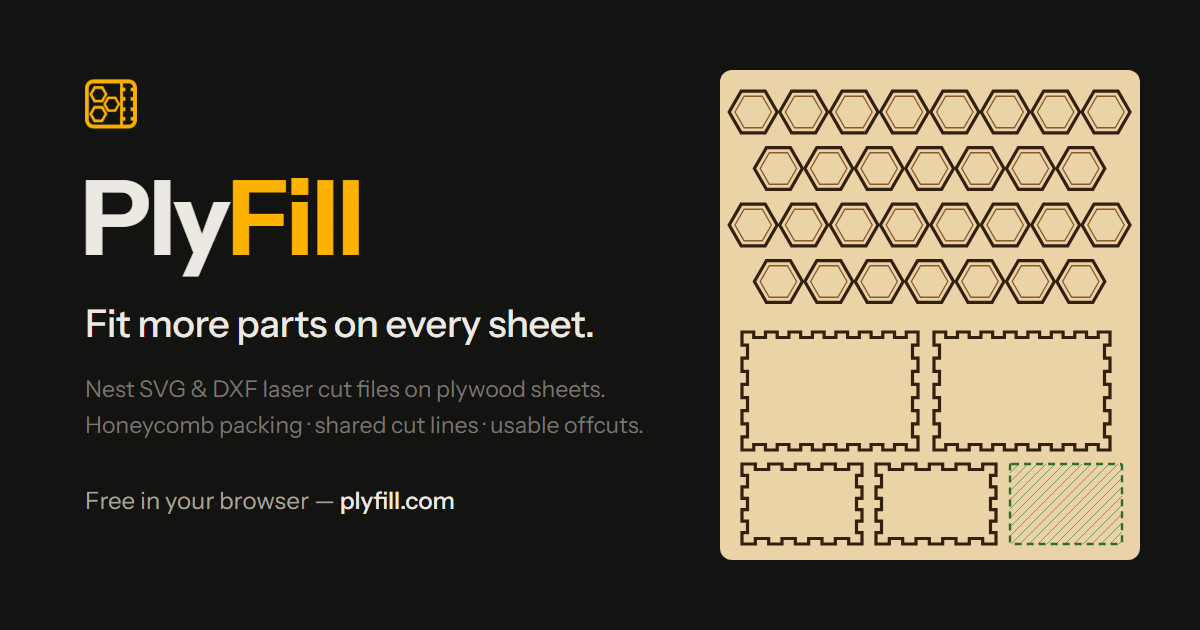
No CAD skills, no install. Drop your files, pick a sheet size and watch the numbers — tighter layouts, cheaper parts.
Reads paths, shapes, transforms and blocks, detects units and finds every part, hole and engrave line.
Repeated shapes pack in their tightest pattern — a true honeycomb for hexagons. Max fill pours copies into every gap.
Parts turn to whatever angle fits, and alternate copies flip 180° so triangles and teardrops interlock.
Touching parts share a single cut — less laser time, less scorching, cleaner edges. Kerf is yours to set.
Parts pack toward the top so the leftover stays one clean rectangle, with an optional snap-off cut line.
Keep every part at one angle to the wood grain. Grain-locked parts turn with the sheet when you rotate it.
Live yield, scrap, cut length and material cost per part and per set, so you can price your products.
Cut, engrave, label and sheet layers with your line colours. DXF, SVG, PDF or EPS — or every sheet in one ZIP.
Plywood isn’t cheap, and every sliver left on the bed is material you’ve already paid for. Yet most layouts still get done by hand — dragging parts around until they look close enough — or with nesters that drop parts on a grid and waste the gaps between shapes.
I built PlyFill to do that job properly. It works out the tightest repeating pattern for each outline — a true honeycomb for hexagons — turns parts to whatever angle fits, cuts touching edges once and keeps the leftover as one clean offcut you can actually reuse.
And it all runs in your browser. Your designs never leave your computer, and you see your yield, scrap and cost per part before the laser ever fires.
Drop your SVG or DXF files anywhere on the page. They’re read right in your browser — nothing is uploaded.
Pick a 12 × 12, 20 × 12 or custom sheet, set quantities or Max fill, and choose a gap or shared lines. PlyFill packs it live.
Check yield, scrap and cost per part, set your layers and line colours, then download a cut file for every sheet.
Exports open in LightBurn, Inkscape and any laser software that imports SVG or DXF.
No. Your SVG and DXF files are read and arranged entirely in your browser. The only time anything reaches the server is when a Pro user downloads an export — the final drawing is built in memory and nothing is stored.
Yes. Importing, arranging, every setting, the metrics and the export preview are free, with 3 uploads a day. Pro adds unlimited uploads, the cut-file downloads and settings that follow you to any device.
PlyFill reads SVG and ASCII DXF (R12 or newer) and detects units from the file — mm, inches, or px at 96 or 72 DPI. Pro exports DXF, SVG, PDF and EPS.
Parts touch, so one cut separates two of them. You save laser time and get cleaner edges with less scorching; each part loses about half a kerf on the shared edge. Prefer clearance? Use a gap instead.
Yes — that’s what I do. Besides my own apps, I build websites and custom web tools for clients, from small utilities like this to full web apps. Tell me your idea and I’ll tell you how I’d build it.
Ten fresh questions a day in English, Spanish, Math, History, Science and Trivia — keep your streak alive and climb the leaderboard.
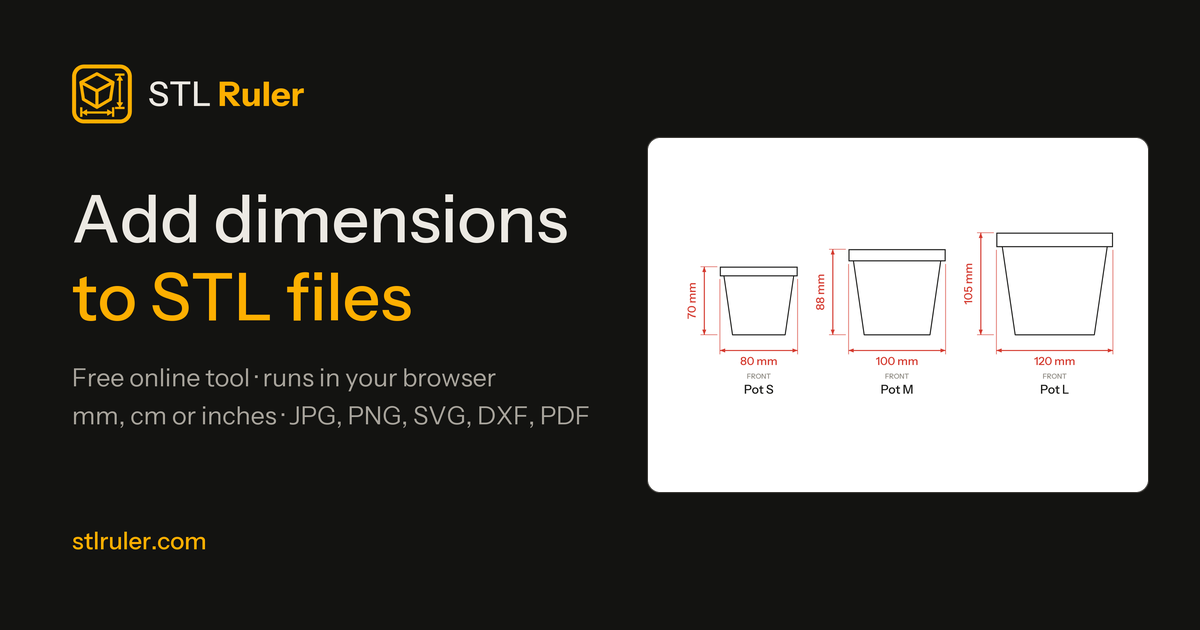

Add dimensions to STL files online. Drop a 3D model, get clean annotated drawings for Etsy listings, quotes and manufacturing — in seconds.


Drop an STL, GLB, OBJ or 3MF and shoot it like a real product — backdrops, softboxes, real materials and path-traced renders.
PlyFill went from idea to paying users with the same process I use for clients: talk, prototype, build, launch. Bring me the problem — I'll bring the software.
Comments
Every comment is reviewed before it appears.
No comments yet — questions, ideas and bug reports are all welcome.