
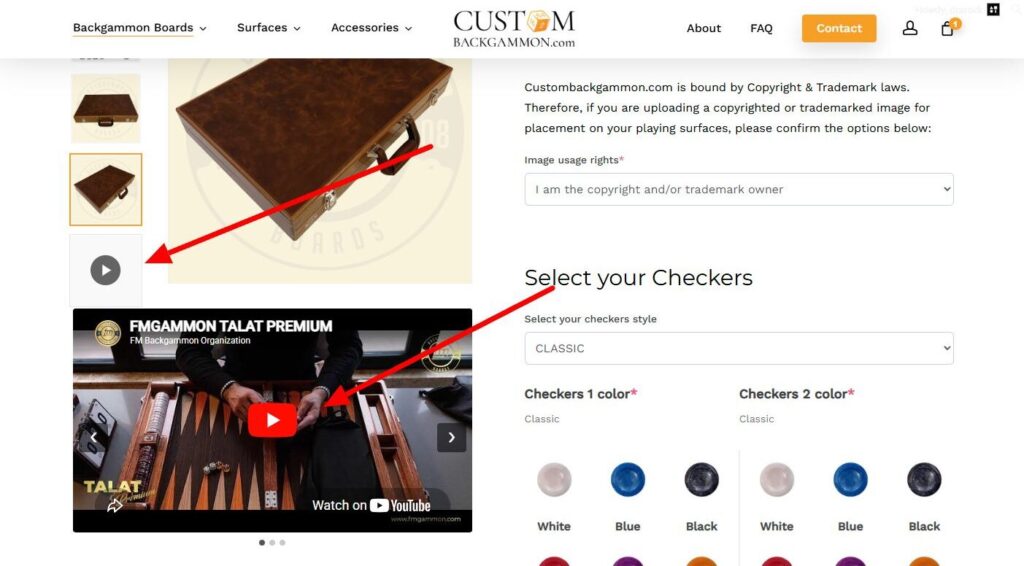
Add one or more video links to any WooCommerce product and display them on the product page — right below the product photos, in the same column. A clickable **video icon** is also added as the last item in the product image gallery, which jumps the visitor straight to the video player. When a product has more than one video, the videos turn into a simple slider with left/right arrows.
All WordPress Plugins
Media
WooCommerce Products Video Slider
Add one or more video links to any WooCommerce product and display them on the product page.

What it does
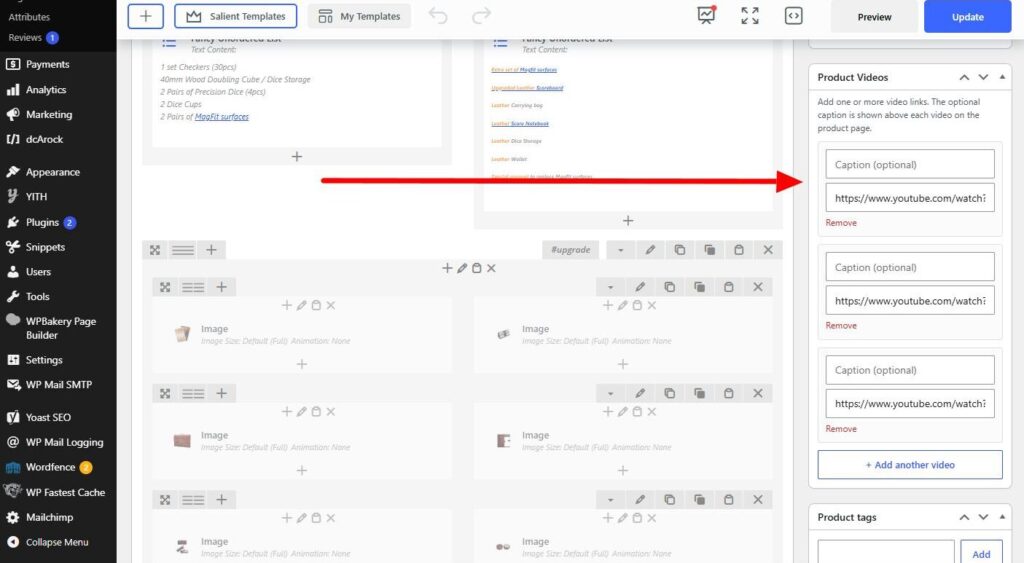
- Adds a **Product Videos** panel to the right column of the product editor.
- Add video links **one at a time**, with a **"+ Add another video"** button to add as many as you want.
- Each video can have an **optional caption** that is shown **above** the video.
- On the front end the video(s) appear **below the product photos**, inside the same column as the gallery.
- A **video icon** is added as the **last item in the product image gallery**. Clicking it scrolls the visitor straight to the video player.
- A **single video** is shown on its own. **Multiple videos** become a slider with **left/right arrows** (and clickable dots).
- Supports **YouTube**, **Vimeo**, and **self-hosted video files**(`.mp4`, `.webm`, `.ogg`, `.ogv`, `.mov`). Other URLs fall back to WordPress oEmbed, then to a plain link.
- Fully responsive 16:9 video embeds.
Installation
- Upload the plugin folder to
/wp-content/plugins/, or install it via Plugins → Add New → Upload Plugin. - Activate it through the Plugins screen in WordPress.
- Set your minimum amount and notice message in the plugin's settings.
Requirements
- WordPress 6.0 or higher
- WooCommerce 6.0 or higher
- PHP 7.3 or higher
Changelog
1.6 June 20, 2026
Get WooCommerce Products Video Slider
v1.6 · 12 KB · GPL-2.0 · tested to WP 6.0+
Downloads: 0
Comments